Help center · Tutorial · 5 steps
How to check a researcher's grants and funding history before you reach out
- About 5 minutes
- Free plan and up
- Checked in the app on
Before you write to a researcher about a partnership, open their Funding tab on Helikon to see which grants and awards have funded their work, including small-business awards their papers acknowledge. It tells you who already pays for the work, which grants they led, and whether they've worked with a small business before. You need a free account.
Before you start: the awards come from OpenAlex and from the funders' own published records (NIH ExPORTER, the NSF award archive, and SBIR.gov). An award is listed on a profile because a paper the person co-authored credits it. That isn't the same as being named on the grant, and the tab keeps the two apart.
Step 1Open the Funding tab
Open the researcher's profile and click Funding. Two lines at the top count the awards and add up their amounts by currency: Led by this researcher, where the funder names them as principal investigator, and Credited in their papers, everything their papers acknowledge. Below, each award shows its title, amount, agency, program code, dates, and how many of the researcher's papers credit it, and a PI badge marks the ones they led.
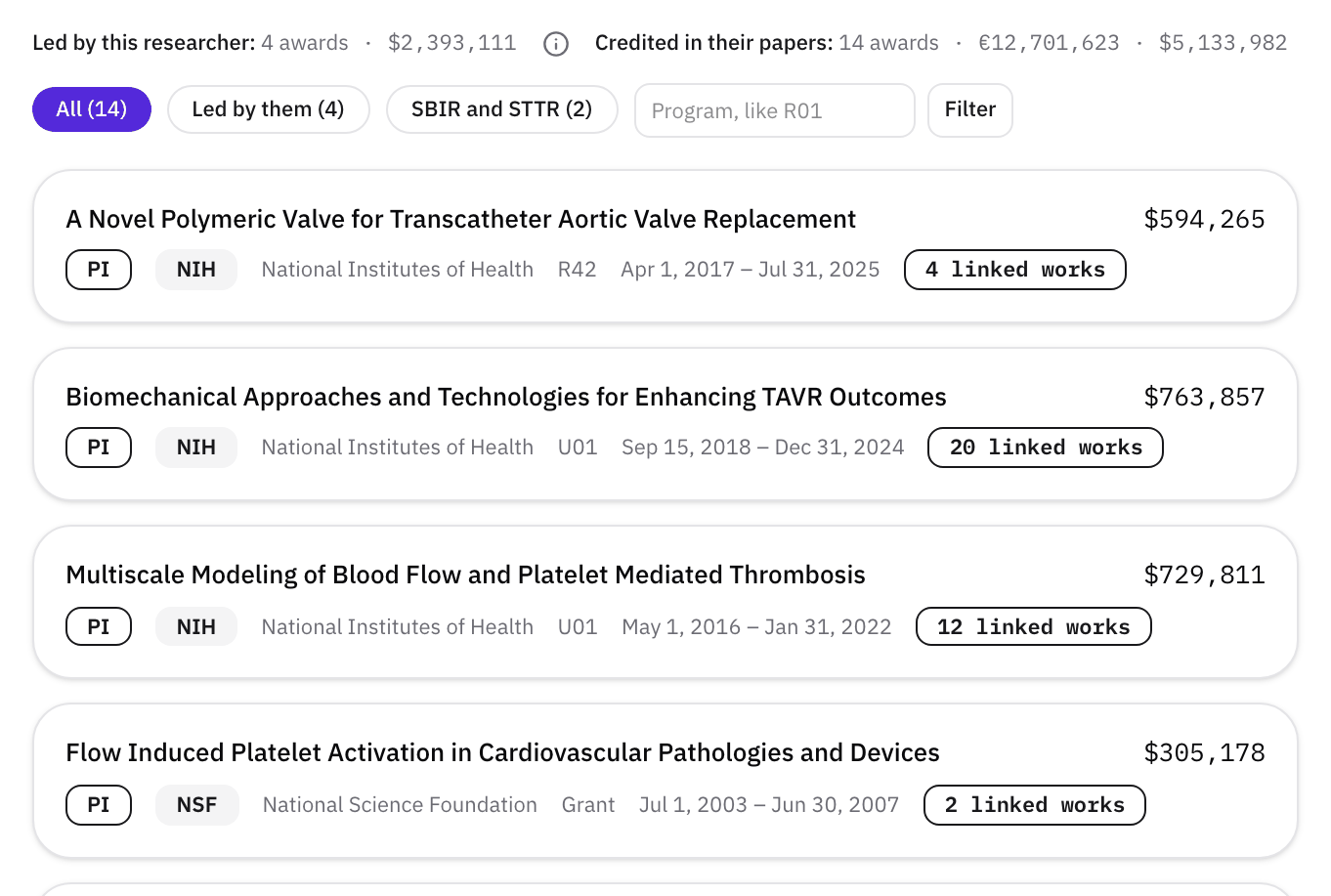
Read the credited total with care. It adds up every award credited in the person's papers, including their co-authors' grants and large center or training grants, so for someone with many collaborators it's far more than they've raised themselves. The led total is the closer measure, and the award rows are where the useful detail is.
Step 2Read the program codes
The code after the agency tells you what kind of award it is. For NIH:
- R01, R21, R35: research grants, usually led by one lab.
- U01, U19: cooperative agreements, often with several groups.
- P30, UL1, T32: center, institute, and training grants, which many people credit.
- R41, R42: STTR Phase I and Phase II. R43, R44: SBIR Phase I and Phase II.
To find one kind, type its code in the program box, for example R01, and click Filter. Several linked works on one award mean it's central to their work. One linked work on a center grant usually means a shared facility or a co-author.
Step 3Open an award to see who led it
Led by them shows only the awards where they're the principal investigator. Click an award to see its window: the funder, the term, the amount, the source of the record, and the Principal investigator, the person the funder named as the lead. If it's the researcher whose profile you're on, the award is theirs. If it's someone else, they worked on or alongside it.
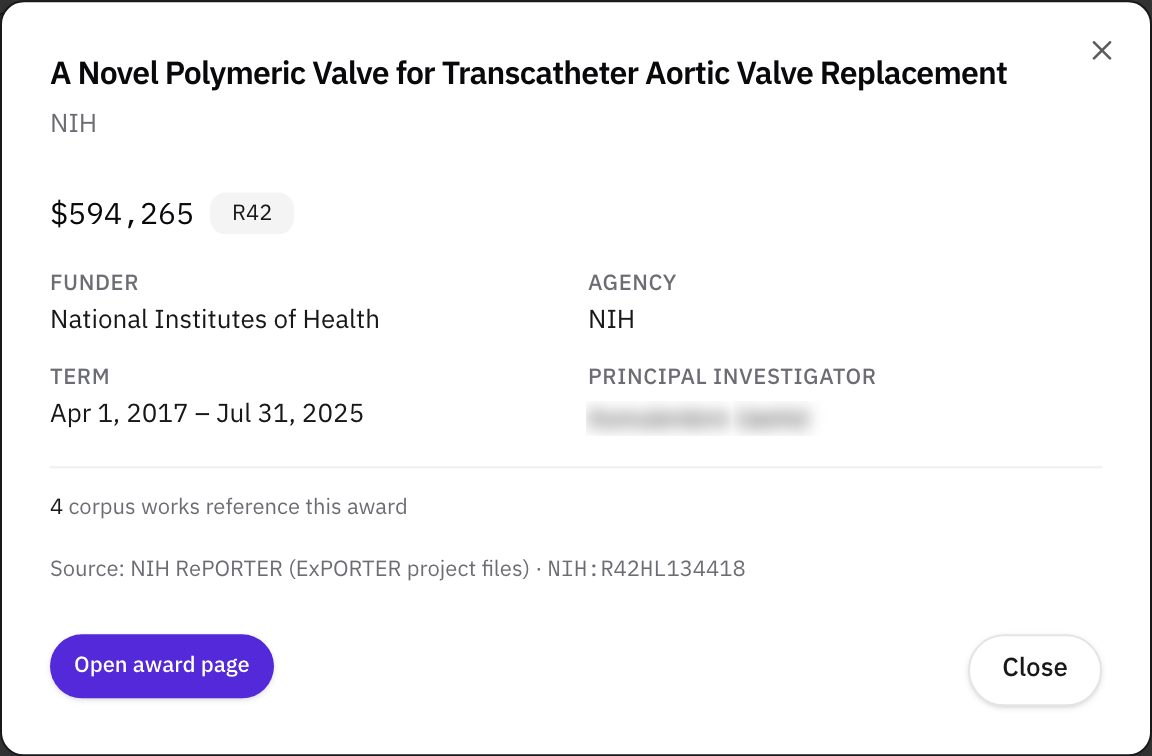
In the example, the researcher is the principal investigator on an NIH STTR Phase II. That's the strongest sign there is that they've led small-business work before and know the paperwork.
Step 4Look for small-business awards
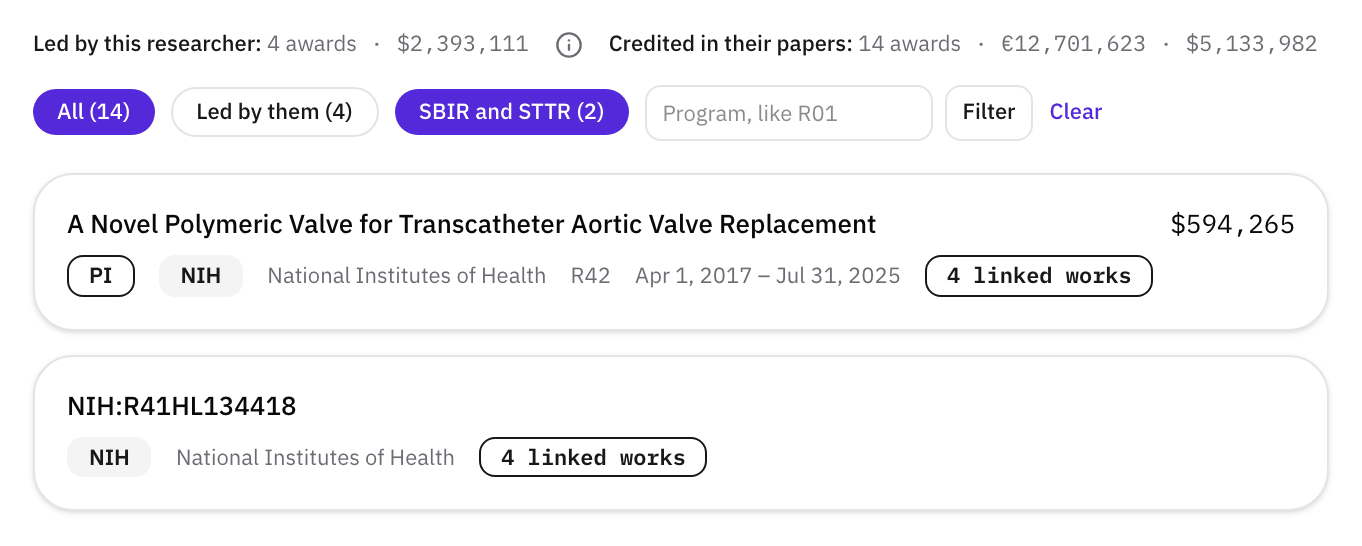
Click SBIR and STTR to see only small-business awards: R41 to R44 at NIH, and SBIR and STTR Phase I or Phase II at other agencies. A Phase I followed by a Phase II for the same project means the work met the agency's bar to continue.
Some awards show only their code, because the funder's record isn't on file. The code still tells you the program. In the example, NIH:R41HL134418 is the Phase I that came before the R42 above.
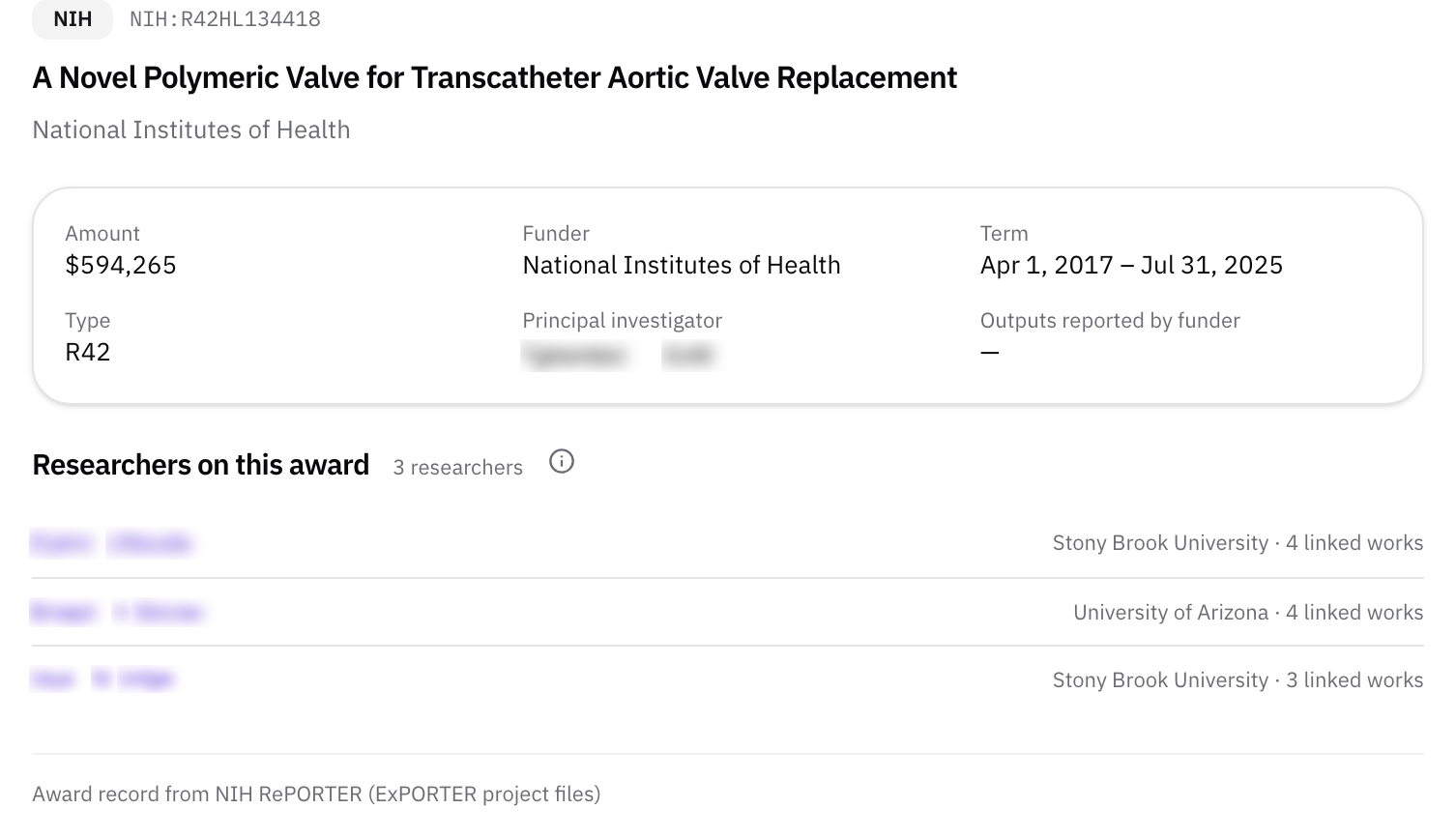
Step 5See who else is on the award
Open award page shows everyone on Helikon whose papers credit the award, with their organization and how many papers each. For a small-business award, that's often the university team and its partners in one list, here a second university and a co-investigator at the lead lab.
Use it in your first message
A specific award makes a better opening than a general compliment: "I saw your NIH STTR work on polymeric heart valves" tells the researcher you've done your homework. If you're looking for an STTR partner, How to use your specific aims page to find an SBIR or STTR university partner walks through the search, and the SBIR and STTR university partner guide covers the rules.
Related
- GuideSBIR and STTR university partners: the rules, how to find one, and what to agree before you submit
- GlossarySBIR (Small Business Innovation Research)
- GlossarySTTR (Small Business Technology Transfer)
- GlossaryPhase I and Phase II (SBIR and STTR)
- WalkthroughBe found: your expertise, publications, patents, funding, and the patents that cite your work
- WalkthroughFind a university partner for SBIR or STTR
- HelpFind an SBIR or STTR partner from your specific aims page
- GlossaryAllocation of rights agreement
- GlossaryIndirect costs (F&A)
- GlossaryResearch institution (SBIR and STTR)