Use case · Match
Be found: your expertise, publications, patents, funding, and the patents that cite your work
For anyone who wants the person searching for their expertise to find your real research record, not a department page from 2021.
Free plan · No credit card required
Somewhere a scout has pasted a problem statement that your last three papers answer, and the search has to decide whether to show you. It decides from your research record: what you've published, what you've patented, what you've been funded to do, and what you've written about yourself. Most of that already exists for you. Claim it and add the parts no database holds to now be found.
How it works
A worked example. A polymer chemist with about 60 papers on membrane materials and four granted patents wants industry partners to find her without needing to meet by chance at a conference.
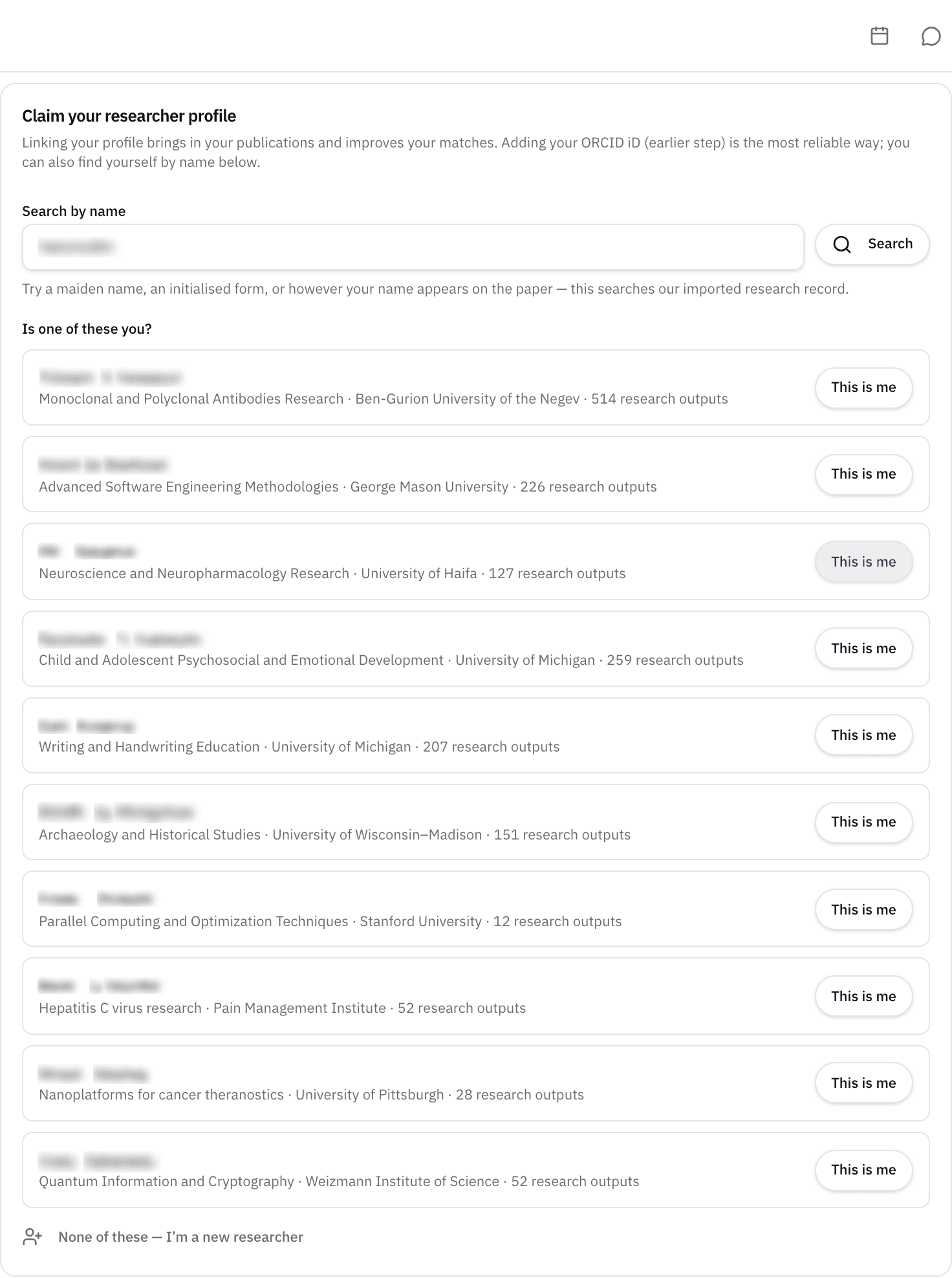
Step 1: Claim the record that already exists
Sign up and open Profile → Imports. If the corpus already holds your research, the page asks you to link it first, and the publications, patents, and funding history attached to it become yours to build on.
For a researcher with 60 papers, their record is almost certainly there, with most of the papers, the patents the USPTO record links to her name, and the awards she published on.
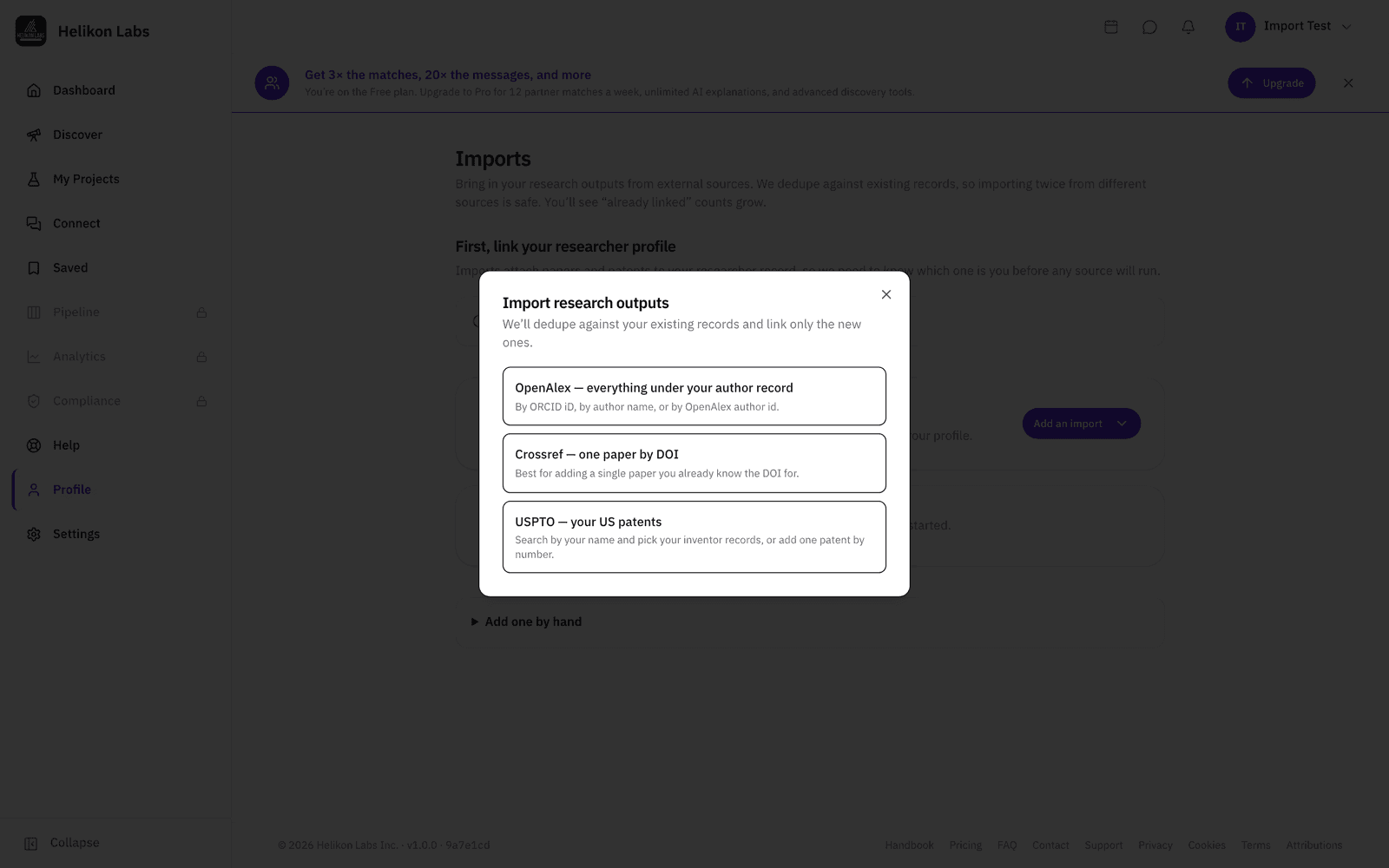
Step 2: Import what's missing
Add your ORCID iD, or your OpenAlex author name or id, and the platform imports your works from OpenAlex, up to 1,000 per identifier. Add any paper by DOI. Add patents by number, or run an inventor-name search against USPTO and attach the ones that are yours. Imports are processed within a few minutes. Each identifier runs once, so add a new DOI or patent number when you have one.
The usual gaps are this year's papers and a patent the corpus matched to a different spelling of your name, both are a DOI or a patent number away.
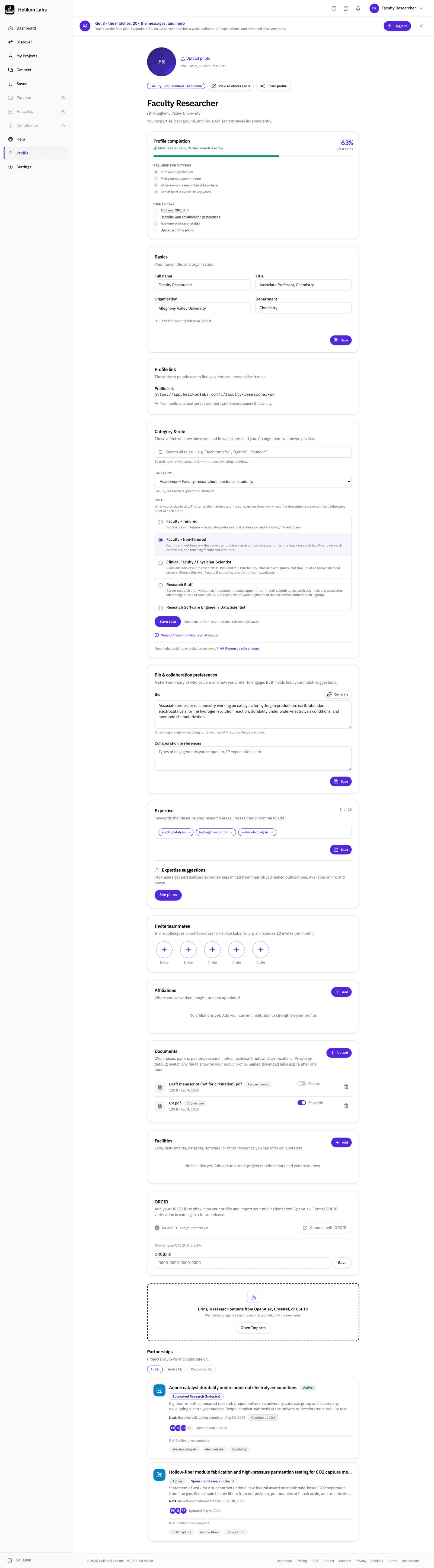
Step 3: Write the parts no database holds
A bio (there's a Generate button beside it if you want a first draft from your research), up to 20 expertise keywords (on Pro, suggestions mined from your own papers and patents), affiliations, the Facilities & resources you can offer a partner, the collaboration categories you're open to, and Open to mentoring if you are. Attach documents with a visibility setting per document.
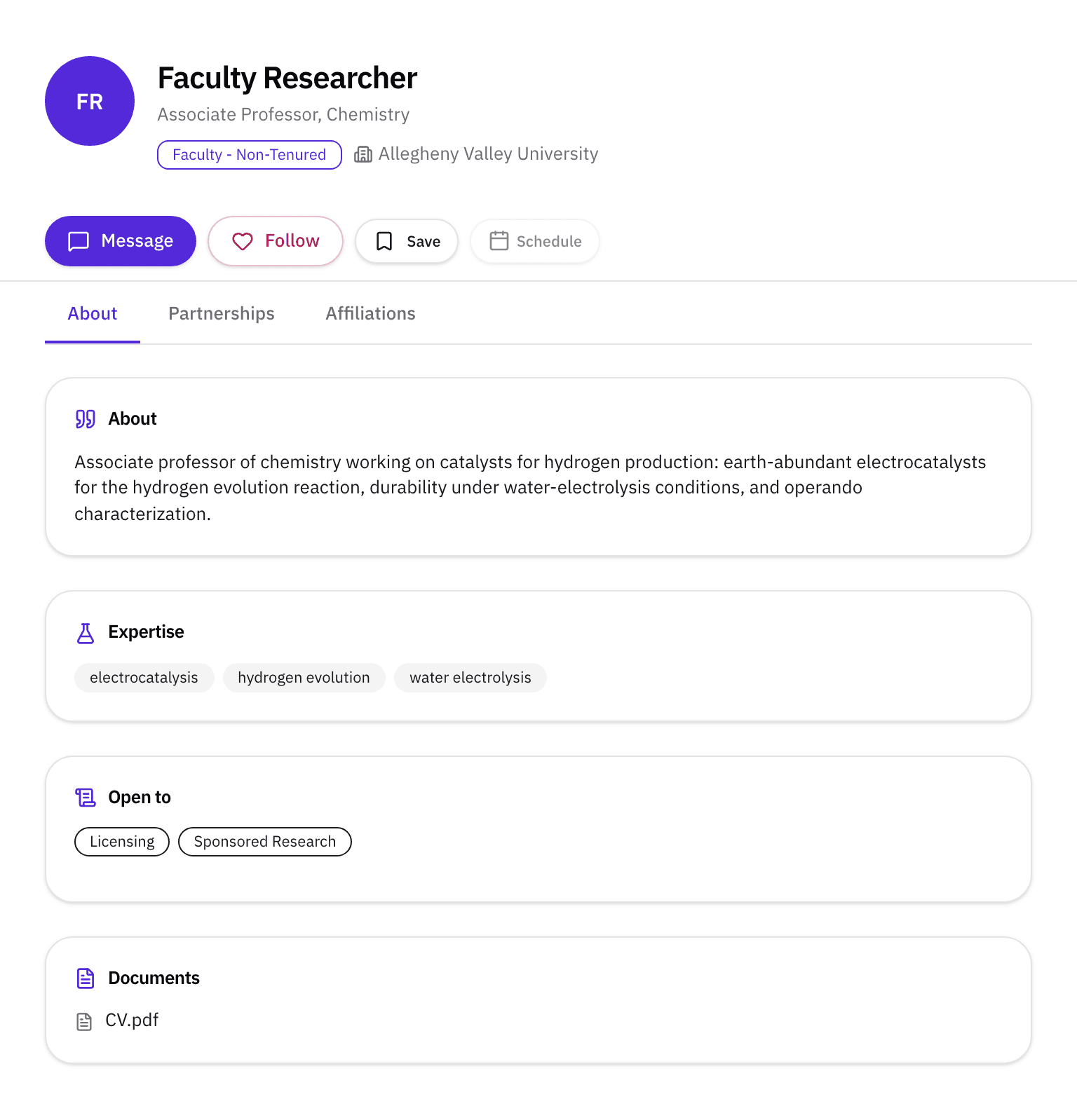
For a membrane group: include the casting line and the gas-permeation rig under facilities, Sponsored Research and Licensing under collaboration, and your CV attached for members to see.
Step 4: Be found
Your public profile lives at /u/your-handle. Signed out, search engines and visitors see your name, role, institution, and impact metrics; signed-in members see the whole profile. Inside the platform, Partner search and match suggestions match you on the profile you've just completed. On the Research outputs tab, any paper opens to show the patents that cite it, on the Funding tab, your award history. A profile-views count tells you how many people are interested.
When a scout's Partner search matches her research, a message arrives with the reason attached.
What you’ll see
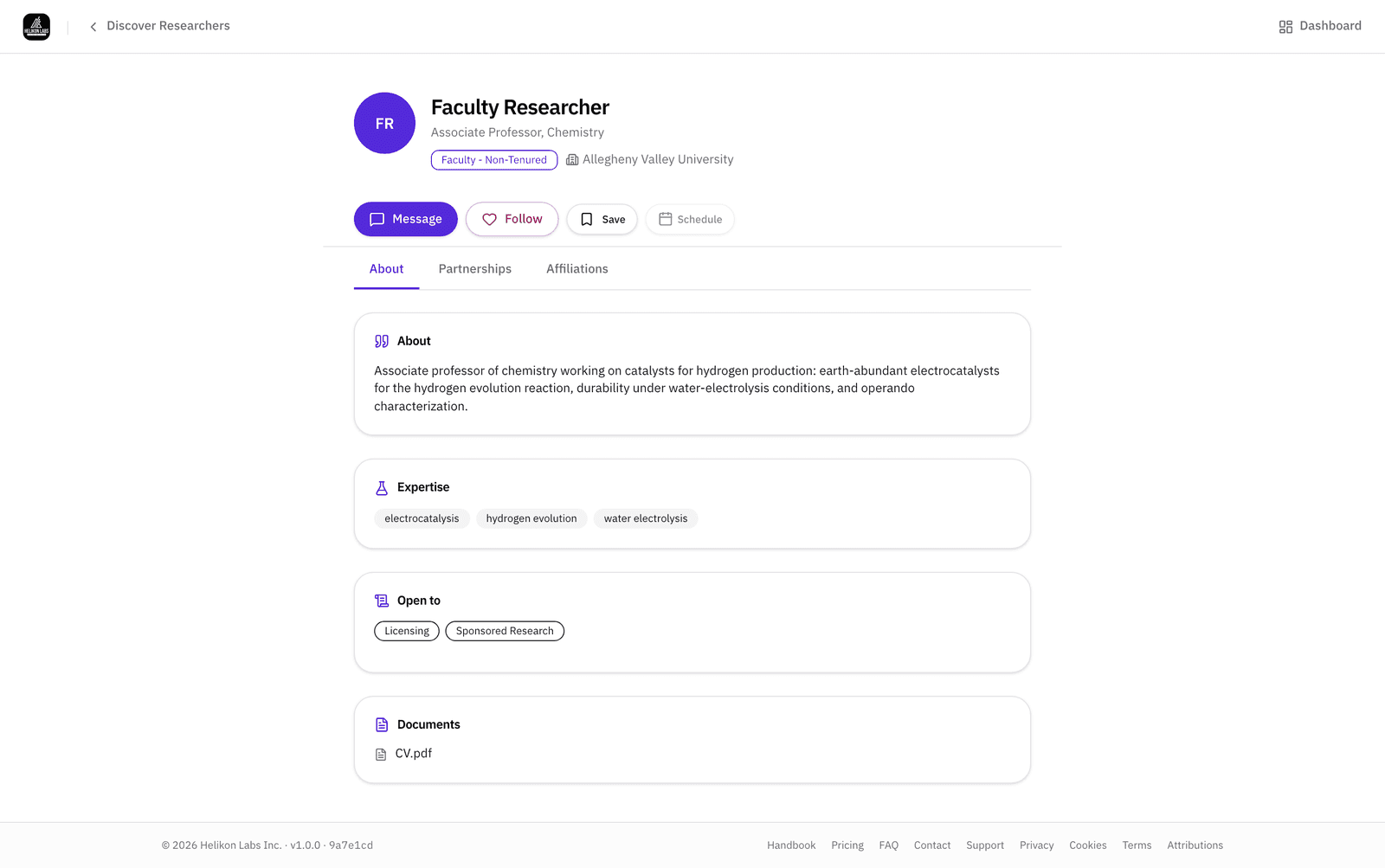
- 1. Header. Name, affiliation, expertise keywords.
- 2. Tabs. About (with the collaboration categories under Open to collaborating on), Research outputs, Patents, Funding, Partnerships, Affiliations.
- 3. Cited by patents. In every publication panel.
- 4. Patents. Linked from the USPTO record, the page notes that an inventor match is statistical, not a verified claim of authorship.
- 5. Facilities and documents. What you've chosen to show, at the visibility you chose.
What’s on Free, and what Pro adds
| Free | Pro | |
|---|---|---|
| Claim, imports, public profile, all tabs | Yes | Yes |
| Expertise keywords | Up to 20 | Up to 20, with suggestions mined from your papers and patents |
| Coauthors shown on your profile | 3 | 10 |
| AI match analysis when you read others' profiles | 10 per month | Unlimited |
Being found costs nothing. Pro gives you more powerful tools to find others.
Match
This is the Match phase from the other side: a search can only find what your record holds, so updating your record is where it starts. Read about the phase →
- What happens when I add my ORCID iD to my profile?
- Your ORCID iD is an identifier our platform uses to find your works in OpenAlex and import them: the papers, the funding, and the patents that cite your work.
- Will my profile update itself when I publish?
- We update the Helikon Research Graph periodically using open source metadata, but this can lag, and isn't always complete. When you publish a new paper, add its DOI, when a patent is granted, add its number. Both actions are processed within a few minutes.
- Who can see my documents?
- Per document: shown on your profile to signed-in members, or kept private. Documents never appear on the signed-out profile.