Use case · Match
Get funding opportunities matched to your research
For anyone who would rather read three relevant funding calls than 300 irrelevant ones.
Free plan · No credit card required
The federal funding calendar is public and enormous, and the way most groups read it is a weekly email from the research office with 40 links, two of which apply. The calls that fit sit next to the calls that don't, and the sorting is done by whoever has time that week.
Our platform matches open calls to the profile you write: your bio, your keywords, your role, and your institution. The best fits come first because the sorting is done for you.
How it works
A worked example. An associate professor working on catalysts for hydrogen production has just claimed her profile and wants to write a proposal before the fall deadlines.
Step 1: Finish your profile
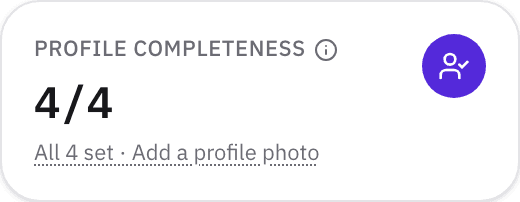
Matching turns on when your profile has four things: an institution, a primary role, at least three expertise keywords, and a bio of 120 characters or more. Those four fields are what the funding match reads, so the bio and the keywords are worth writing carefully.
For the example: “electrocatalysis,” “hydrogen evolution,” and “water electrolysis,” and a two-sentence bio that says what your group actually does.
Step 2: Explore Matched to you
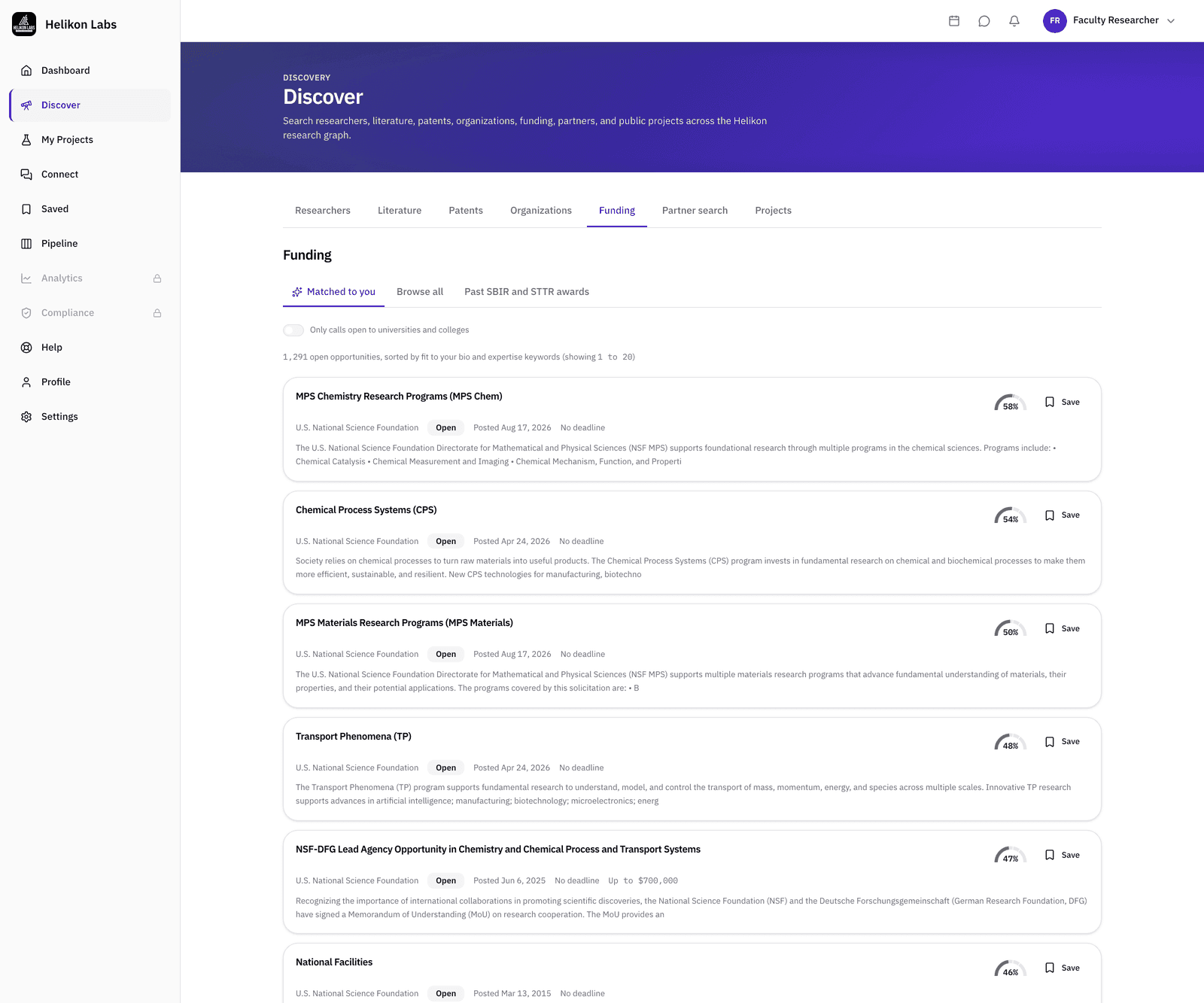
Open Discover → Funding. Matched to you lists the open federal opportunities that best match your profile: Free shows the top 3, and Pro and higher every open call, best fit first. A switch keeps the list to calls your kind of organization can apply for, and a shorter version shows on your dashboard as a widget.
Step 3: Browse the rest
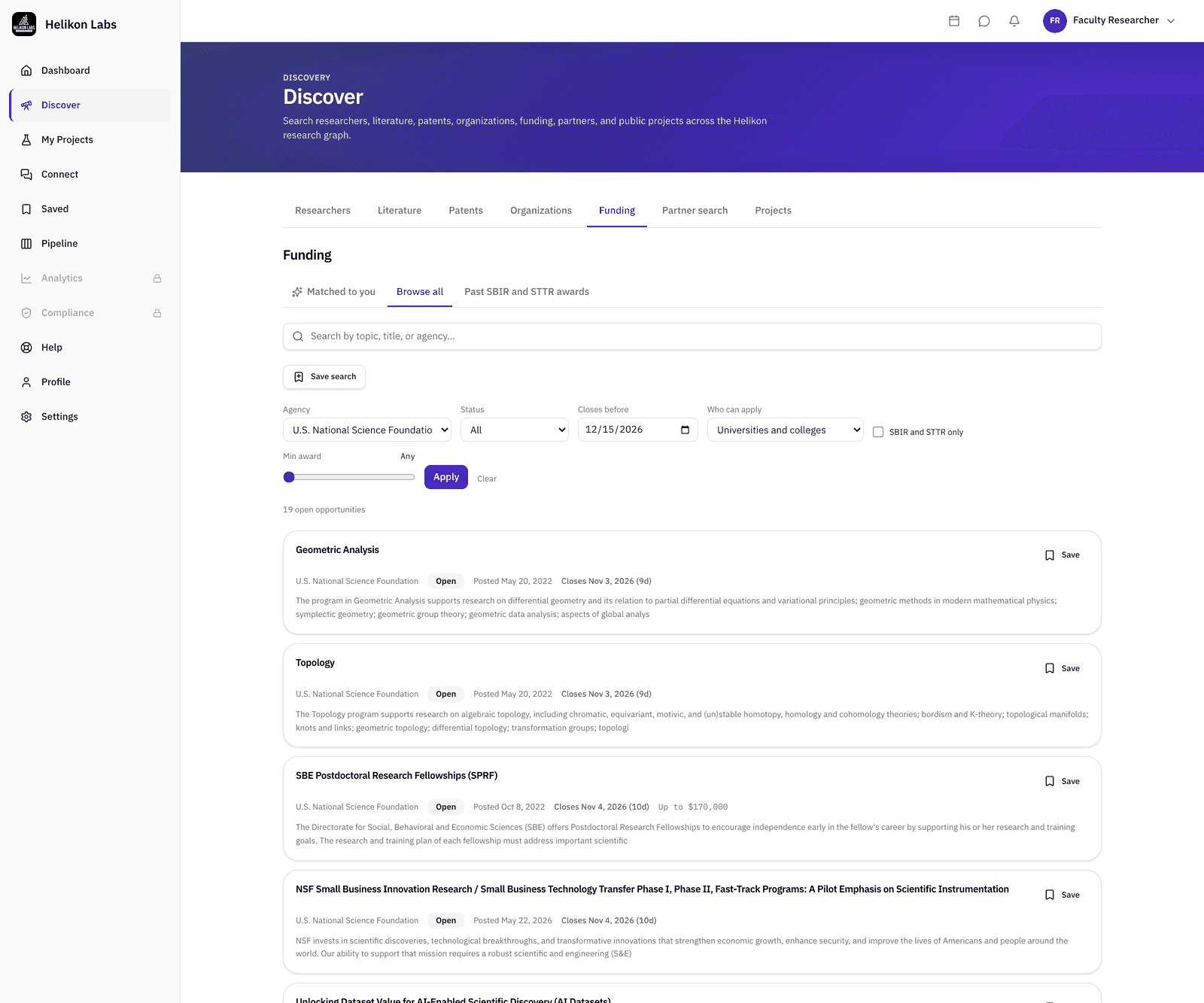
Browse all lists every open opportunity, ordered by closing date. Filter by Agency, Status, Closes before a date you choose, a minimum award amount, who can apply, and SBIR and STTR only. Open one for the summary and a link to the full record on Grants.gov or SAM.gov, where you apply. Save the ones you're considering, and they'll sit with the rest of your saved items. On Pro, save the search itself, and its new calls come in your weekly funding email.
For a fall deadline, that is calls closing before 15 December 2026 with a minimum award set to the size of grant your group will consider.
Step 4: See what peers have been awarded
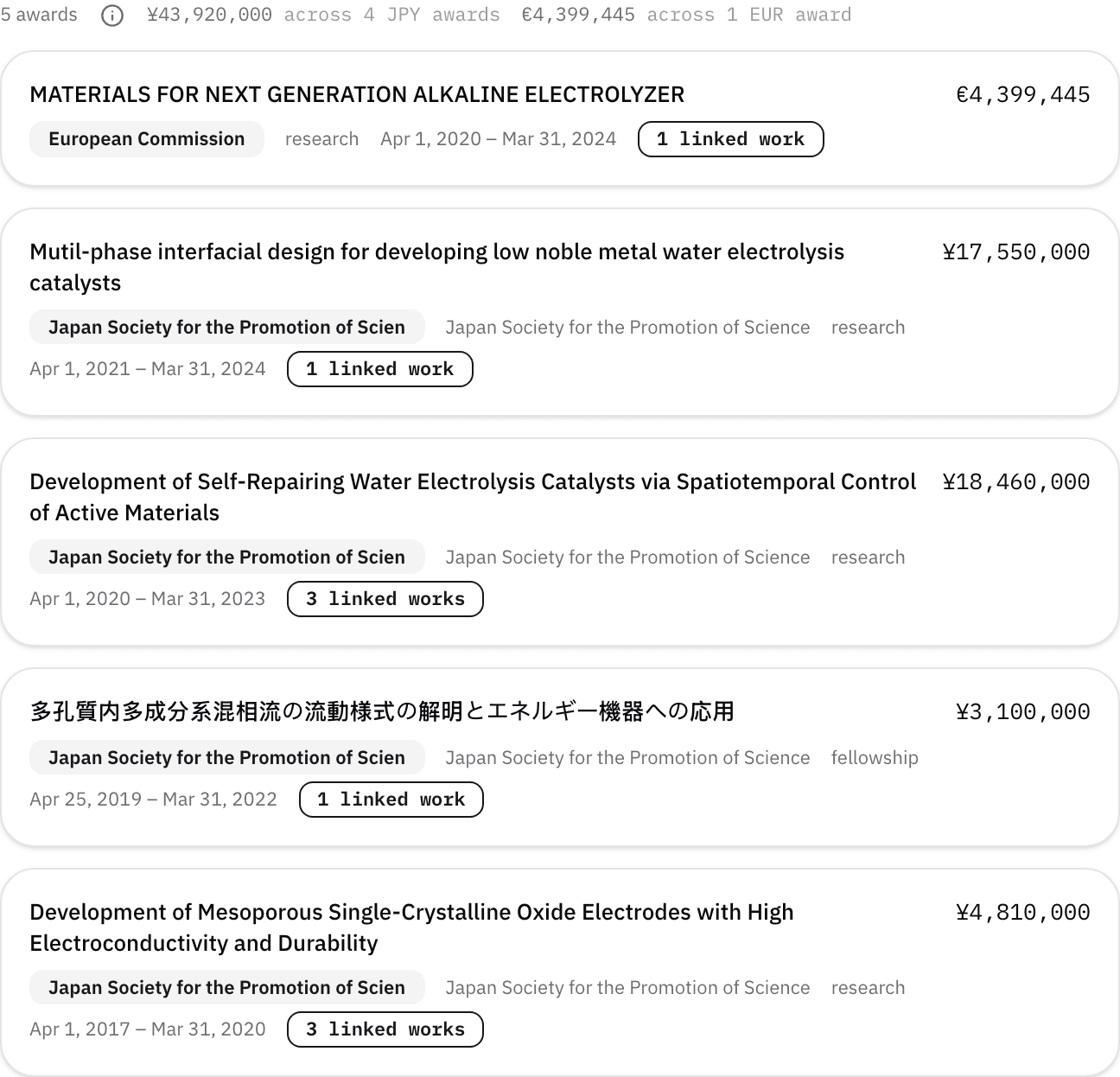
Each call's page lists the past NIH, NSF, and SBIR and STTR awards closest to it, so you can see what the program has funded before you write. A researcher's profile has a Funding tab too: the awards they've published on, with totals by currency, from US federal agencies and international funders. Open the profiles of the people who publish in your field to see which programs fund work like yours. Three awards from the same directorate on one peer's tab is a program worth considering closely.
What you’ll see

- 1. Title and agency. As listed on Grants.gov or SAM.gov.
- 2. Closes. The closing date from the record. The funder's own listing is authoritative if they differ.
- 3. Award range. Where the call states one.
- 4. Match. The match against your profile.
- 5. Save · Open the listing. Applications happen on Grants.gov or SAM.gov, not here.
What’s on Free, and what Pro adds
| Free | Pro | |
|---|---|---|
| Browse every open opportunity, all filters | Yes | Yes |
| Matched to you | Top 3 | Every open call |
| Weekly funding email | Up to 3 new calls | Every new match, plus saved searches |
| Past awards beside each call | 3 | 10 |
| Saved searches with alerts | No | 25 |
| Deadline calendar | Download | Download and a live feed |
| Dashboard funding widget | 3 | 12 |
| Save opportunities | Within 50 saved items | Unlimited |
Match
Funding is a partner too. The Match phase treats the funder's program as one of the things a collaboration has to fit. Read about the phase →
- Is this only US federal funding?
- Yes, for now. Opportunities come from Grants.gov, plus the SBIR and STTR notices posted on SAM.gov. Award histories on researcher profiles are international, because they come from the publication record rather than from any one funder's database.
- Why do I only see three matches?
- Because you're on Free, which shows a real top 3 so you can see how well the matching works before paying for it. Pro and higher show every open call, best fit first. Browse is unlimited on every plan, so nothing is hidden. Only the matched list is capped.
- Do I need to link my researcher record to get matches?
- No. Matching runs on the profile you write, once the four fields are complete. A linked researcher record isn't required, it only stands in when the profile is missing.
Read the three funding calls that fit your expertise
Free plan · No credit card required