Use case · Match → Unite
Staff a funded project: co-investigators, subcontractors, and facilities
For anyone holding a new award with a staffing need.
Free plan · No credit card required
The award letter arrives and the clock starts. The proposal named a subcontractor who's since changed jobs, and the facility you planned to use has a nine-month queue. You need specific experts with specific records, and you need them before the first quarterly report.
Our platform lets you post the project, with the expertise it needs, and matches experts for you.
How it works
A worked example. A PI has a new federal award for membrane-based CO2 separation from flue gas and needs a subcontractor who can fabricate hollow-fiber modules and a partner with a permeation rig that runs at pressure.
Step 1: Post your project
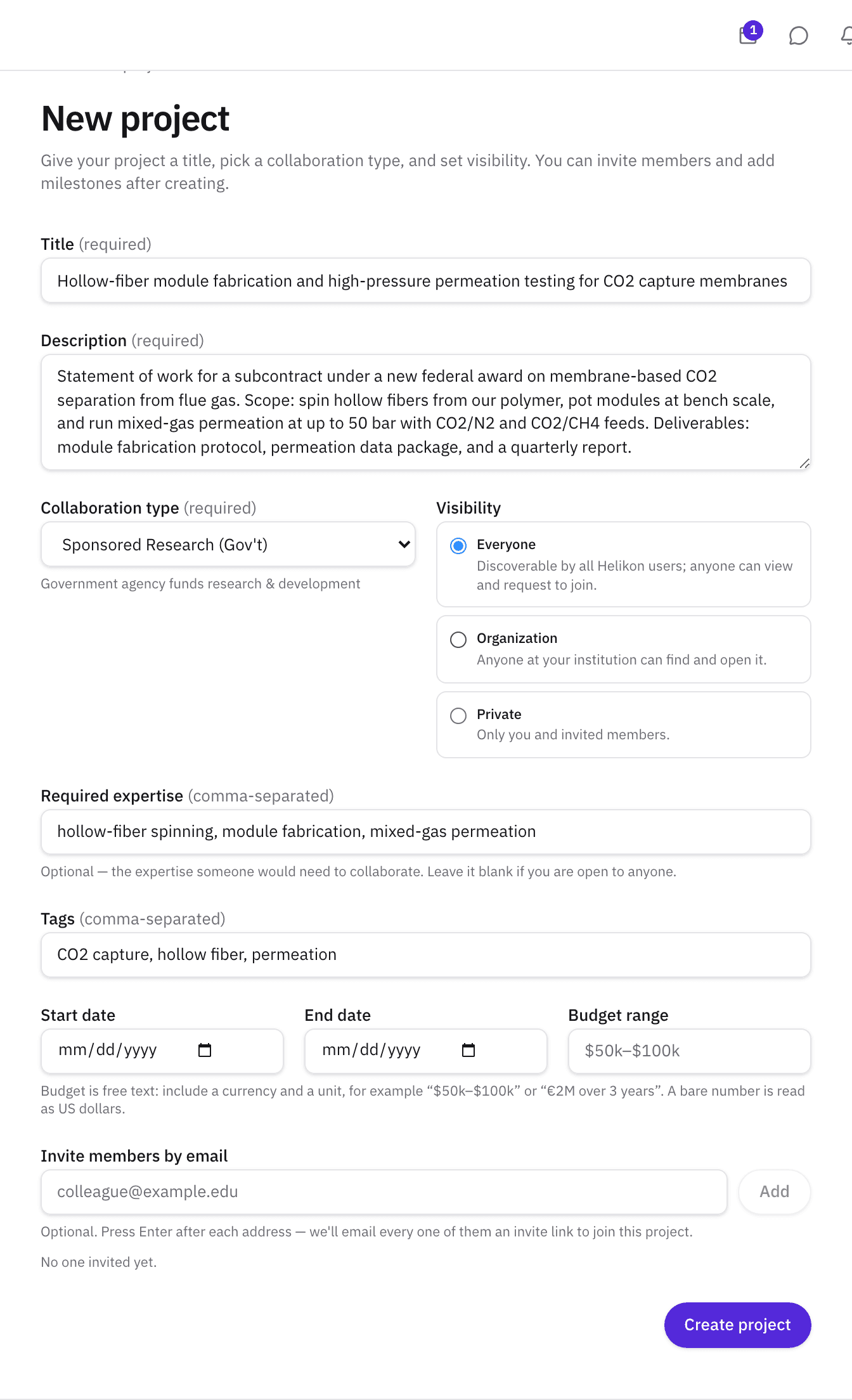
Create a project with a title, a description that reads like the statement of work, tags, and Required expertise. Set the timeline, a budget range, and one of 44 agreement types (a Cooperative Research and Development Agreement, or CRADA, and SBIR/STTR among them). The project goes live on creation and appears in Discover, in other members' dashboards, and in the recommendations. Set it to draft or private if you want it hidden from Discover's results.
Add the NDA and contract requirements on the project page once the subaward is signed. A project can't be activated, or reactivated, while a required date is missing, so there's no reason to flag it before you have the date.
For the example, the title would read “Hollow-fiber module fabrication and high-pressure permeation testing for CO2 capture membranes,” with required expertise in module spinning and mixed-gas permeation.
Step 2: Read the recommendations
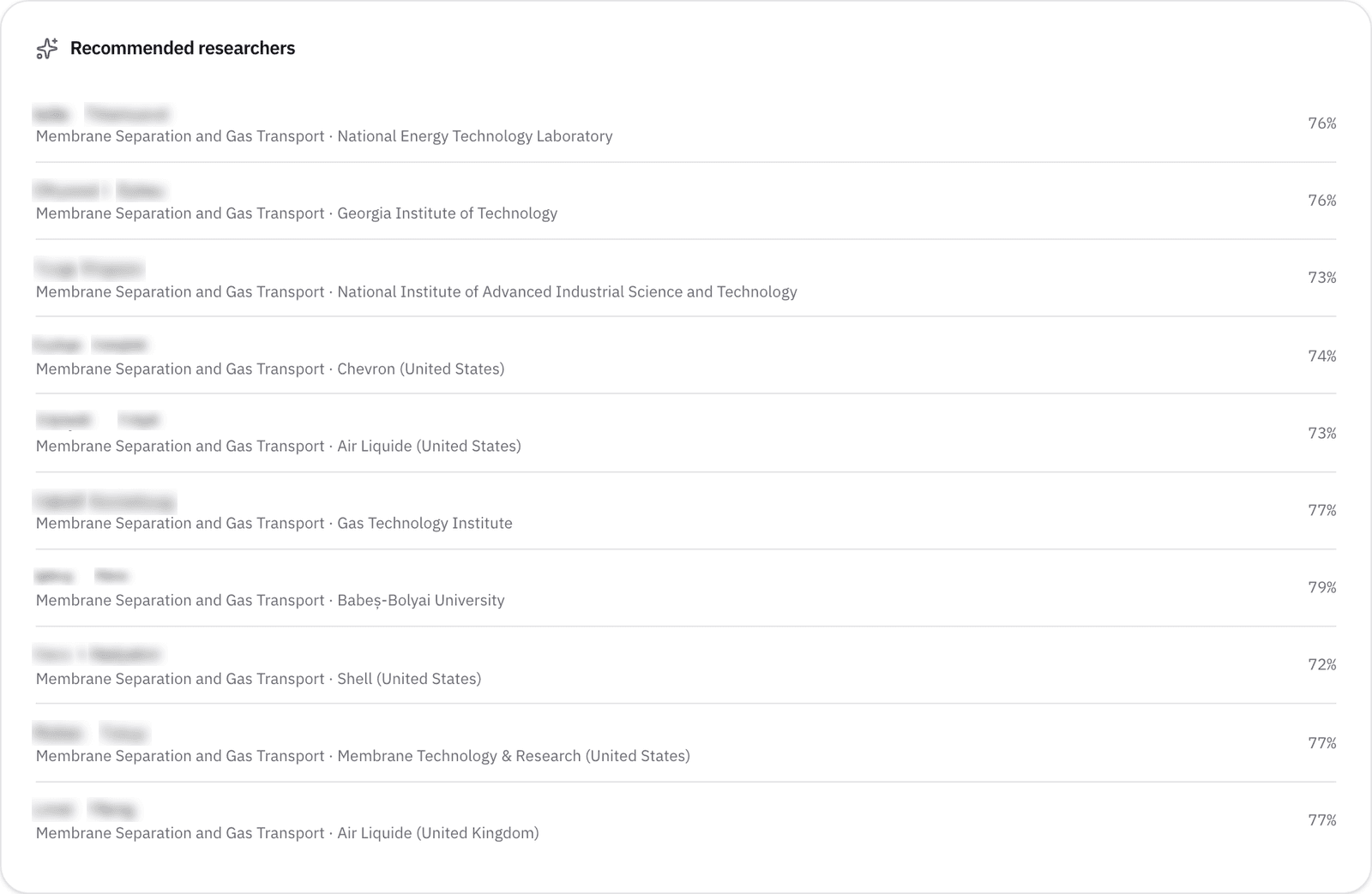
The project page lists Recommended researchers, matched on the title, description, tags, and required expertise together: 3 on Free, 10 on Pro and above. For a longer statement of work, paste it into Partner search as well, the two rankings read the same research from slightly different angles.
A membrane engineer at a university a few hours away whose last four papers are on fiber spinning is the kind of match the required-expertise matching returns, and the distance makes the subcontract easier to manage.
Step 3: Check what a partner can offer
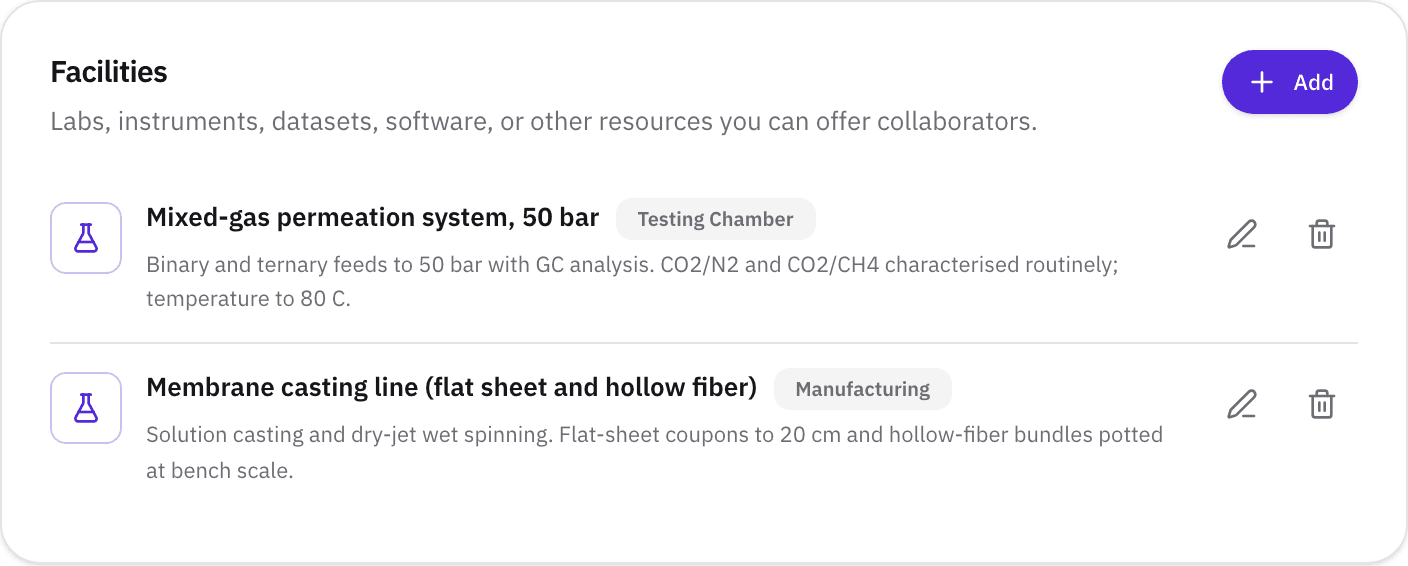
Open a profile. The Facilities & resources section lists the equipment and labs the researcher has added, alongside the collaboration categories they're open to and the Funding tab, which shows awards they've published on.
A mixed-gas permeation system rated to 50 bar, listed on a recommended researcher's profile, is the kind of thing you can find on their profile.
Step 4: Bring people in
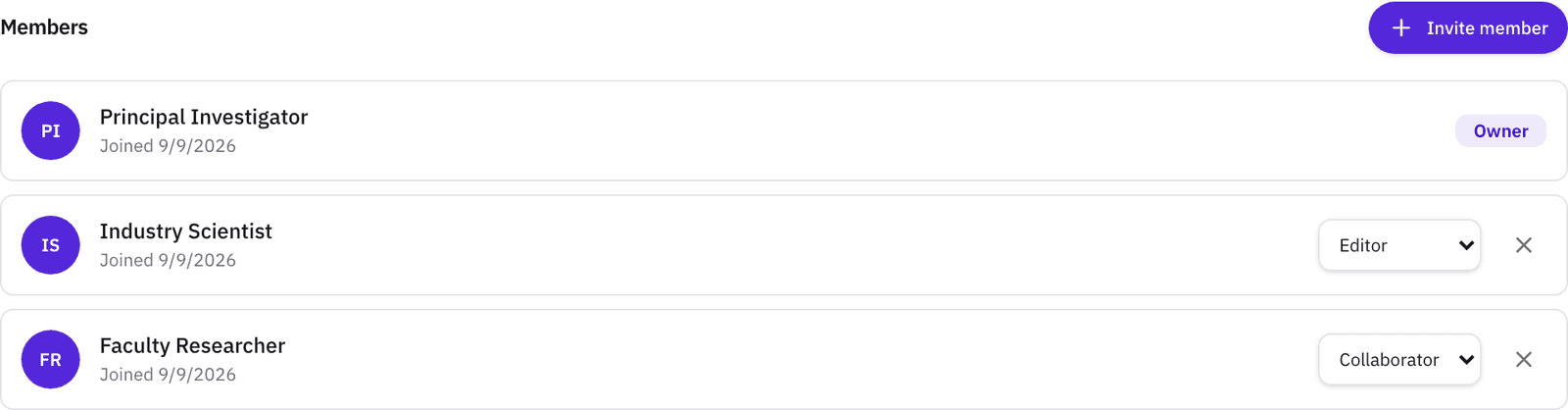
Researchers can express interest from the project page, and you accept or decline. Invite anyone by email and set a role: admin, editor, collaborator, or viewer. Roles can change as the work does. Then add milestones for the deliverables, so the subcontract's due dates live where the team can see them: the module fabricator as an editor, the first two milestones from the award's schedule.
What you’ll see
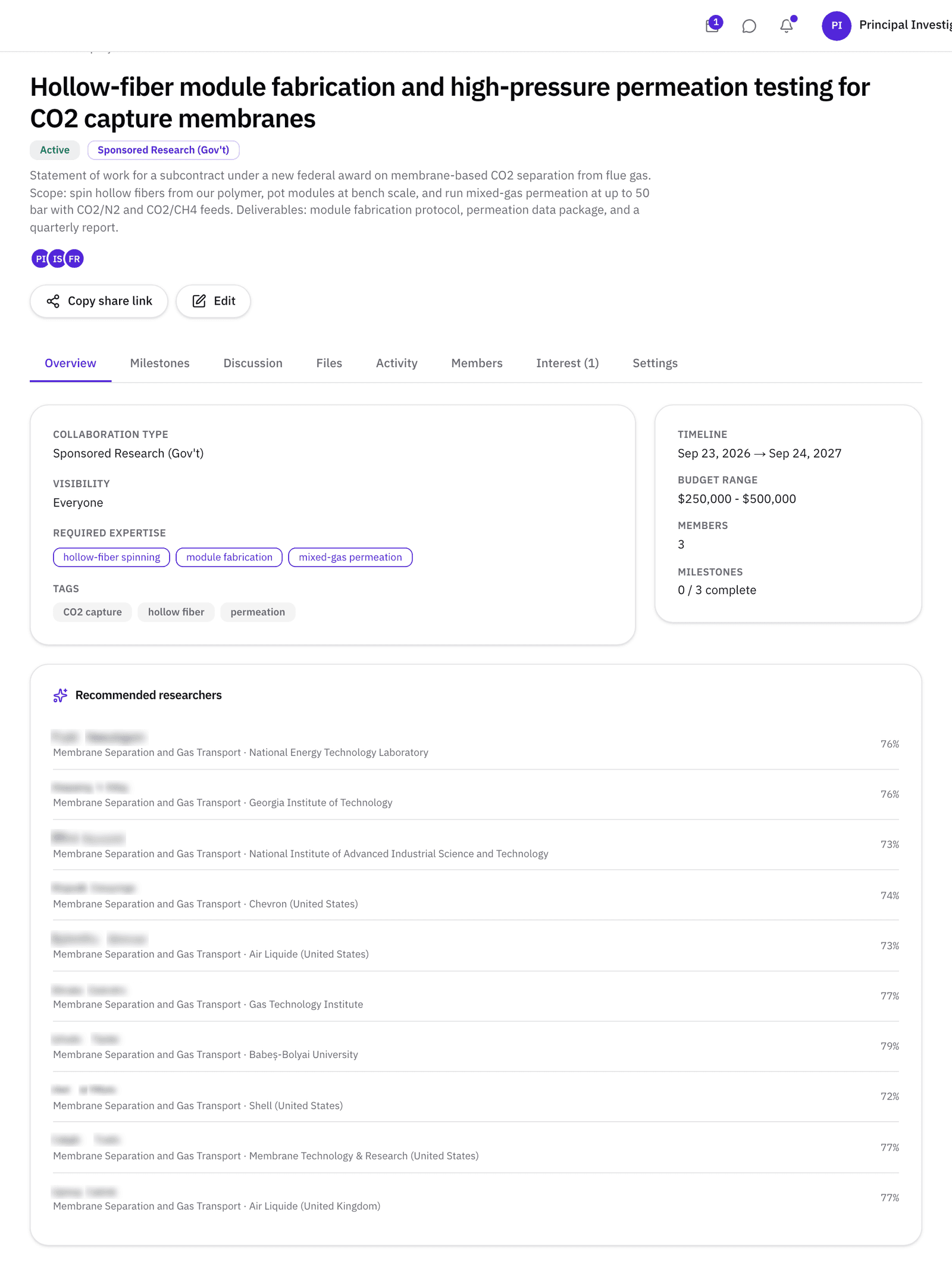
- 1. Status. Active on creation, set it to draft or private to keep it out of Discover search results.
- 2. Required expertise. Keywords the recommendations are matched against.
- 3. Recommended researchers. Matched on the current project text.
- 4. Interest. Requests from researchers who found the project, owner accepts or declines.
- 5. Members and roles. Owner, admin, editor, collaborator, viewer.
What’s on Free, and what Pro adds
| Free | Pro | |
|---|---|---|
| Active projects | 2 | 10 |
| People per project, including you | 3 | Unlimited |
| Milestones per project | 5 | Unlimited |
| Recommended researchers | 3 | 10 |
| File storage | 250 MB | 5 GB |
| Visibility | Everyone | Everyone, Organization, or Private |
Admin roles need a member on Pro or above. Free project description pages are visible to other members of the platform, but per file visibility settings still have audience selection, and milestones, discussion threads, and activity stay private to only project members. A Pro project can be entirely private to only the people you invite.
Match → Unite
Finding the people is Match phase, setting the agreement type, the roles, and the first milestones is the start of Unite, where the collaboration gets a structure both sides recognize. Read about the phase →
- Can I search for a facility?
- Not as a filter. Facilities appear on profiles where researchers have listed them, you can find people by expertise and then read what they can offer.
- Who can see a Free project?
- Other members of the platform. If the project description is sensitive, Pro projects can be set to Organization or Private visibility. Milestones and discussion threads can only be seen by project members. The project's files carry their own per-file audience on every plan.
- What does activating a project change?
- Projects are active as soon as you create them: visible in Discover → Projects, in other members' dashboard suggestions, and with their own recommended researchers. A draft stays out of Discover unless a viewer ticks the Draft filter. Archive a project when the work is done and it stops counting against your active-project cap.
Post the work. Discover who can help you do it.
Free plan · No credit card required