Use case · Match
Find the right expert inside your own organization
For whoever gets asked “who do we have in X?” and has to answer from your network.
Free plan · No credit card required
Your expertise directory is out of date as soon as it's created, and no single person in your organization can know everything that everyone works on. So your proposal gets staffed from the last proposal, and the same 12 people carry every center application while a roboticist two buildings over, with exactly the right expertise, never hears about it.
The scientific research record isn't limited by anyone's network. Our platform lets you filter it by your own organization, university or company, and it includes the people who have never logged in.
How it works
A worked example. A research development officer at a large research university is assembling a multi-PI proposal in assistive robotics and needs a manipulation-and-control researcher in the engineering school, a computer-vision group in the computing school, and a rehabilitation clinician-scientist who has published with wheelchair users, all from her own university.
Step 1: Filter Researchers by your organization
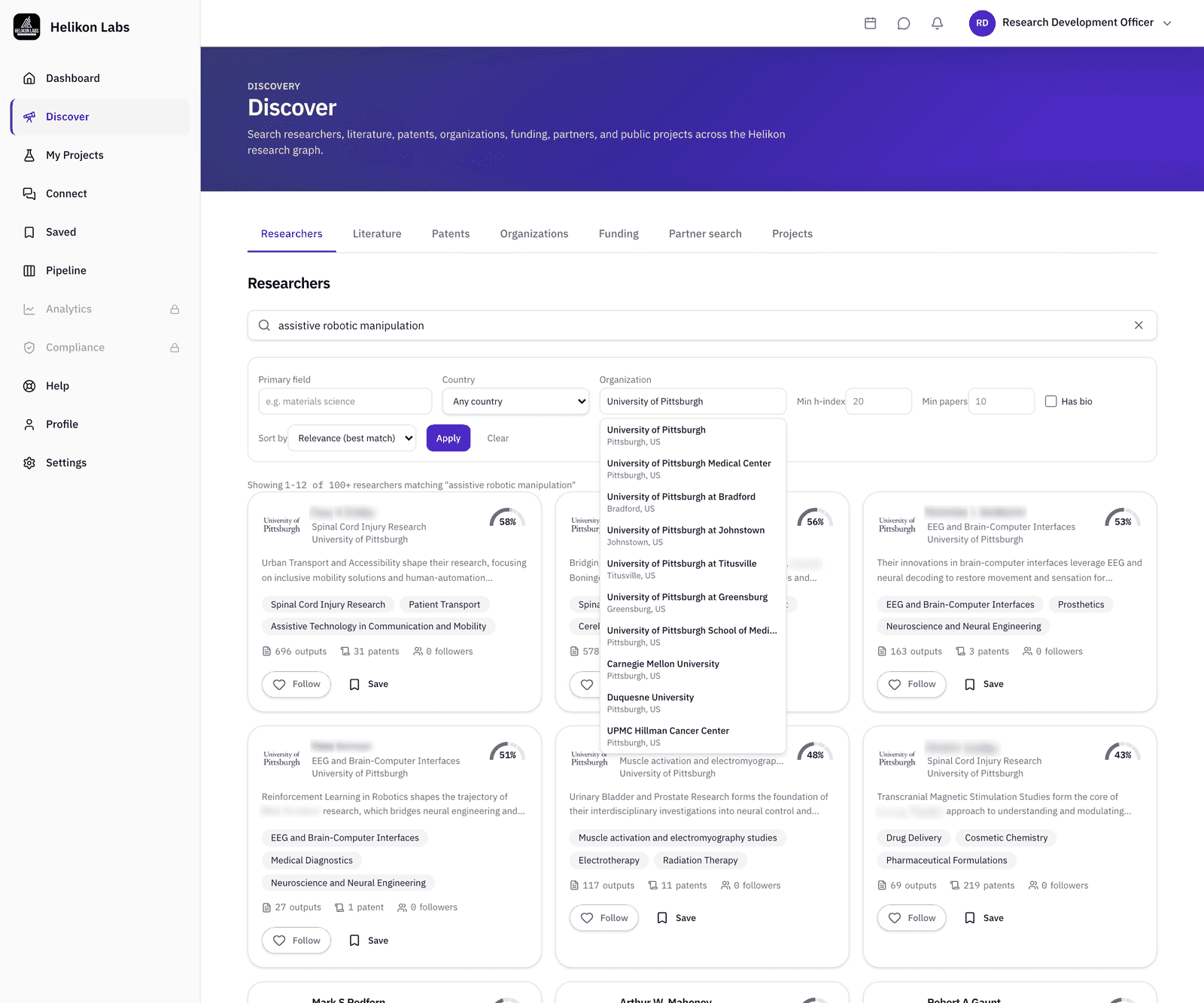
Open Discover → Researchers and set Organization to your own. The filter runs over our entire research corpus, so the results include people who have never signed up. Add Primary field, Min h-index or Min papers, and Has bio to narrow, and sort by relevance, h-index, most papers, most patents, or most recent work.
A search for “assistive robotic manipulation” with Organization set to her university returns the people who have published on it there, across engineering, computing, and the health sciences, whether or not she has met them.
Step 2: Read your organization's page
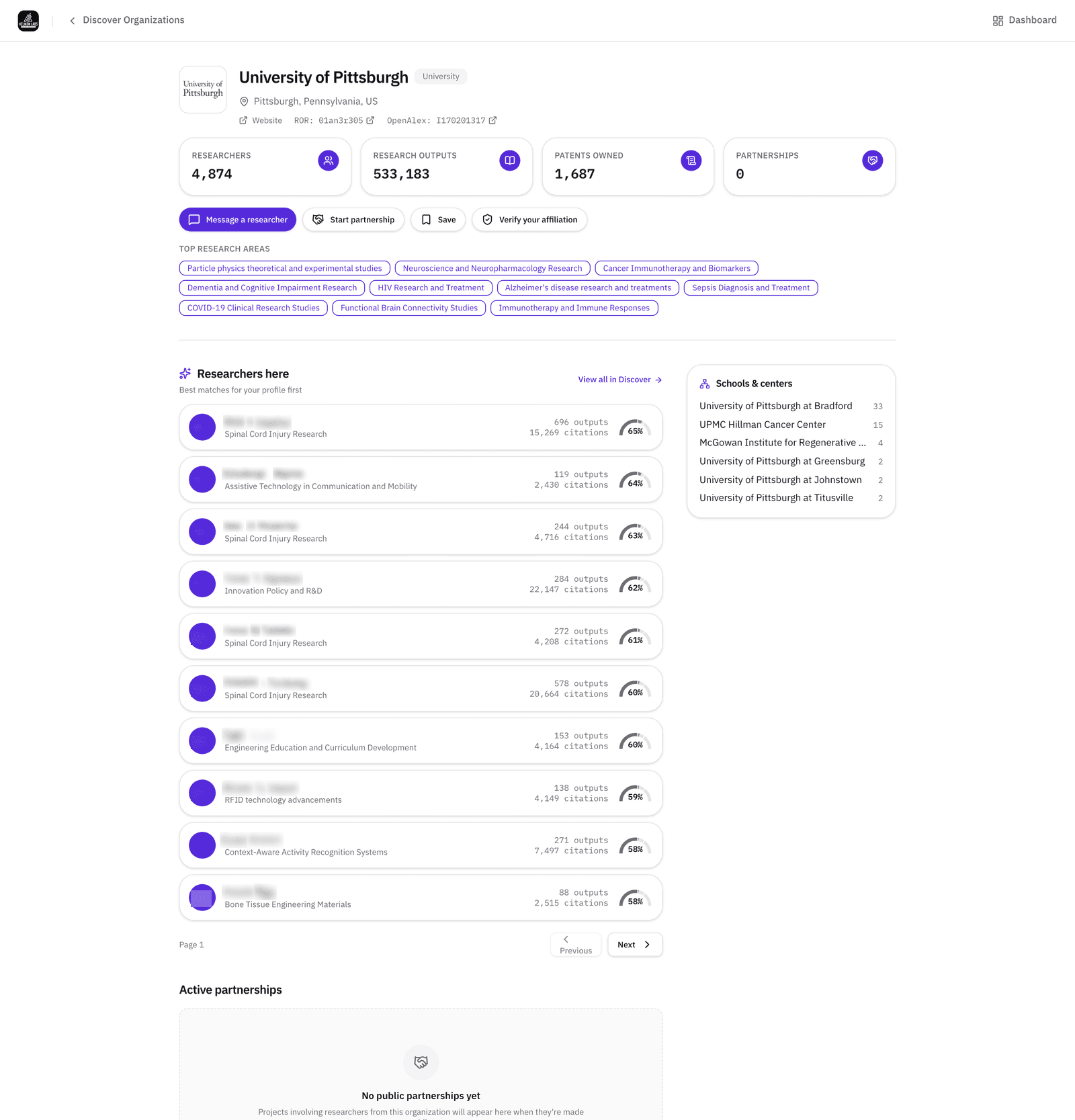
Every organization has a page built from the public record: researchers, publications, patents, top research areas, the most-cited researchers, and child organizations where the Research Organization Registry (ROR) records them. It exists before anyone claims it.
The research areas are the primary fields of the people affiliated with the organization, which is where a robotics group filed under bioengineering or rehabilitation science, rather than robotics, turns up.
Step 3: Post your project and read the recommendations
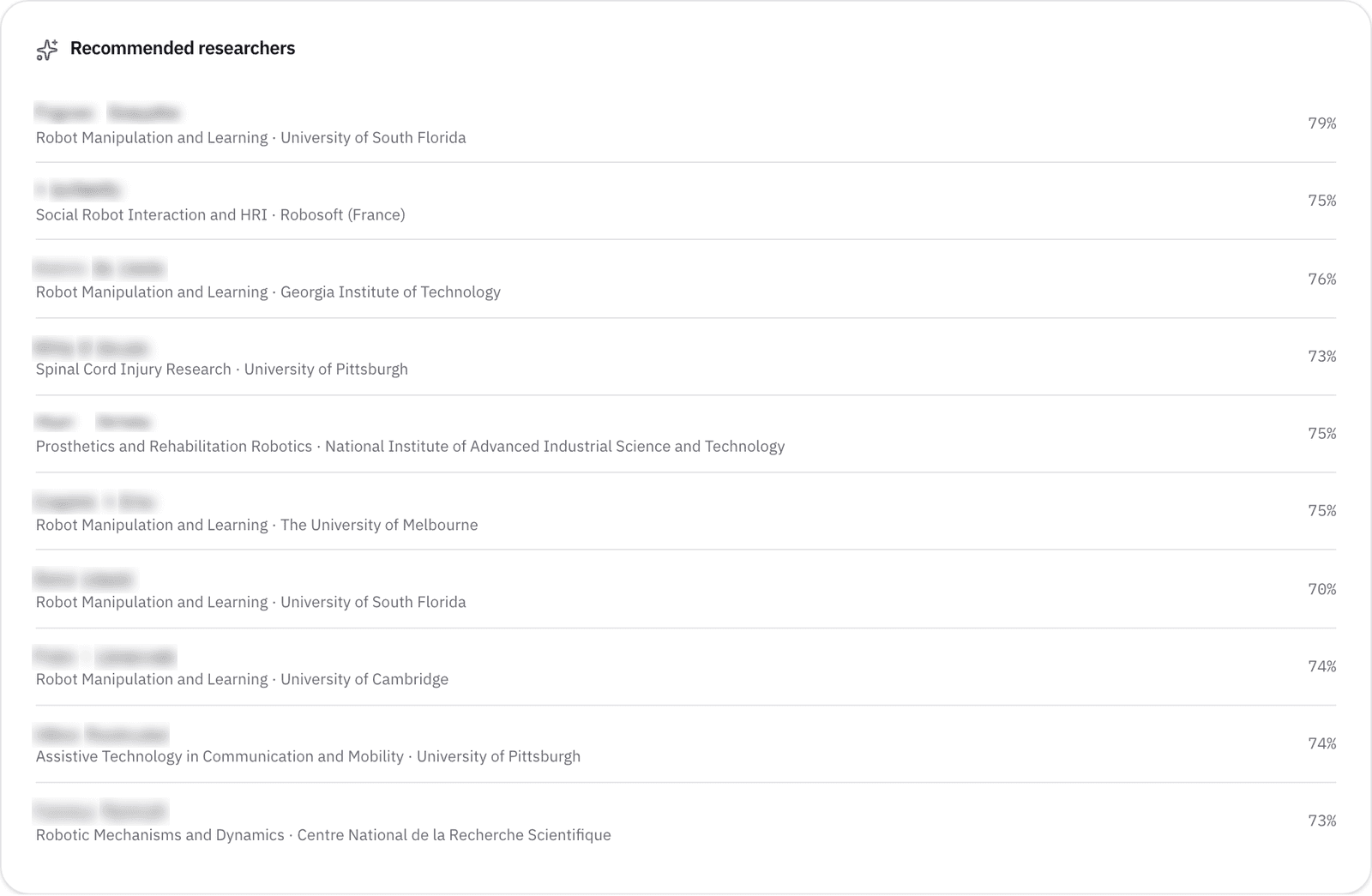
Create a project with a title, description, tags, and Required expertise, and it goes live. The platform recommends researchers whose record matches the whole description, not only the keywords: 3 on Free, 10 on Pro and above. On Pro, set visibility to Organization so only verified members of your claimed organization can see it.
The recommendations can include people a keyword search would not have returned: a physical therapist-scientist who has published on how people actually use a robotic arm is the kind of match the description-level matching finds for a proposal like this.
Step 4: Invite and assign
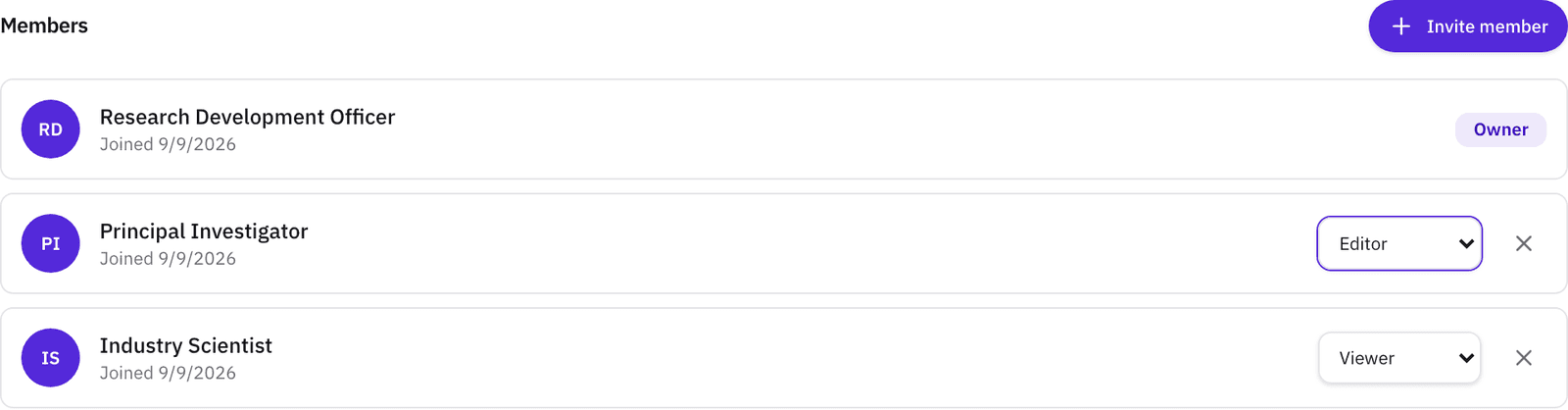
Message the people you've found, or invite them to the project by email and set a role: admin, editor, collaborator, or viewer. Roles can be changed in place. Members can express interest in an open project from its page, and the owner accepts or declines.
What you’ll see

- 1. Organization. Universities and companies both: a company's listed name variants roll up to one pick.
- 2. Primary field, Country. OpenAlex fields and countries.
- 3. Min h-index, Min papers. Floors, not ranges.
- 4. Has bio. Restrict to profiles with a written bio, claimed or AI-generated.
- 5. Sort. Relevance, h-index, most papers, most patents, most recent work.
What’s on Free, and what Pro adds
No filter on this tab is tier-gated.
| Free | Pro | |
|---|---|---|
| Every Researchers filter and sort | Yes | Yes |
| Recommended researchers per project | 3 | 10 |
| Active projects | 2 | 10 |
| People per project, including you | 3 | Unlimited |
| Project visibility | Everyone | Everyone, Organization, or Private |
Organization visibility reaches the members your organization's admin has verified.
Match
Internal expert finding is the Match phase pointed inward: the same record, the same matching, filtered to the people at all of your research centers. Read about the phase →
- Will it find people who haven't signed up?
- Yes. The Organization filter runs over our full corpus, which is built from the public record. A colleague who has never heard of the platform still appears with their publications, patents, and funding history, and their profile offers Invite to Helikon, which emails them.
- Can I keep an internal project internal?
- On Pro and above, set the project's visibility to Organization or Private. It's then visible only to members of your organization whom your admin has verified, or only project members you've invited, respectively. Free projects are visible to other members of the platform.
- Does this work for a company?
- Yes, where the company appears in the research record with affiliated researchers. An R&D lead at an automation company can use the same steps to find the internal group that already published on a control problem before commissioning new work.
Staff the next proposal from the record
Free plan · No credit card required