Use case · Match → Unite
Manage your partnership pipeline from first contact to signed agreement
For anyone tracking R&D collaboration opportunities.
Free plan · No credit card required
Most CRM's are built for selling software, so a university partnership in it has a “deal value” it doesn't have and no fields for what really matters, which is whether the PI has replied. So the real pipeline lives in a spreadsheet, and the spreadsheet lives with one person, and when that person is out for two weeks the follow-up doesn't happen.
The platform's pipeline was built for this kind of relationship: a partner, an agreement type, a next action with a date, and a link to the researcher, the organization, and eventually the project.
How it works
A worked example. A partnership manager at a specialty-materials company is tracking 22 university conversations at once, most of them with the three research universities within a two-hour drive, from a first email to a sponsored research agreement in legal review.
Step 1: Add a card for every conversation
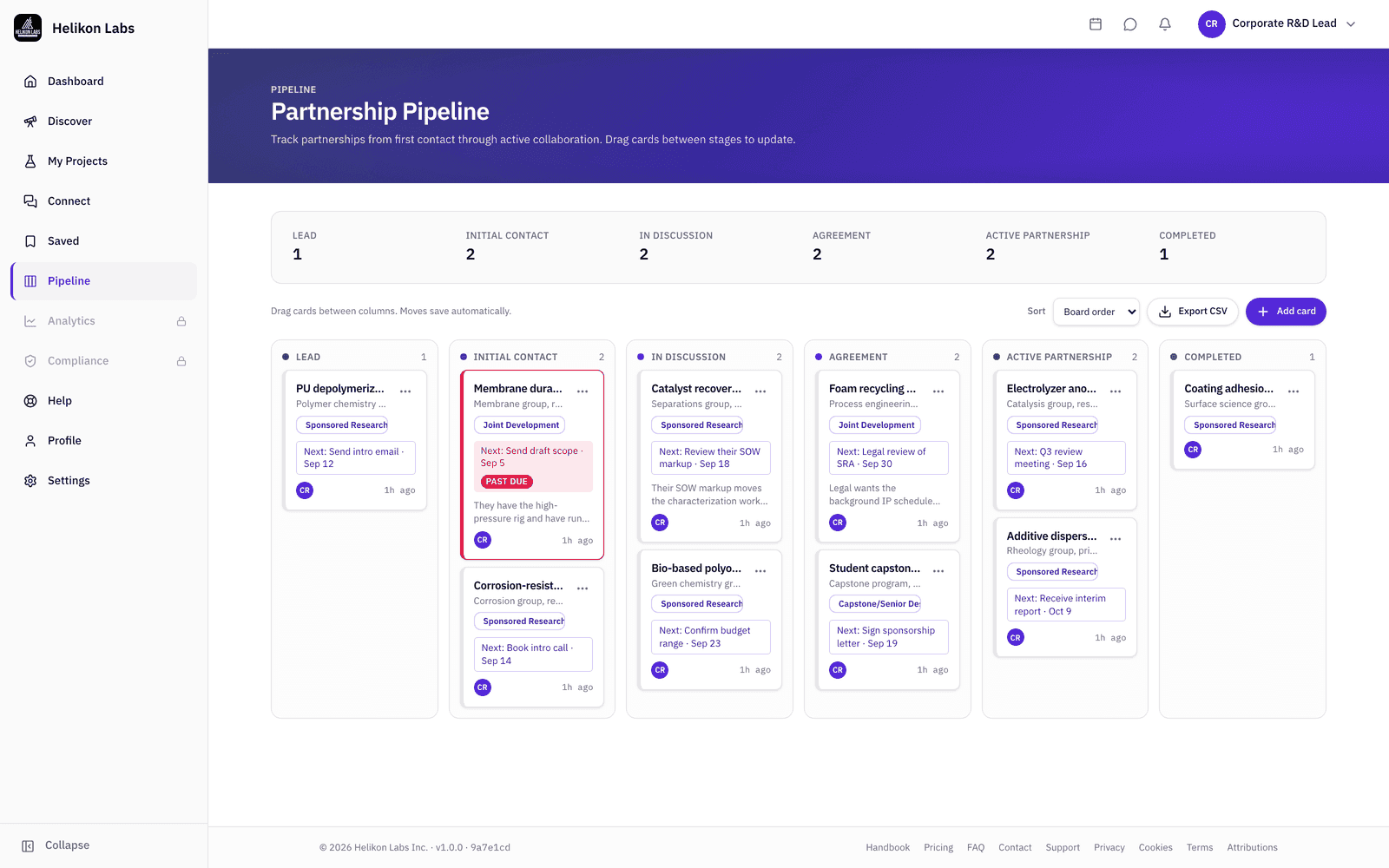
Open the Pipeline. Each card carries the partner, the collaboration type (one of the same 44 agreement types projects use), notes, and a link to the researcher or organization page the conversation came from. New cards start in Lead. Add one from the board, or from an organization page's Start partnership button, as soon as the first message goes out.
A corrosion group messaged yesterday off a Partner search match is a Lead card today.
Step 2: Give every card a next action and a date
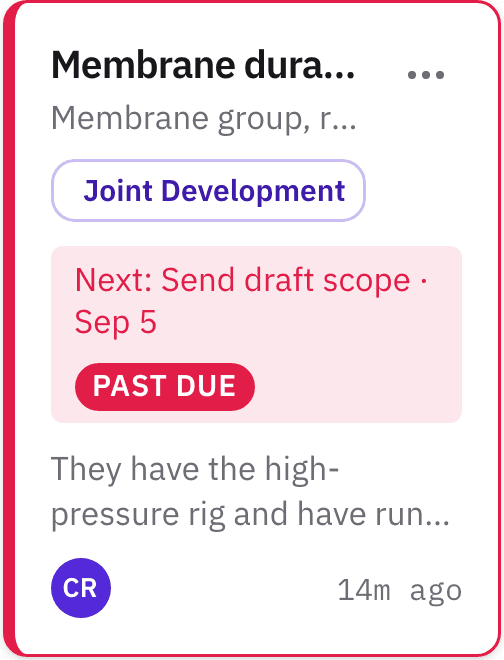
The field that keeps your pipeline honest: Next action and its due date. A card whose next action is past its due date carries a Past due flag, so nothing sits In Discussion for a quarter because nobody looked.
“Send draft scope by 20 September” forces the discipline needed to keep the opportunity moving forward.
Step 3: Move cards as the relationship moves
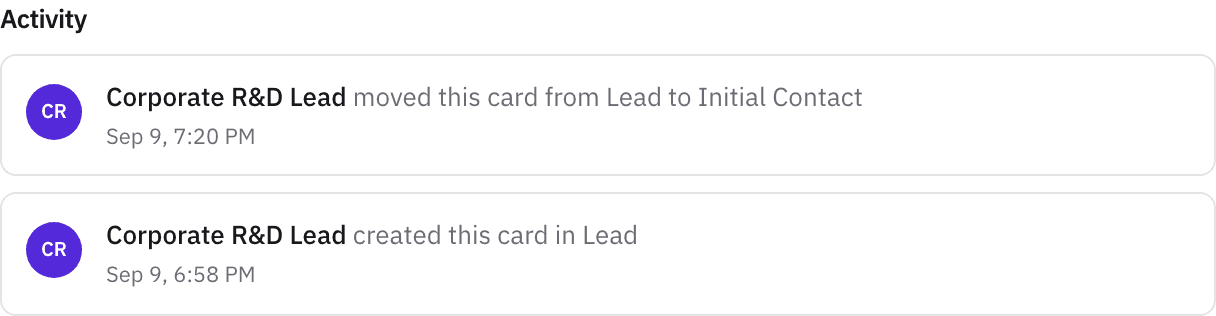
Drag cards across Lead → Initial Contact → In Discussion → Agreement → Active Partnership → Completed. Comments and an audit trail record who changed what and when, so the history of a relationship is on the card rather than in someone's memory.
Step 4: Convert to a project when it's real
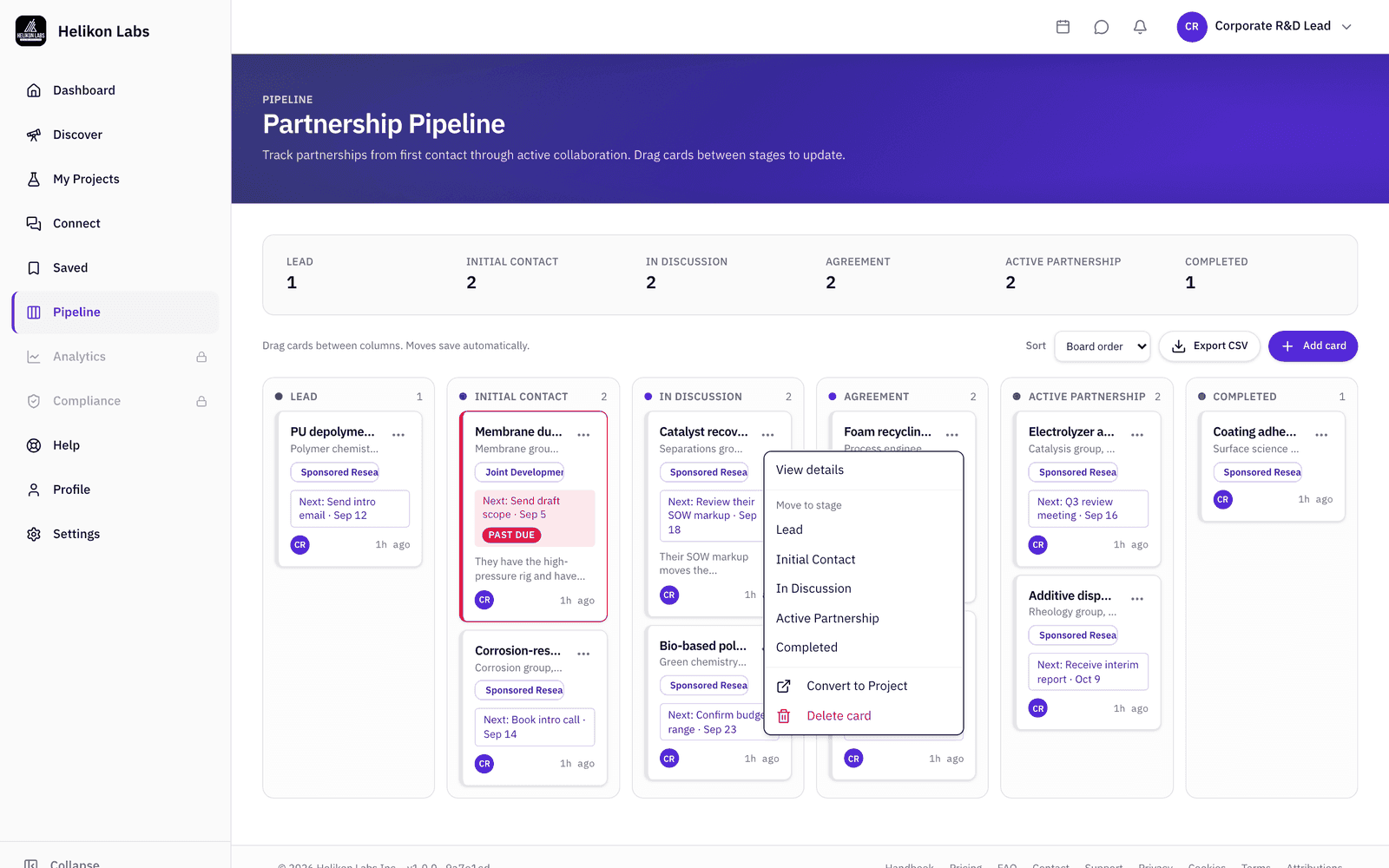
From any stage, Convert to Project opens a project workspace carrying the title, the agreement type, and the links to the researcher and the organization, with your notes as its description, so milestones and files start where the conversation ended. Export the board to CSV for your monthly review. On Team, colleagues see a read-only view of the group's boards.
The new project opens as a private draft, so you can set the timeline, budget range, and members before anyone sees it, and the conversation's history stays on the card.
What you’ll see
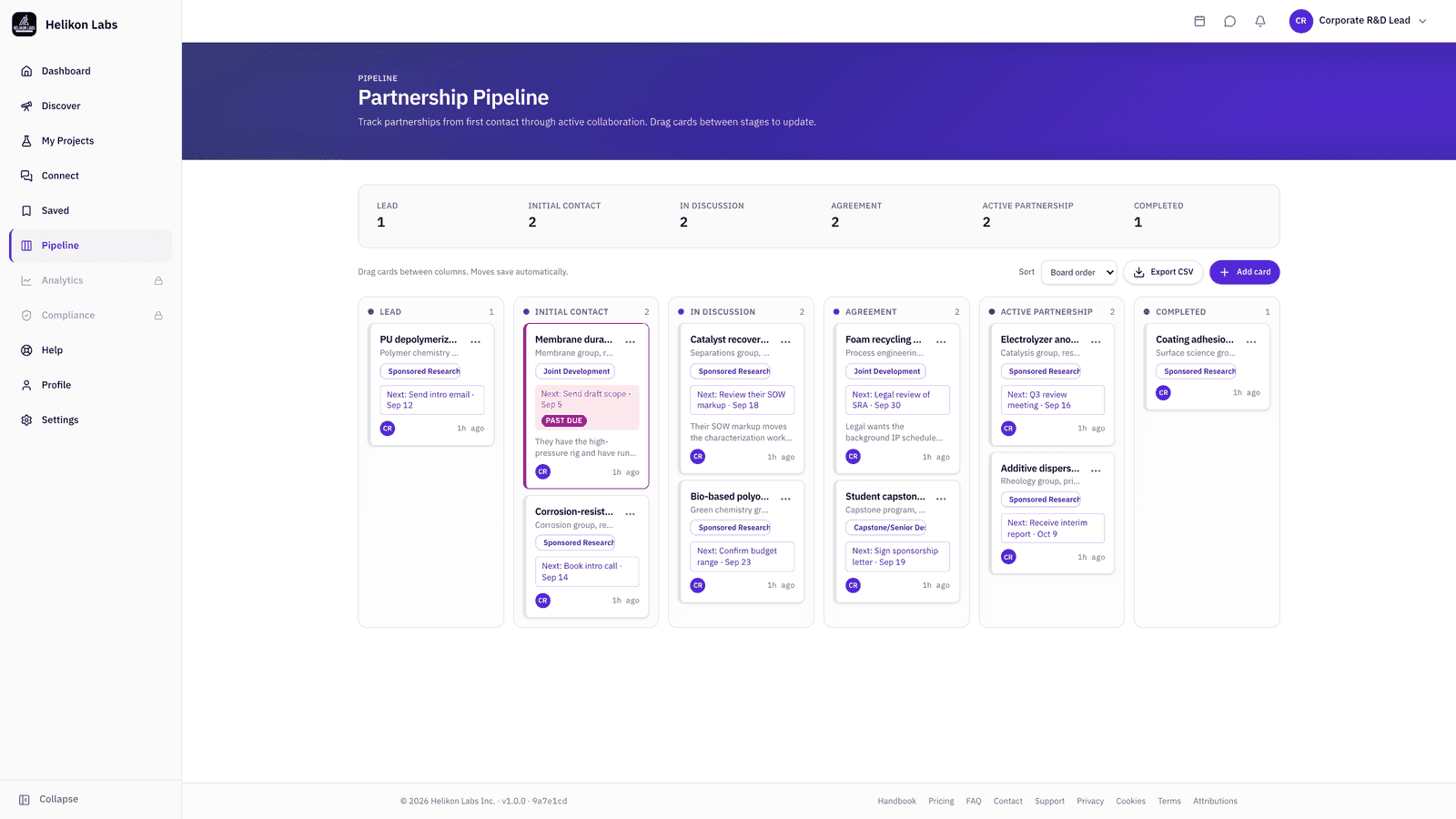
- 1. Stages. Six columns in order, per-stage counts at the top.
- 2. Card. Partner, agreement type, next action and date, Past due flag.
- 3. Links. Researcher, organization, project.
- 4. Comments and audit trail. On every card.
- 5. Export. CSV of the visible board, which loads up to 500 cards.
What’s on Free, and what Pro adds
The Partnership Pipeline is on Pro and above.
| Free | Pro | Team | |
|---|---|---|---|
| Partnership Pipeline | No | Yes | Yes |
| Convert card to project | No | Yes | Yes |
| CSV export | No | Yes | Yes |
| Read-only team view of colleagues' boards | No | No | Yes |
Pro is $29 a month. Team is $19 a seat a month for 5 to 25 seats, less on annual billing.
Match → Unite
The pipeline is where a Match becomes a Unite: the stages are the formation of the agreement, and the convert step hands the relationship to the Steward phase. Read about the phase →
- How do I see which conversations are slipping?
- Every stage shows its count, and a card whose next action is past its due date carries a Past due flag, so a stall shows up where you are already looking. Open the card for its audit trail, which records who moved it, when, and what changed.
- What carries over when I convert a card to a project?
- The title, the agreement type, and the links to the researcher and the organization. Your notes become the project description, and the new project opens as a private draft, so you can set the timeline, budget range, and members before anyone sees it. The card keeps its own history.
- Can my team share one pipeline?
- On Team, each person's board is visible to colleagues as a read-only view, so a manager can see the group's pipeline without editing it. Cards stay owned by the person running the relationship.