Use case · Unite → Steward
Manage an R&D collaboration project with milestones, files, and a shared record
For anyone managing an R&D project across multiple organizations who's spending more time generating status updates than on the science itself.
Free plan · No credit card required
Collaborative R&D projects inevitably drift the longer they drag on, while both sides are busy with the science: a milestone slips and nobody says so, the latest data sits in one person's inbox, and six months in, the two sides have different pictures of what was agreed. None of that is anyone's fault. It's what happens when the status of a project is spread across two email systems and a shared drive nobody can find.
Our platform gives the project one record, visible to all sides, with dates and files where the discussion happens.
How it works
A worked example. An 18-month sponsored research project between a university catalysis group and a company across town developing electrolyzer anodes: five people across two organizations, and a quarterly report that was always late.
Step 1: Set up the workspace
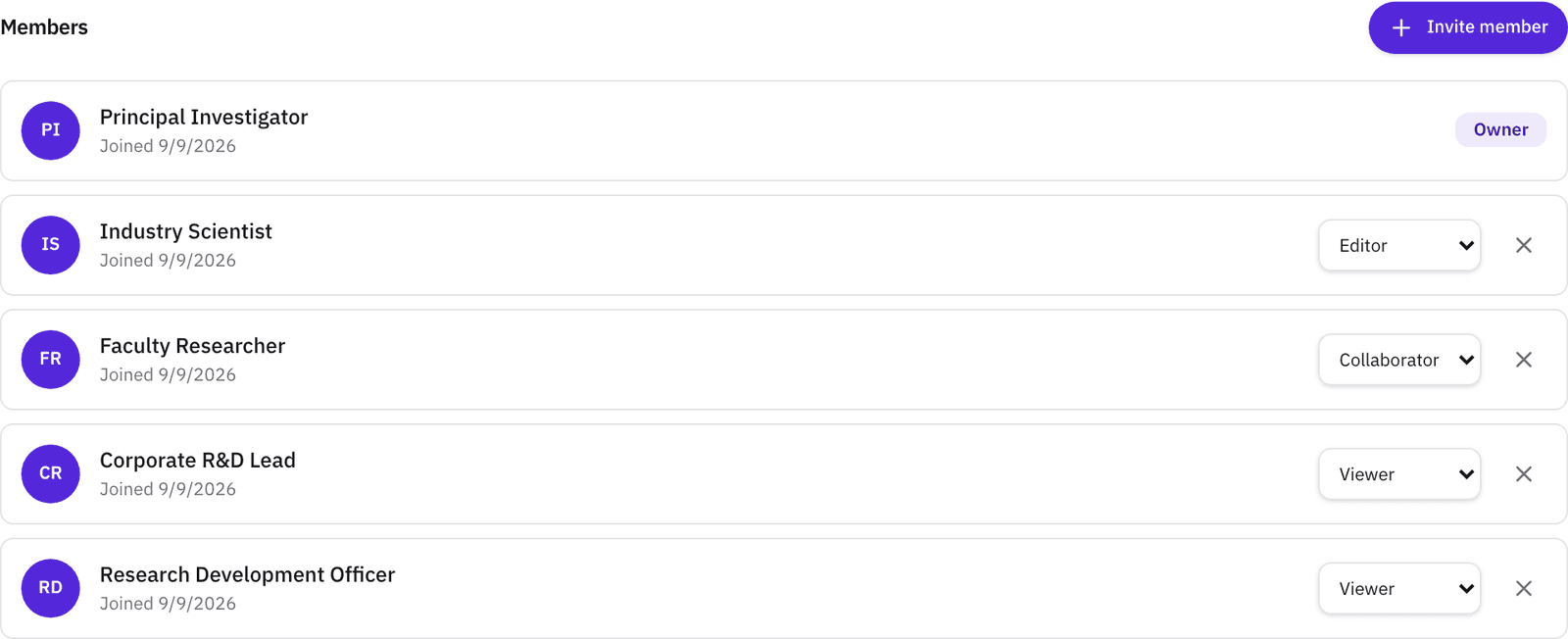
Create the project and pick the agreement type, it's live as soon as it's saved. Invite the team by email and give each person a role: admin, editor, collaborator, or viewer. Roles can change as the work does. On Pro, set visibility to Private so the workspace is visible only to the people in it.
The company's lead scientist as an editor and their program manager as an admin is a typical setup.
Step 2: Put the dates where everyone can see them
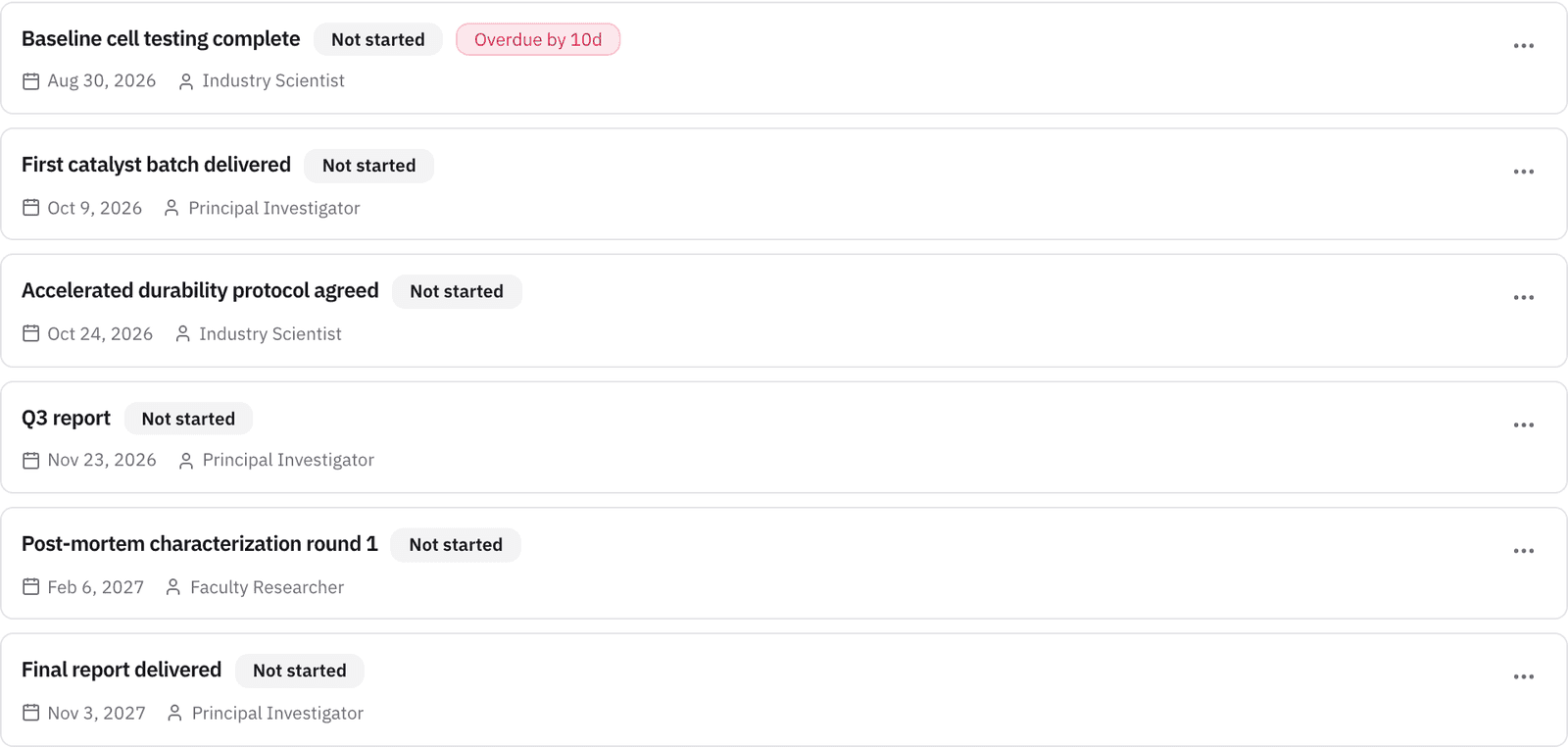
Add milestones with an assignee, a due date, and a status. Overdue milestones are flagged on the project and in the milestones-due panel on your dashboard. Assignees and the owner get one reminder three days before a milestone is due, one the day before, and one the day after it's overdue.
For an 18-month project, that is a handful of milestones from “Baseline cell testing complete” to “Final report delivered,” each with a name attached.
Step 3: Keep your files and the conversation with the project
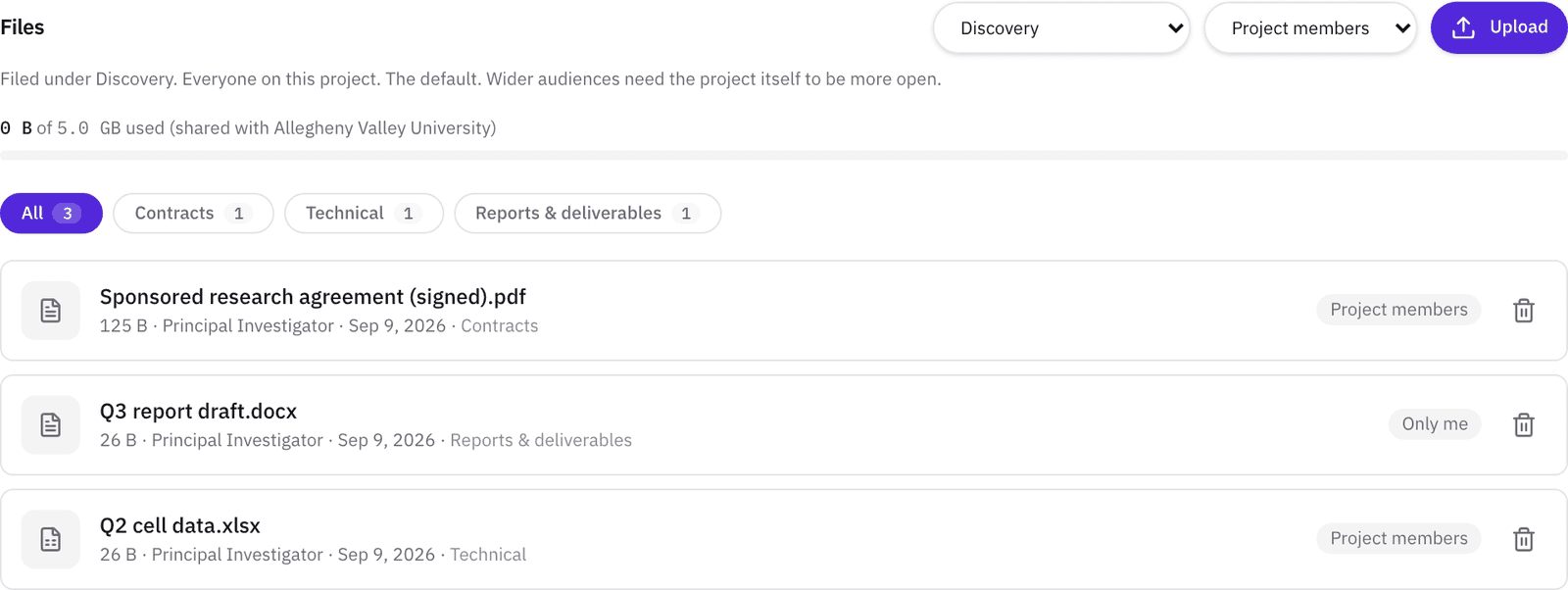
Upload files under folder tags (Contracts, Technical, Reports & deliverables, and so on) and set an audience per file, so a draft stays with its author, or within the author's organization, while the signed agreement is visible to everyone on the project. The threaded discussion supports @mentions, and every change is written to the activity log, so a new member can read what happened before they arrived.
The quarterly data goes under Technical with the audience set to all members, the draft report stays with its author until it's ready.
Step 4: Meet without the scheduling thread
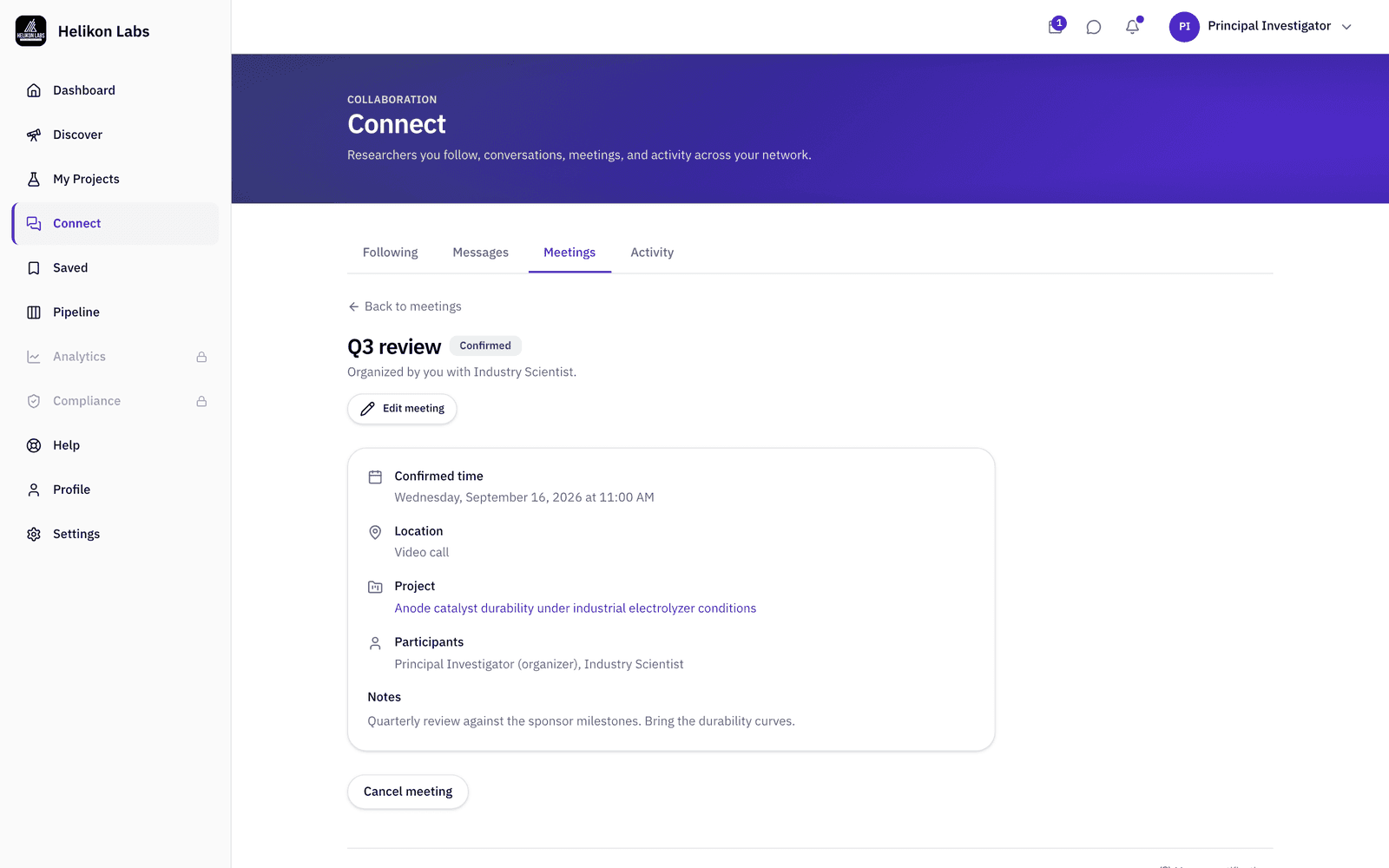
Propose a meeting linked to the project, confirm it, and every participant gets a calendar invite by email that adds to Google, Outlook, or Apple Calendar. RSVPs and edits flow the same way. When the work is done, archive the project, it stays readable and stops counting against your active-project cap.
Flag the project as needing an NDA, IRB approval, or a contract, and it can’t be activated until the date is logged. Each requirement carries an expiry date and a link to the evidence document, on every plan.
What you’ll see
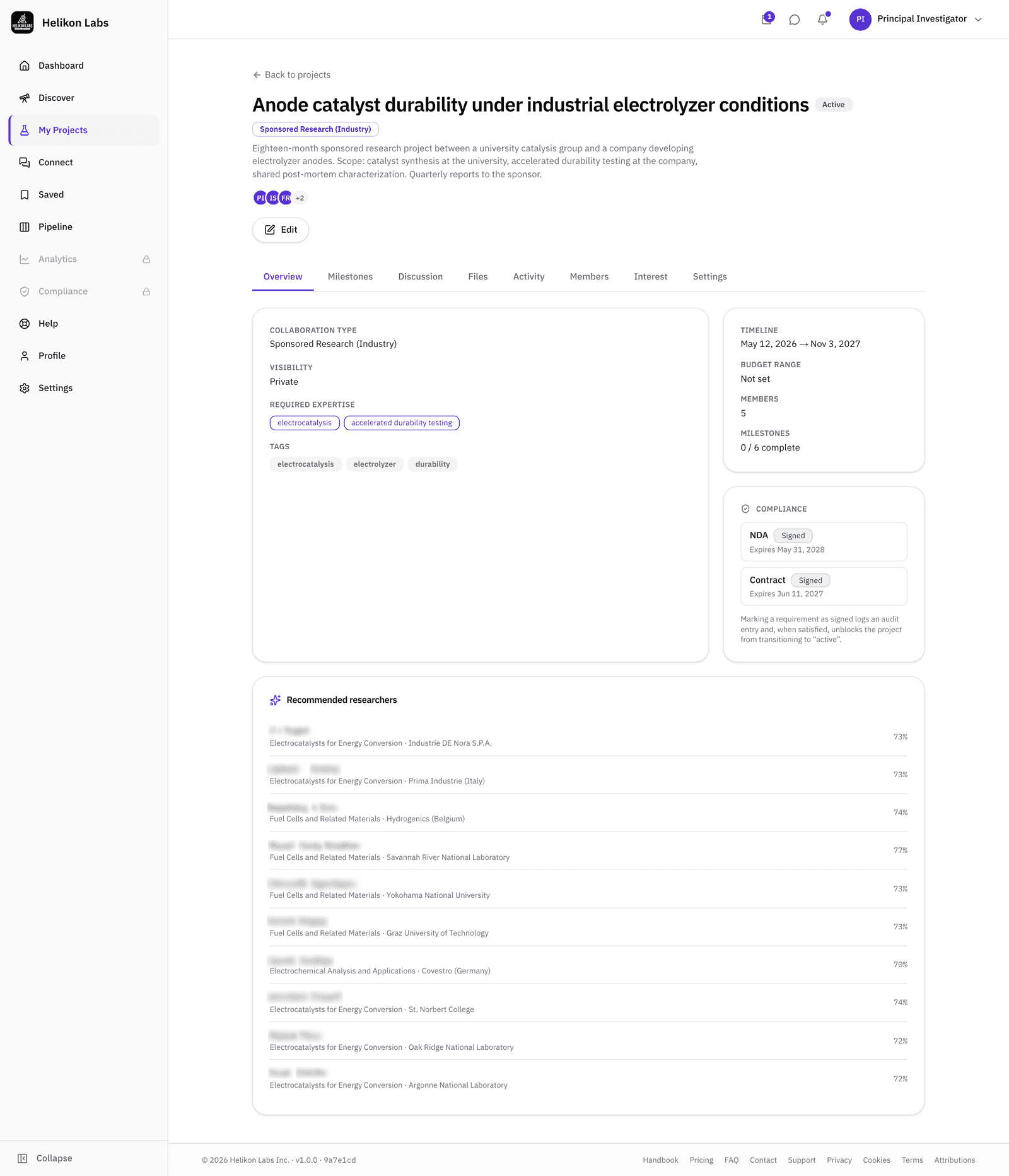
- 1. Members and roles. Who's in, and what each person can do.
- 2. Milestones. Status, due date, assignee, overdue flag.
- 3. Files. Folder tag and audience on every file.
- 4. Discussion. Threads with @mentions.
- 5. Activity. The log of every change, by whom, when.
- 6. Compliance. NDA, IRB, and contract dates on the project, with the file that evidences each.
What’s on Free, and what Pro adds
| Free | Pro | Team | |
|---|---|---|---|
| Active projects | 2 | 10 | Unlimited |
| People per project, including you | 3 | Unlimited | Unlimited |
| Milestones per project | 5 | Unlimited | Unlimited |
| File storage | 250 MB | 5 GB | 25 GB |
| Meetings | 5 a month | 50 a month | Unlimited |
| Visibility | Everyone | Private, Organization, or Everyone | Private, Organization, or Everyone |
Admin roles need a member on Pro or above. Free project description pages are visible to other members of the platform, but per file visibility settings still have audience selection, and milestones, discussion threads, and activity stay private to only project members. A Pro project can be entirely private to only the people you invite.
Unite → Steward
The roles and the agreement type are Unite phase, the milestones, files, discussion, and log are Steward phase, the execution where in the alliance literature most of the value is won or lost. Read about the phase →
- Can people outside my organization join a project?
- Yes. Invitations go by email to anyone, on any plan, the person joins as a member with the role you set. Free accounts can be members of Pro projects.
- Does it sync with our calendars?
- Meetings send a standard calendar invite by email to every participant, which adds to Google, Outlook, or Apple Calendar with no setup. There's no two-way sync: a change made in your calendar app doesn't flow back.
- What do the digests include?
- Project events: invitations, milestone changes, files, and meeting requests, along with messages and new followers. In Settings → Notifications, set Immediate per category, or choose a daily or weekly Activity digest that carries everything in the window.