Use case · Match
Find your next advisor, lab, or research group
For PhD applicants, graduate students choosing a committee, and postdocs choosing the group that comes next.
Free plan · No credit card required
You'll spend three to six years with this group. The lab website says what the group is proud of, it doesn't say whether the funding is current, whether the PI publishes with their students or over them, or whether the group's last big result was in 2019. Those are the questions, and the answers are in their record.
How it works
A worked example. A master's student in chemical engineering wants a PhD group working on electrochemical CO2 reduction, wants to stay in the city they're in, and wants a group that's funded now, publishing now, and whose principal investigator (PI) has said they take students.
Step 1: Filter Researchers to your area
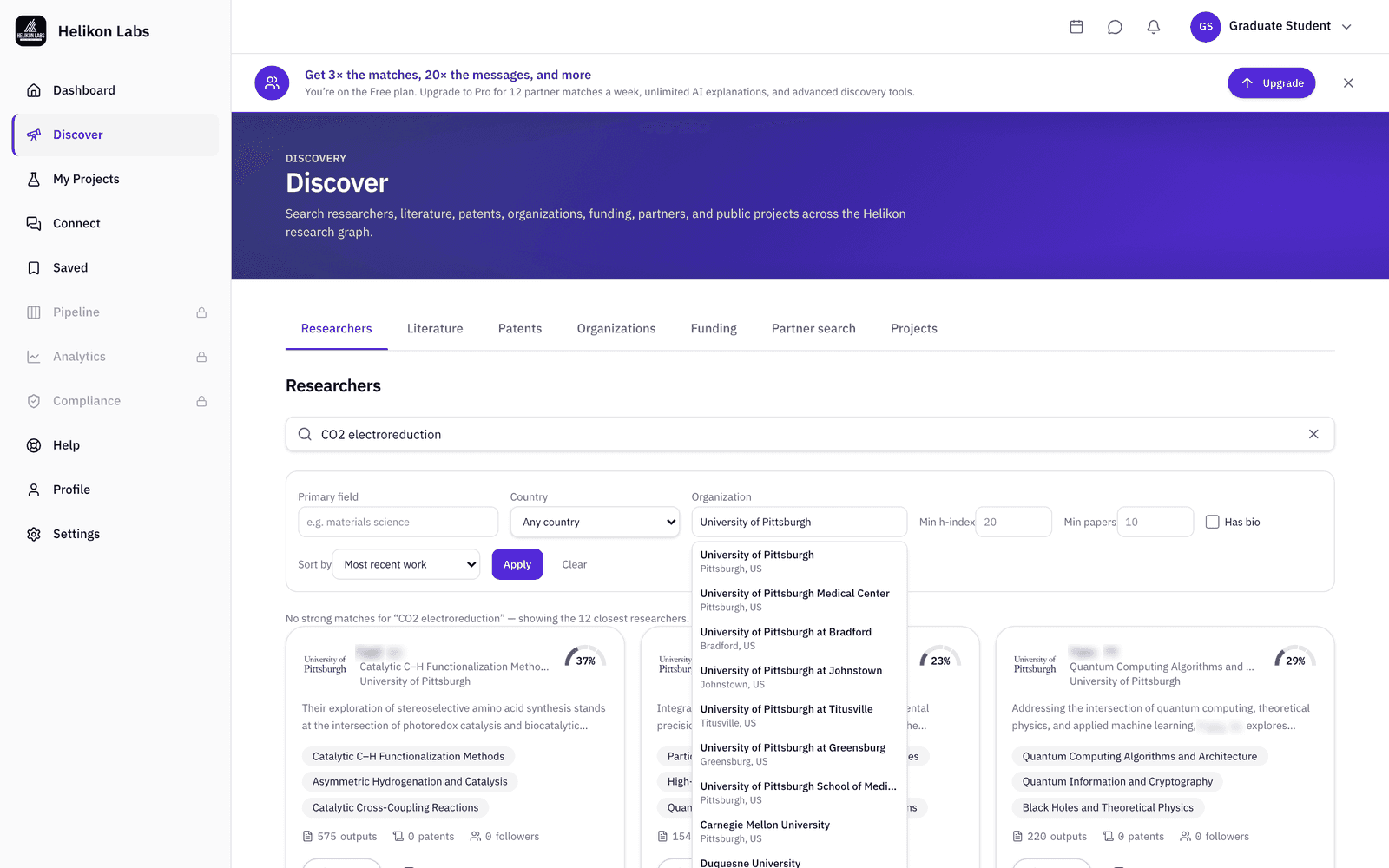
Open Discover → Researchers, search the topic in your own words, and narrow with Primary field, Country, and Organization. Sort by most recent work to see who's published lately, or by h-index if you're reading for reputation.
For the example, that is “CO2 electroreduction,” Organization set to each of the two research universities in town, sorted by most recent work.
Step 2: Read the group's record
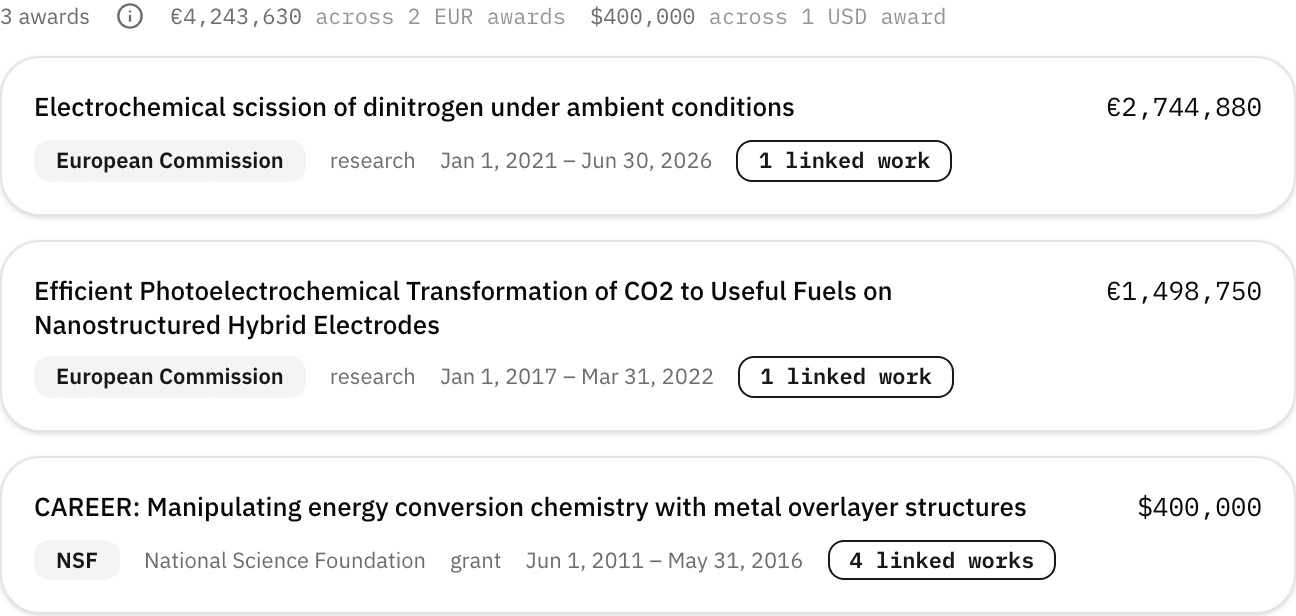
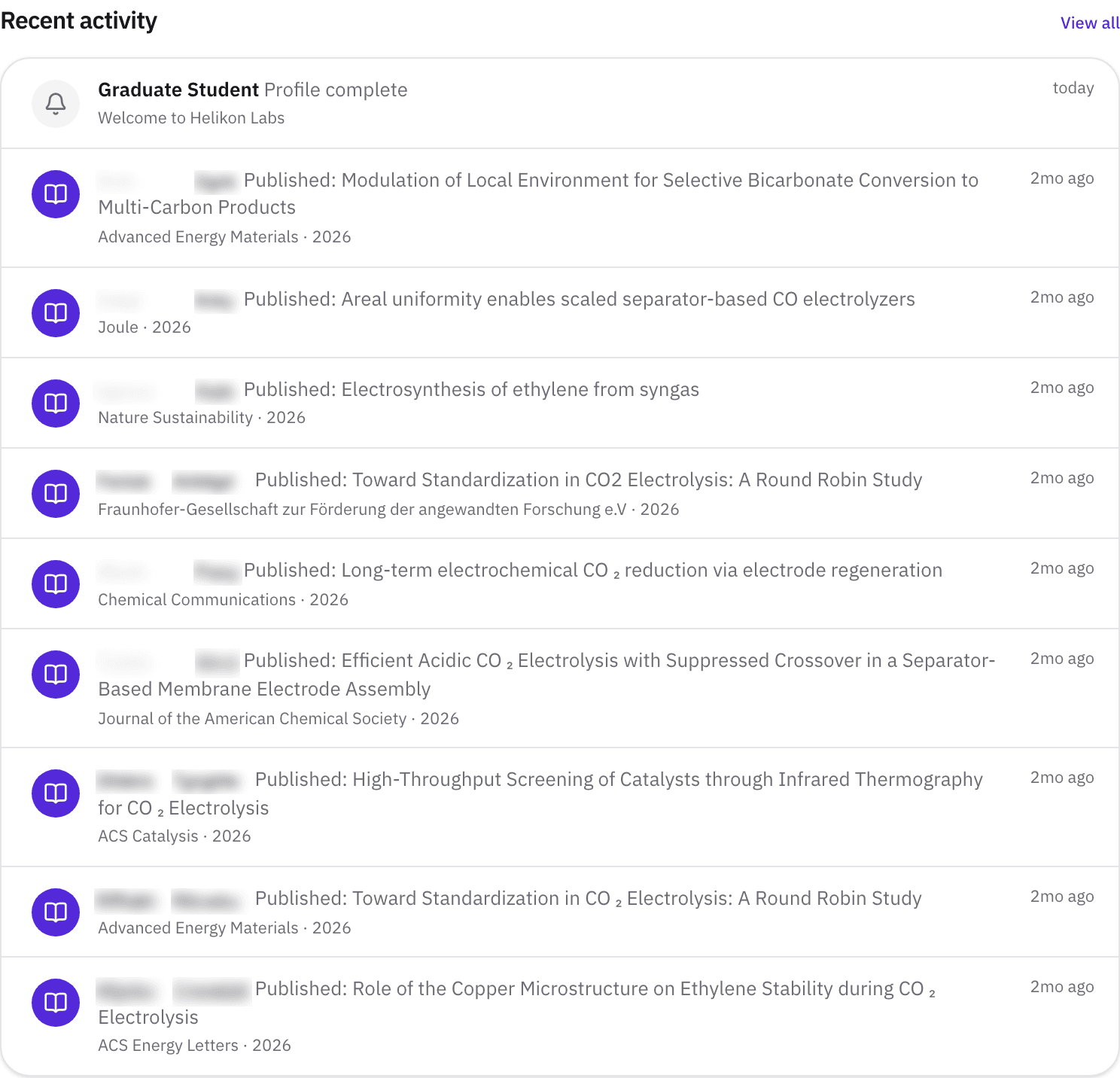
Open a profile. Research outputs lists publications by year, so you can see whether the group is still active on the topic. Patents shows what they've protected. Funding shows the awards the researcher has published on, with totals by currency, which is the closest public signal of whether the money is real. Affiliations shows where they've been, and the coauthor list shows who they publish with.
A group with two papers in the last year and a current federal award on the Funding tab reads differently from one with nothing since 2022, and both are visible in about a minute.
Step 3: Look for the mentoring signal
Researchers who have signed up can turn on Open to mentoring, which shows as a badge on their card in Discover, and list the collaboration categories they're open to, such as Student Programs, which show on the profile under Open to collaborating on.

Step 4: Follow, then write
Follow the groups you're evaluating: their new papers appear on your dashboard, so the shortlist keeps itself current. When you're ready, Message the researcher from their profile. If they haven't signed up, the profile offers Invite to Helikon, which emails them. Tell them which paper you read and what you want to work on.
What you’ll see
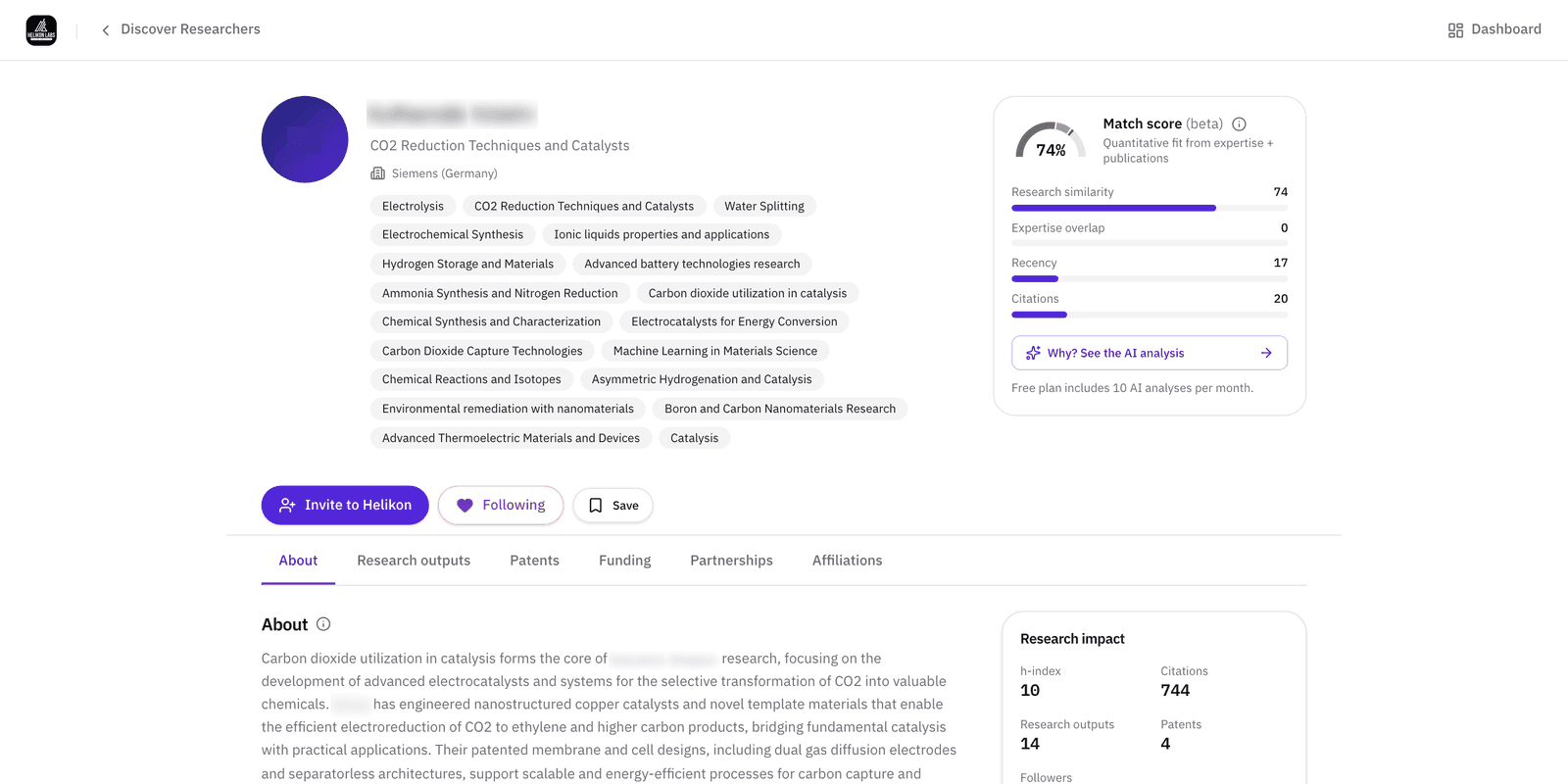
- 1. Tabs. About, Research outputs, Patents, Funding, Partnerships, Affiliations.
- 2. Open to mentoring. A badge on the Discover card that the researcher turned on. Absent means they haven't, not that they won't.
- 3. Open to collaborating on. Chips on the profile such as Student Programs, Sponsored Research, Advisory & Talent.
- 4. Coauthors. The people they publish with most.
- 5. Follow · Message · Save. Follow is free, a researcher who has signed up is told you followed them. Message starts a conversation.
What’s on Free, and what Pro adds
| Free | Pro | |
|---|---|---|
| Every Researchers filter and profile tab | Yes | Yes |
| Follows | 50 | 100 |
| New people messaged | 10 a month | 200 a month |
| Researcher invites | 10 a month | 50 a month |
| Coauthors shown | 3 | 10 |
Everything a student needs for this task is on Free.
Match
Choosing a group is a partner decision, and the Match phase says to make it from evidence of fit rather than reputation alone. Read about the phase →
- Can I filter for advisors who are taking students?
- Not yet. Open to mentoring shows on a researcher's Discover card once they turn it on, and the collaboration categories show on their profile, neither is a filter. Search by topic, then look for the badge.
- Does the Funding tab show current grants?
- It shows the awards the researcher has published on, so a recent paper that acknowledges a grant is the signal that the money is current. A grant they never published on won't appear, and neither will one where they are a co-investigator but not an author.
- How many people can I write to?
- Up to 10 new people a month on Free. Replies and continuing conversations don't count. If the researcher hasn't signed up, Invite to Helikon emails them instead, also 10 a month on Free.
Research three groups before you write to one
Free plan · No credit card required