Help center · Tutorial · 4 steps
How to find experts in your own university or company
- About 5 minutes
- Free plan and up
- Checked in the app on
To find experts in your own university or company, search your organization's researchers on Helikon and filter them by field, h-index, number of papers, and whether they have a bio. It works the same for a university, a national lab, or a company, and none of the filters depends on your plan. You need a free account.
Before you start: profiles come from the public research record, so they list everyone who has published or patented under your organization's name, not only people who've joined Helikon. Someone who hasn't published under the organization's name won't show up.
Step 1Search by topic
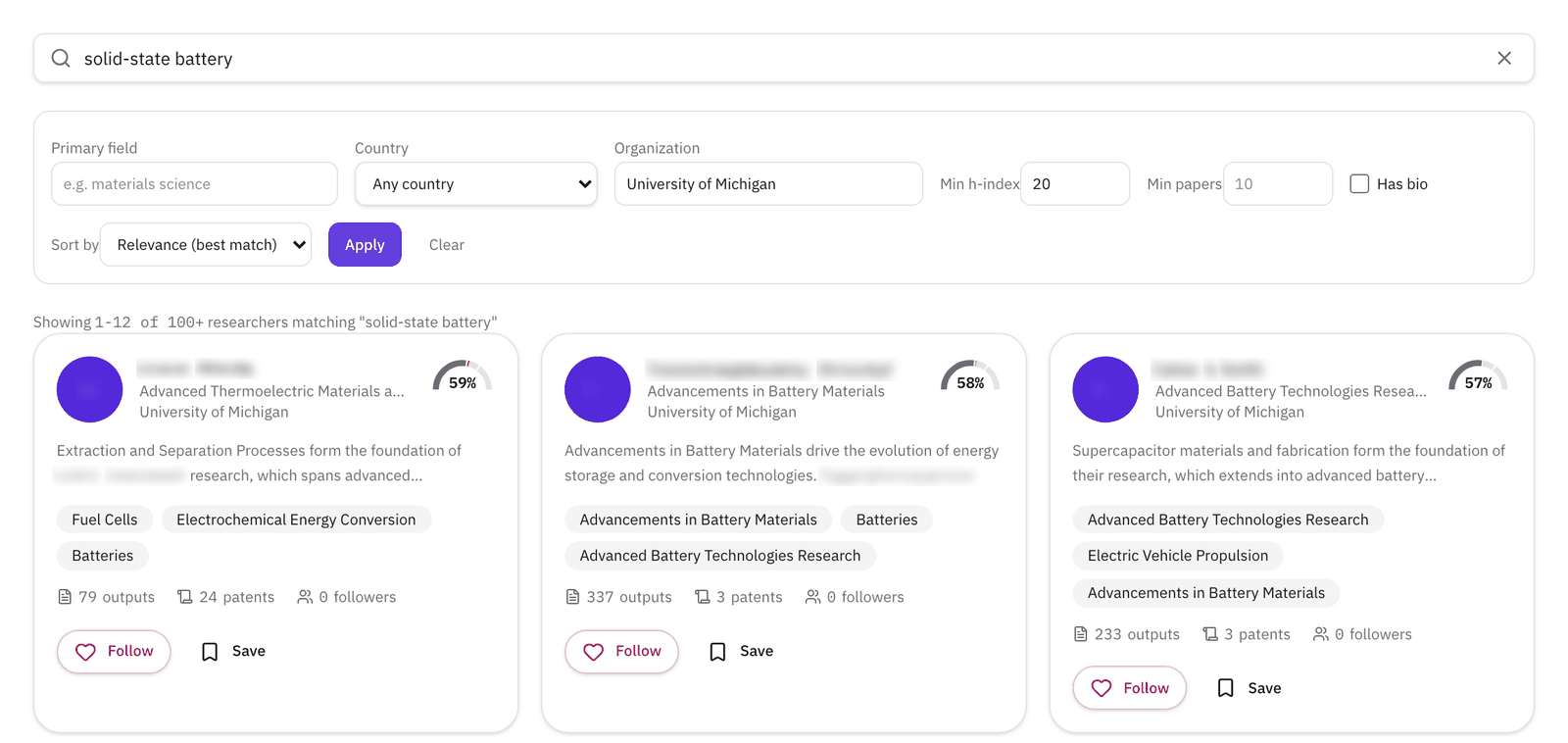
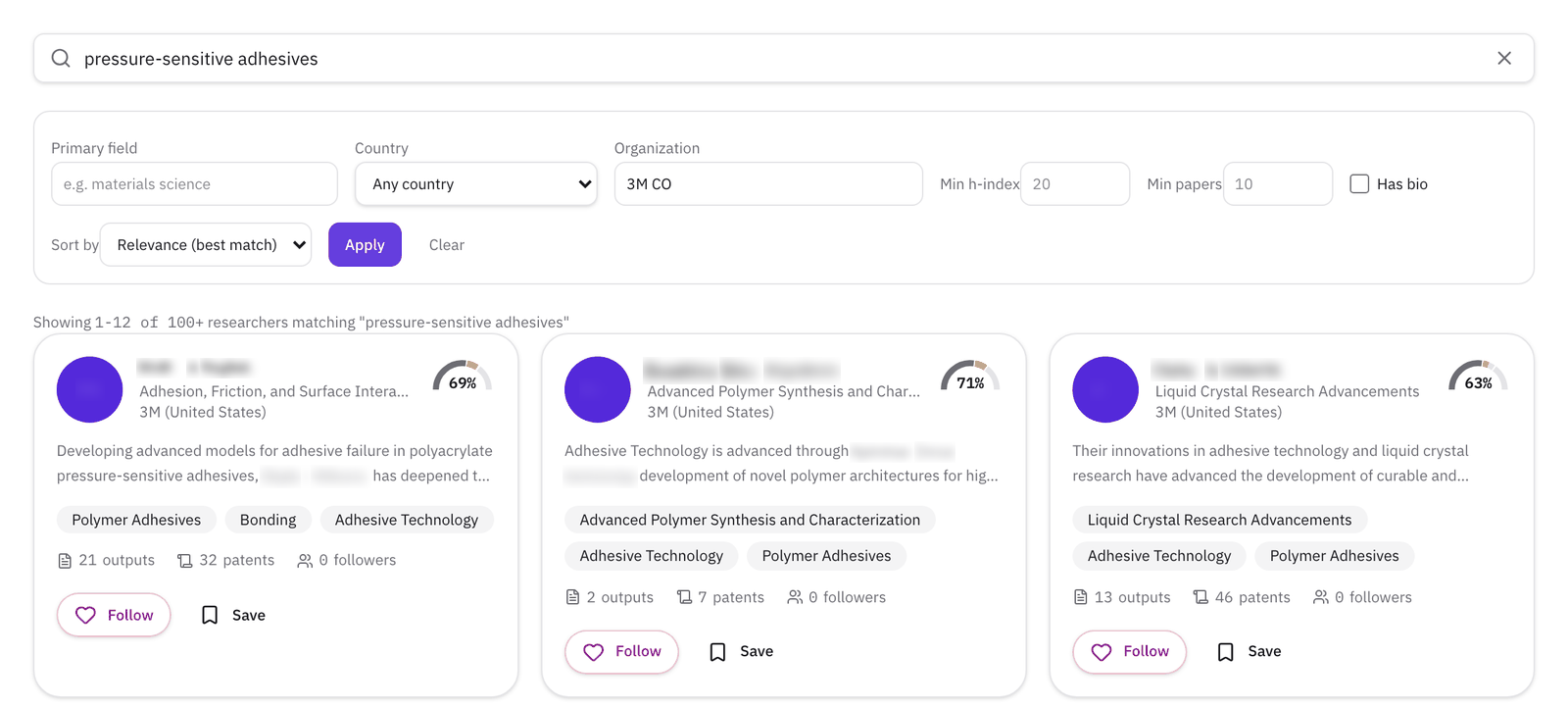
Go to Discover and open the Researchers tab. Type the topic you need, as you'd describe it to a colleague: "solid-state battery" rather than "batteries", "pressure-sensitive adhesives" rather than "adhesives". The search reads names, fields, and summaries, and finds related wording too.
Step 2Limit it to your organization
In Organization, start typing your university or company and pick it from the list. Then click Apply.
Companies work the same way. A company's researchers are the people who've published or patented under its name, which for a large company includes its R&D staff.
Step 3Narrow the list, and keep the sort on relevance
The other filters narrow without changing the order:
- Primary field, such as materials science, to keep to one discipline.
- Min h-index and Min papers, to find established people. Leave them blank to include early-career researchers.
- Has bio, to see only people with a summary you can read quickly.
Keep Sort by on Relevance (best match) when you've typed a topic. With an organization filter, the results don't stop at the close matches. They go on to include people whose work is only loosely related to your topic, and if you sort by h-index or by most papers, the most cited of those people move to the top, ahead of the closer matches. To find established people, keep the relevance sort and set Min h-index instead, as in the example above.
The other sorts are useful without a topic: Most patents to find your organization's inventors, and Most recent work to find who is active now.
Step 4Open a profile and check the work
Each card shows the researcher's main field, a percentage for how closely their work matches your search, a short summary, and how many research outputs and patents they have. Click a name to open the profile, then check Research outputs for what they've published lately and Patents for what they've invented.
Click Save on the people you want to come back to. Your Saved page keeps them with a note each and exports the list as a CSV, which is useful when you're putting together a team or answering a sponsor's question about who works on what.
What to read next
To look beyond your own organization, paste a problem statement into Partner Search: How to find research collaborators from an abstract.