Help center · Tutorial · 5 steps
How to find research collaborators from an abstract
- About 10 minutes
- Free plan and up
- Checked in the app on
To find research collaborators from an abstract, paste the abstract or a problem statement into Partner Search, and you'll get researchers ranked by how closely their published work matches it. You need a free account, and searches aren't limited on any plan.
Before you start: your own abstract works best, because it's how you actually describe the work. A grant summary or a paragraph about a technical problem works too. Keep it to one idea per search: an abstract that covers two topics returns people who are middling on both.
Step 1Paste your abstract
Go to Discover and open Partner search. Paste the abstract into the box and click Find partners. Show researchers at narrows the search to universities and institutes or to companies, and Any organization searches both.
Say what you need as well as what you've done. In this example, the last sentence asks for "partners with experience in scalable thin-film deposition and in pouch-cell manufacturing", and that steers the results toward people who can fill the gap.
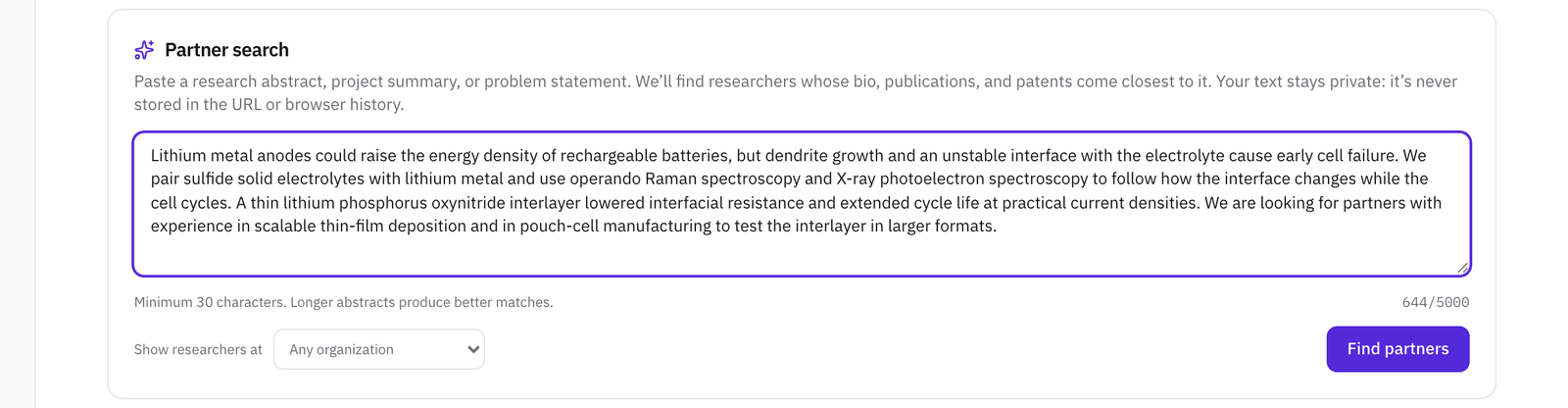
What you paste stays private: it isn't in the page's address, and the researchers you find aren't told you searched.
Step 2Read the results
Each card shows the researcher's main field, their organization, a percentage, and what the match came from: their publication record, their patent record, or their bio. Below that are a short summary of their work, their main topics, and how many research outputs and patents they have.
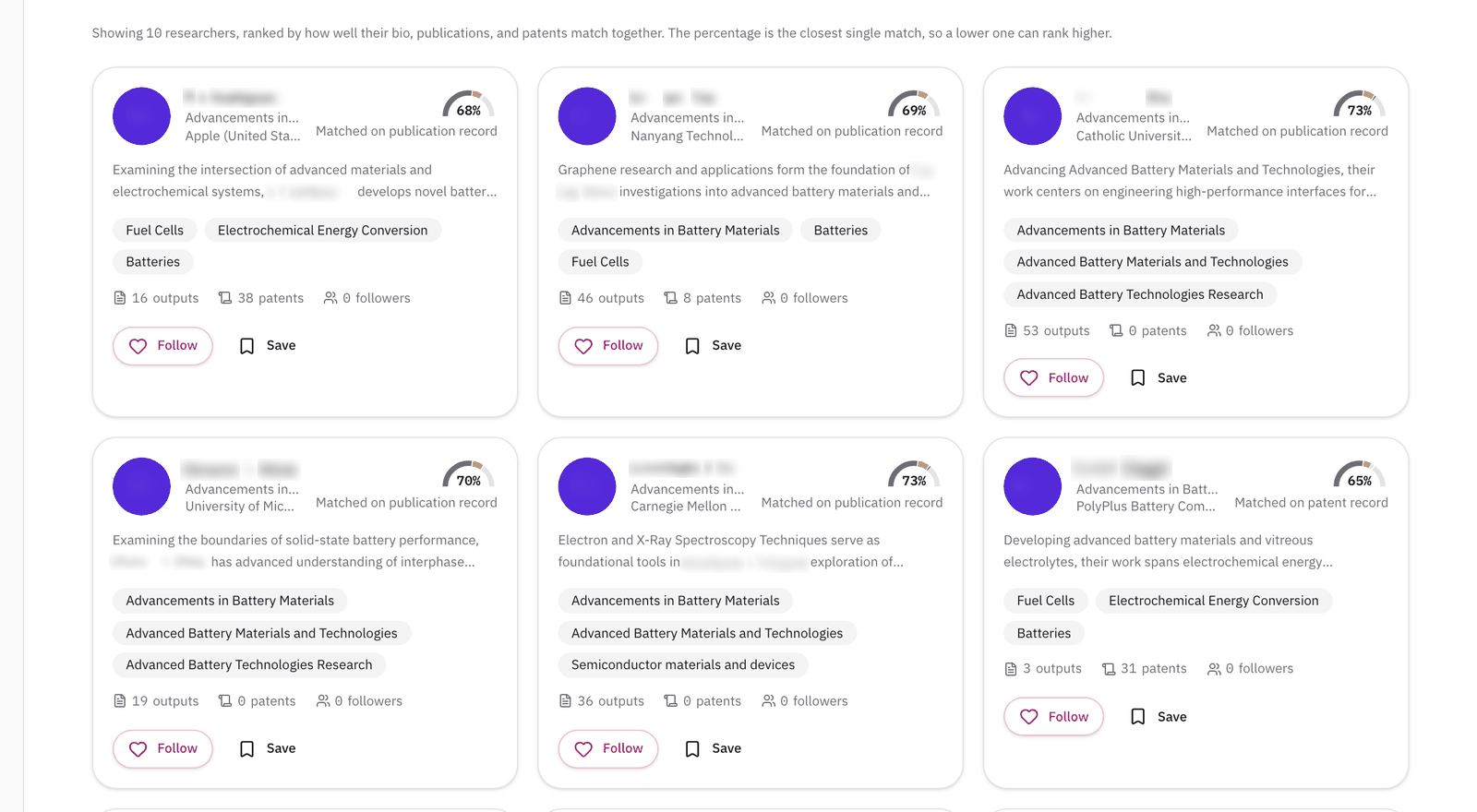
The order and the percentage measure different things, so a 70% can sit above a 73%. The percentage is how close the single best-matching part of a researcher's record comes to your abstract. The order weighs their bio, publications, and patents together, so someone who matches well on all three ranks above someone who's a little closer on one.
Look past the top card. A researcher whose summary mentions the exact gap you named, here thin-film deposition, is often a better first call than the highest percentage.
Step 3Shortlist the ones worth a closer look
Click Save on each researcher you want to come back to. They're kept on your Saved page, where you can add a note to each one and export the list as a CSV to share with colleagues.

Follow is different: it puts a researcher's new publications in the activity feed on your dashboard.
Step 4Check the fit before you write
Click a researcher's name to open their profile. The Match score panel compares their work with your own profile rather than with the abstract, so it's a second opinion. The percentage at the top is how close your research is to theirs, and the bars below add expertise overlap, how recent their work is, and how often it's cited.
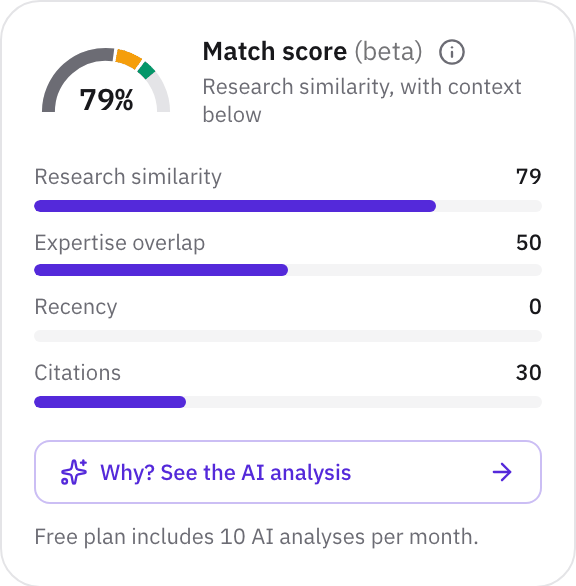
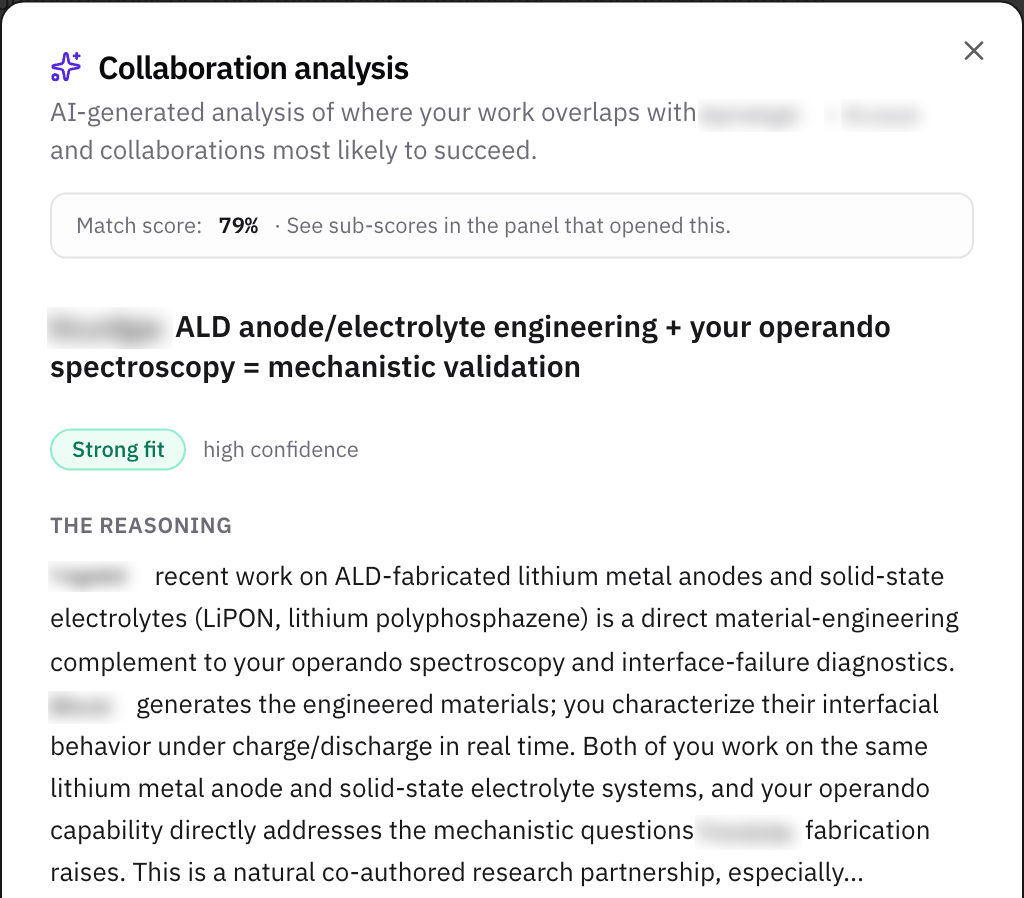
Why? See the AI analysis writes a short assessment of the pairing: whether it's a strong fit, what you need and what they offer, and what a collaboration could look like. Free includes a monthly allowance of analyses, and Pro is unlimited. What the AI collaboration analysis tells you explains each part.
The profile's other tabs answer the practical questions: Research outputs for what they've published lately, Patents for what they've invented, and Funding for who has paid for their work.
Step 5Get in touch
If the researcher is a Helikon member, their profile has a Message button. Keep the first message short: who you are, the problem you're working on, and what you'd like to talk about.
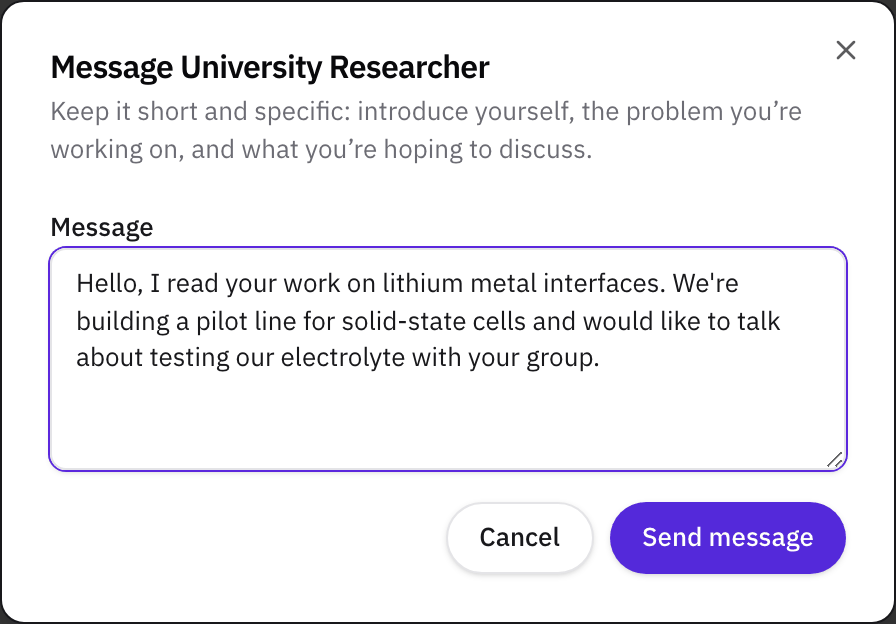
Most researchers in the results aren't members yet, because their profiles come from the public research record. For them, the profile has Invite to Helikon instead, or you can write to them the usual way through their university page.
What to read next
For partners inside your own organization, read How to find experts in your own university or company. If the collaboration needs funding, read How to find research funding opportunities.
Related
- WalkthroughFind a research partner from an abstract or a problem statement
- HelpAI collaboration analysis: how to read a match
- HelpCheck a researcher's grants and funding history
- HelpFind an SBIR or STTR partner from your specific aims page
- HelpExpertise finder: find experts in your organization
- WorkshopPartner Discovery and Selection
- ToolPartner Evaluation Scorecard