Help center · Tutorial · 4 steps
How to find research funding opportunities that match your work
- About 10 minutes
- Free plan and up
- Checked in the app on
To find research funding opportunities that match your work, search the live Grants.gov listings on Helikon by topic or agency, then complete your profile so the platform can match open opportunities to your research. Searching works on every plan. You need a free account.
Before you start: the opportunities come from Grants.gov, the federal government's listing of grant programs, and they're refreshed daily. Calls that have closed drop off the list. Helikon doesn't send alerts, so come back to the Funding tab when you're planning a proposal.
Step 1Search the open calls
Go to Discover and open the Funding tab, then Browse all. Type what your work is about into the search box. The search reads each call's title and description, so it also finds calls that describe your topic in different words.
Narrow the list with the filters, then click Apply:
- Agency, for example the National Science Foundation or the National Institutes of Health.
- Status: Open calls are taking applications now, and Forecasted calls have been announced but haven't opened yet.
- Closes before, to see only the deadlines you can still meet.
- Min award, to skip calls too small for the work.
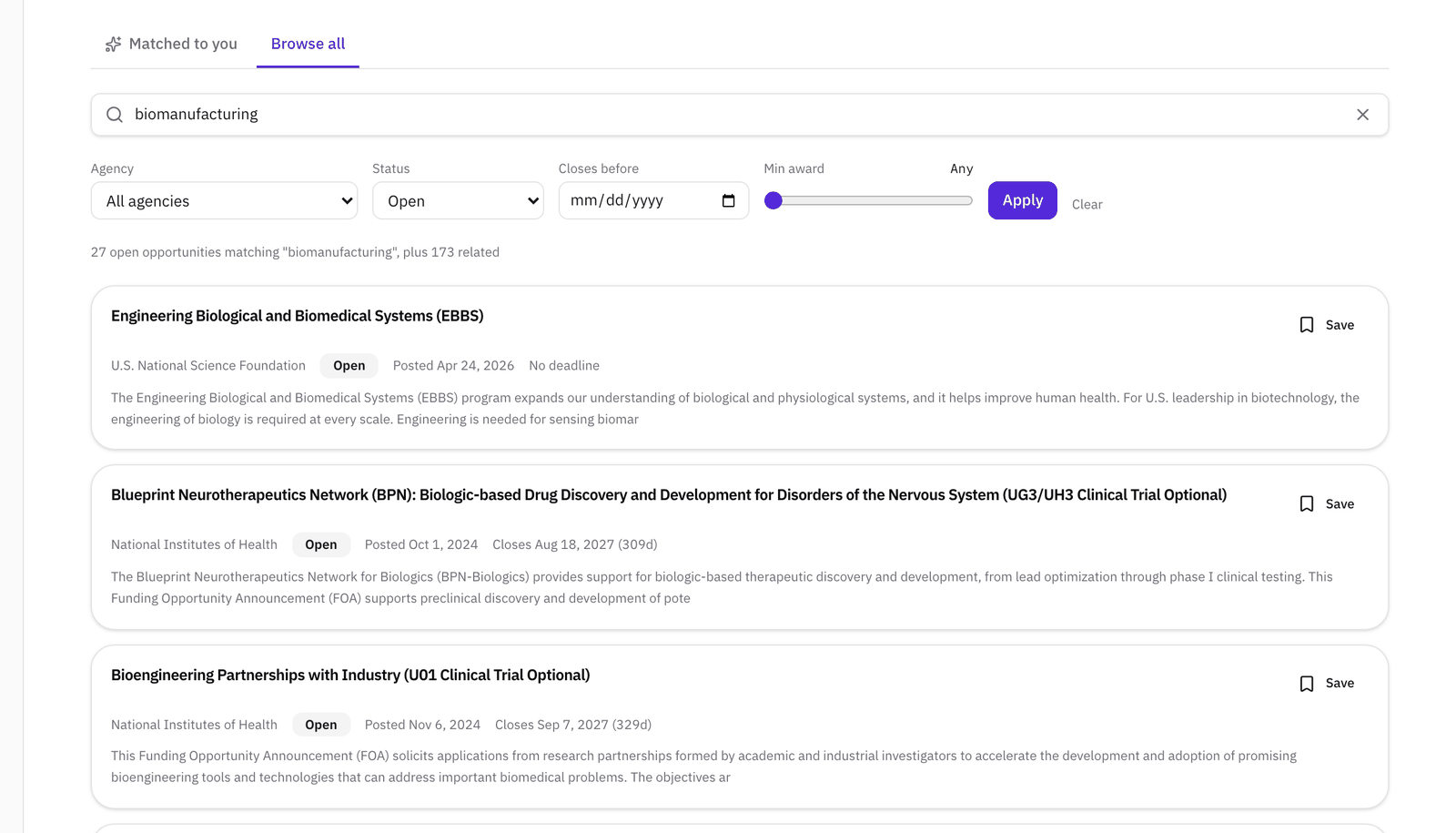
The line above the results counts the calls that match your words, and the related calls found by meaning. Each result shows the agency, whether it's open or forecasted, when it was posted, and when it closes, with the days left in brackets. A program that takes proposals at any time shows No deadline.
Step 2Open a call and check who can apply
Click a title to open the call. The page shows the opportunity number, the award ceiling and floor, the program total and expected number of awards when the agency gives them, the posting and closing dates, the instrument (grant or cooperative agreement), and the assistance listing numbers.
Read Eligible applicants first. It tells you whether a university, a small business, or a nonprofit can apply, which saves reading the rest of a call you can't use. When you're ready, View and apply on Grants.gov opens the official listing, where the full announcement and the application package are.
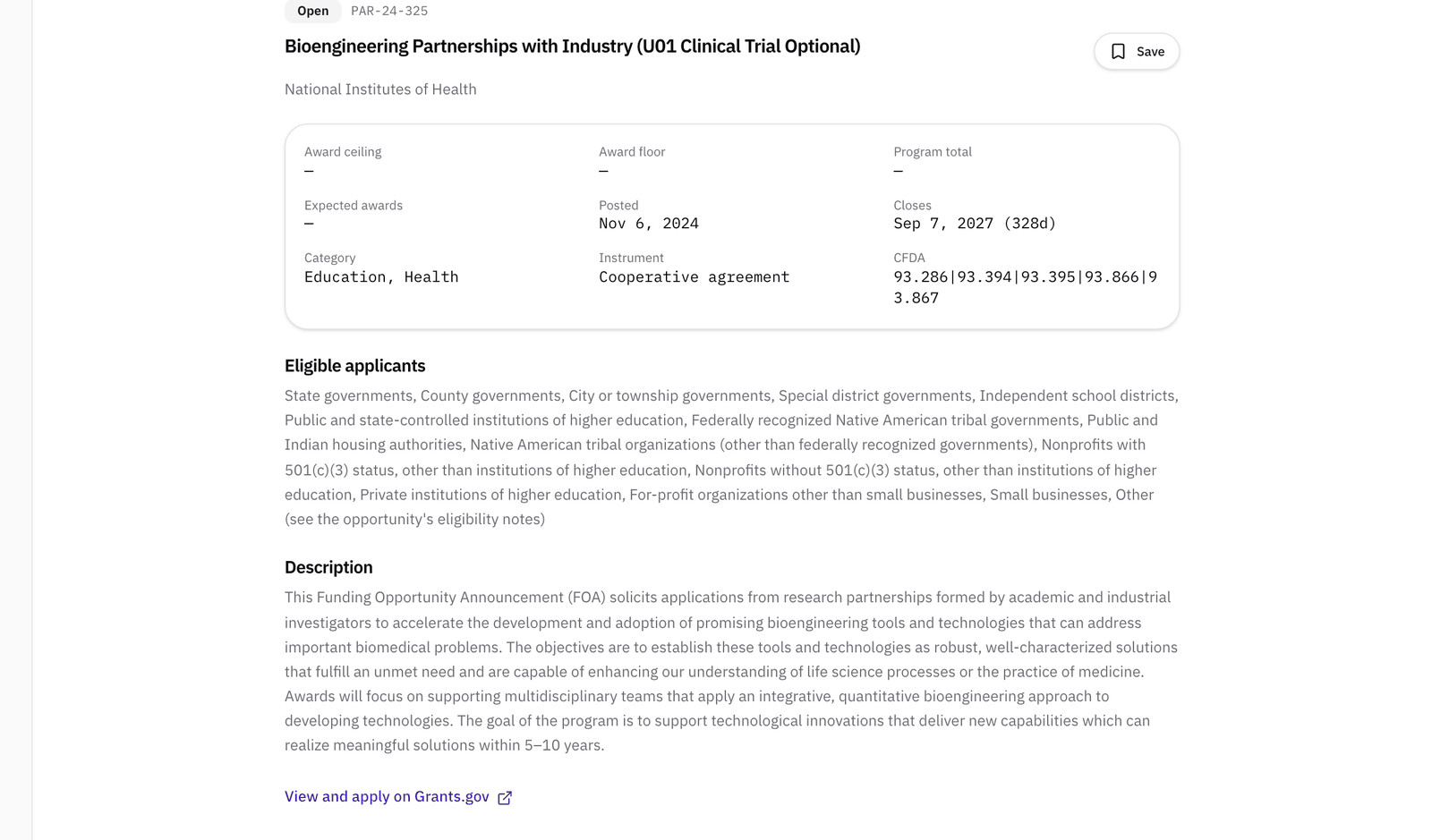
Click Save on any call worth a second look. Saved calls are listed under Funding on your Saved page.
Step 3Complete your profile so matching can work
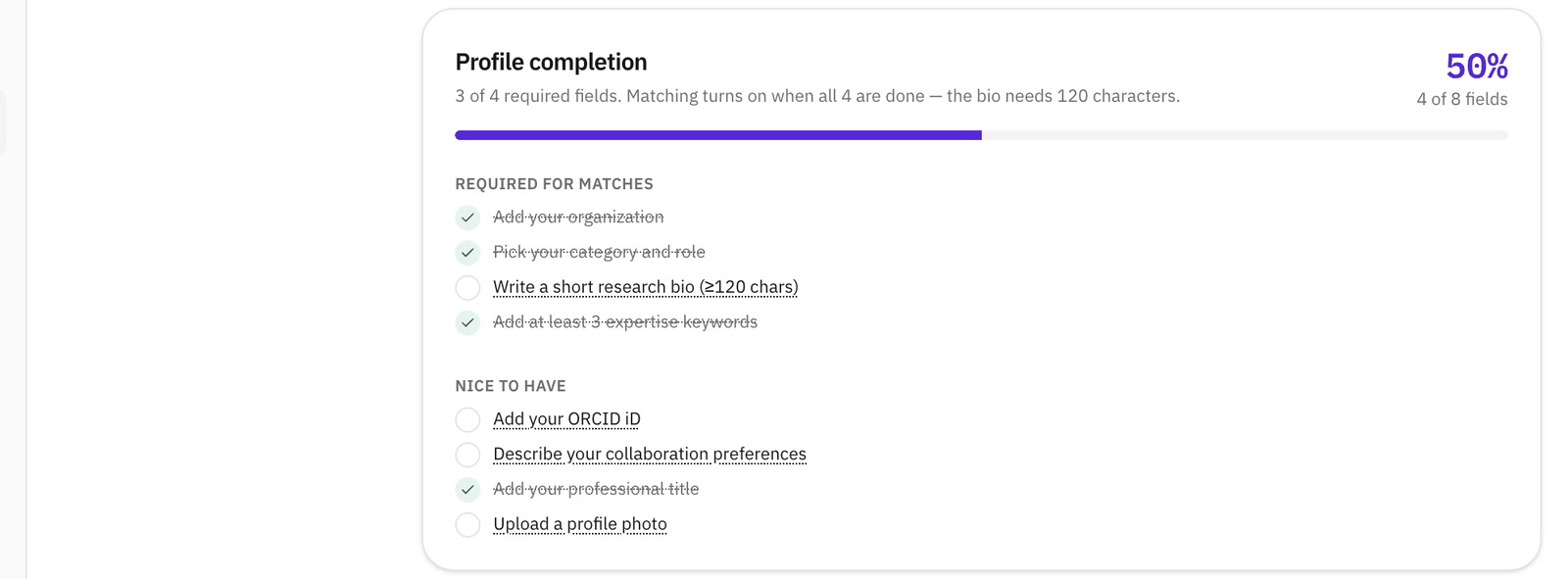
The Matched to you tab ranks open calls against your own profile. It needs four things before it can start:
- Your organization
- Your category and role
- At least three expertise keywords
- A bio of at least 120 characters
Until they're done, the tab tells you what's missing and links to your profile. You don't need publications or a linked researcher record for funding matches.

The Profile completion card at the top of your profile ticks off each one as you go. For help with the bio and keywords, see How to write a researcher bio that gets you found.
Step 4Read your matches
Once your profile is complete, open Matched to you. Calls are ranked by how closely they fit your bio and expertise keywords, with a percentage on each. The more specific your bio and keywords, the better the ranking.
On the Free plan you see your 3 closest matches. Pro and above show your 20 closest.
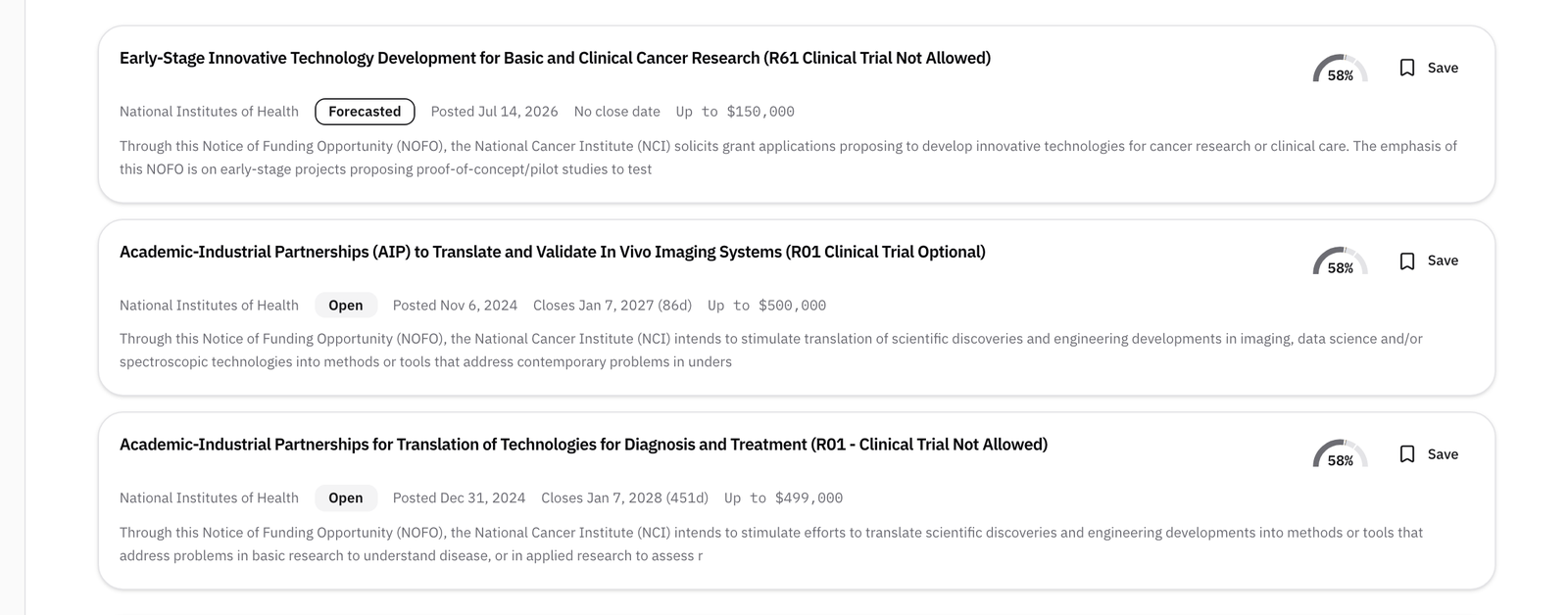
A match is a starting point, not a verdict. Open the call and check eligibility, the deadline, and what the agency wants before you start writing.
What to read next
If the call needs a partner, for example a small-business award that requires a research institution, read How to use your specific aims page to find an SBIR or STTR university partner.