Help center · Tutorial · 4 steps
What the AI collaboration analysis tells you about a match
- About 5 minutes
- Free plan and up (Free includes a monthly allowance, and Pro is unlimited)
- Checked in the app on
The AI collaboration analysis is a written assessment of a single match: how well this researcher fits what you're looking for, what each of you brings, where your work overlaps, and what to check before you get in touch. It's on every plan. Free includes a monthly allowance, and Pro is unlimited.
Before you start: the analysis compares your profile with the researcher's, so it's only as good as your bio, keywords, and collaboration preferences. If they're thin, the analysis says so. See How to write a researcher bio that gets you found.
Step 1Open the analysis from a profile
Open any researcher's profile, from Discover, Partner Search, or your dashboard's suggestions. In the Match score panel, click Why? See the AI analysis, then Generate analysis. It takes a few seconds.
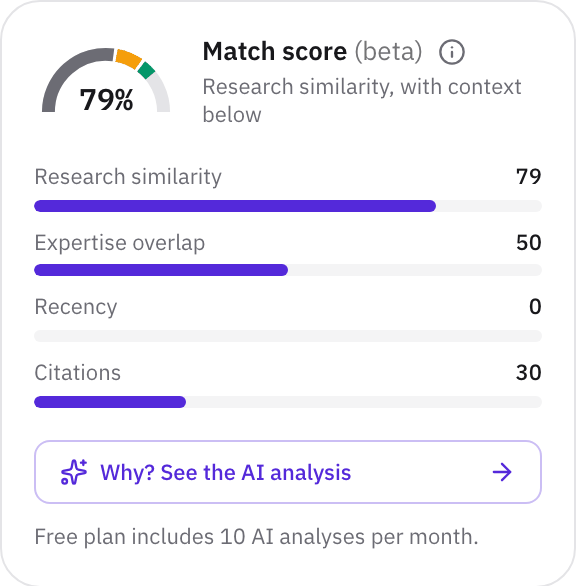
The analysis reads your profile (your role, organization, expertise, bio, and the collaborations you're open to) and the researcher's (their field, organization, expertise, summary, and recent paper and patent titles). It doesn't read an abstract you pasted into Partner Search.
Step 2Start with the headline and the fit
The analysis opens with a one-line headline and a verdict: Strong fit, Moderate fit, Weak fit, Not recommended, or Insufficient evidence, with how confident it is. A weak fit or a keyword coincidence is called that. It doesn't dress every match up as strong.
The reasoning is the argument for the verdict in a few sentences. Then The exchange spells out the trade:
- You need: what you're looking for, as your profile describes it.
- They offer: what this researcher supplies toward it.
- The fit: how the two line up, often as a concrete project.
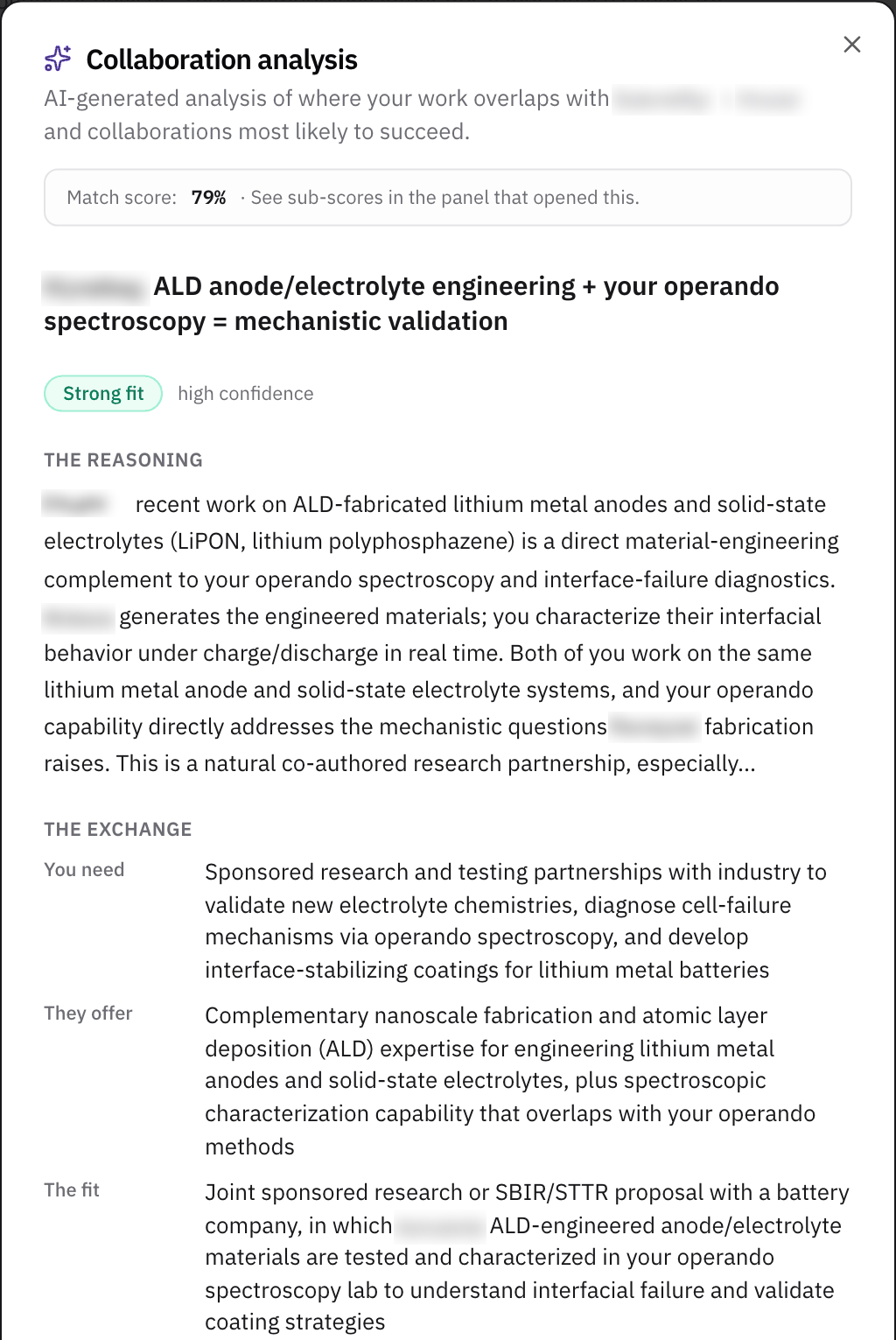
If You need doesn't sound like you, fix your profile, not the analysis. It comes straight from your bio and collaboration preferences.
Step 3Read the detail, and the caveats most of all
- Shared ground: the topics where your work and theirs meet.
- What they bring: strengths of theirs that complement yours.
- Recommended collaboration: the kinds of partnership that suit the pairing, such as sponsored research or student programs.
- Worth noting: what to check before you reach out.
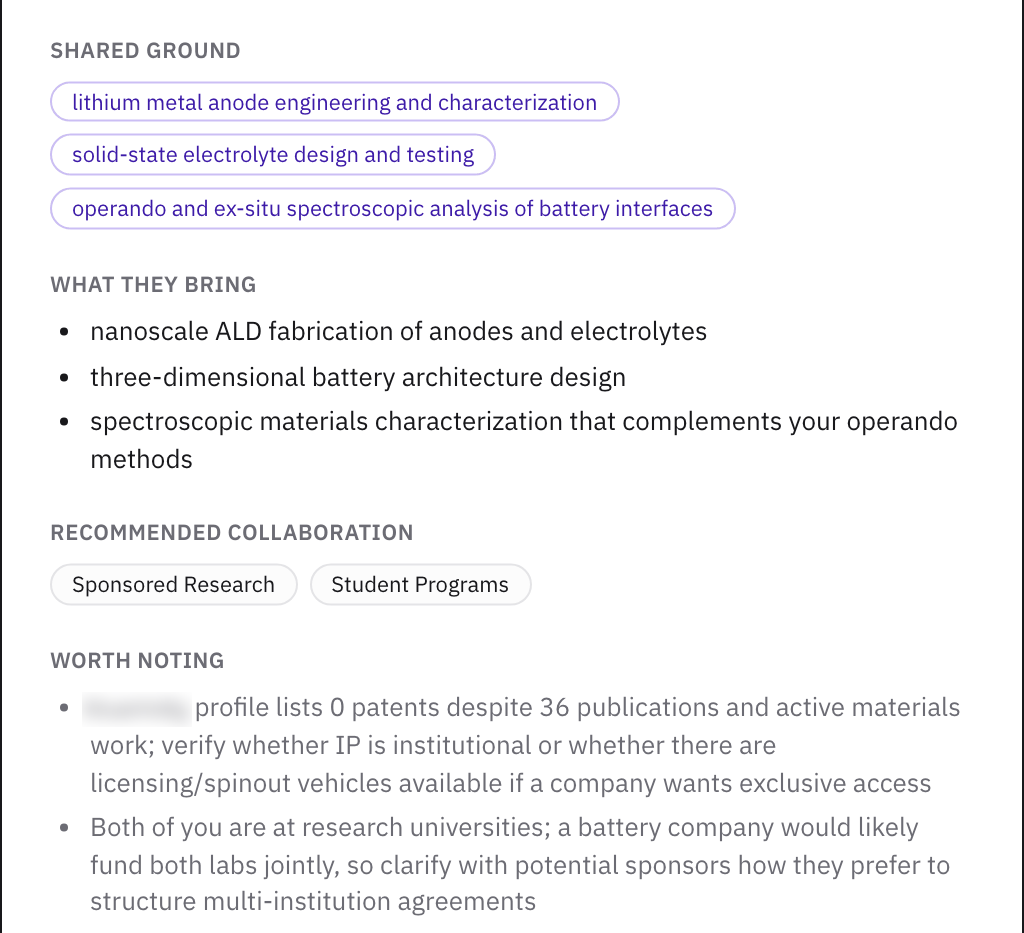
Read Worth noting before anything else in this half. In the example, it notes that the researcher has no patents listed and suggests checking whether the university holds the IP or a license is available, which is a good question for a first call.
Step 4Use it to decide, then check the record
The analysis is a fast first look, not a reference. Before you write, open the researcher's Research outputs and Patents tabs to confirm the work it cites, and their Funding tab to see who has paid for it. See How to check a researcher's grants and funding history.
An analysis is kept for seven days for each pair of profiles, so opening it again is instant. If you change your bio or keywords, your next analysis is generated fresh.
What to read next
To find the researchers worth analyzing in the first place, read How to find research collaborators from an abstract.
Related
- WalkthroughFind a research partner from an abstract or a problem statement
- HelpHow to find research collaborators from an abstract
- HelpHow to write a researcher bio that gets you found
- HelpExpertise finder: find experts in your organization
- WorkshopPartner Discovery and Selection
- ToolPartner Evaluation Scorecard