Help center · Tutorial · 5 steps
Who cited my paper? How to find the patents that cite your research
- About 5 minutes
- Free plan and up
- Checked in the app on
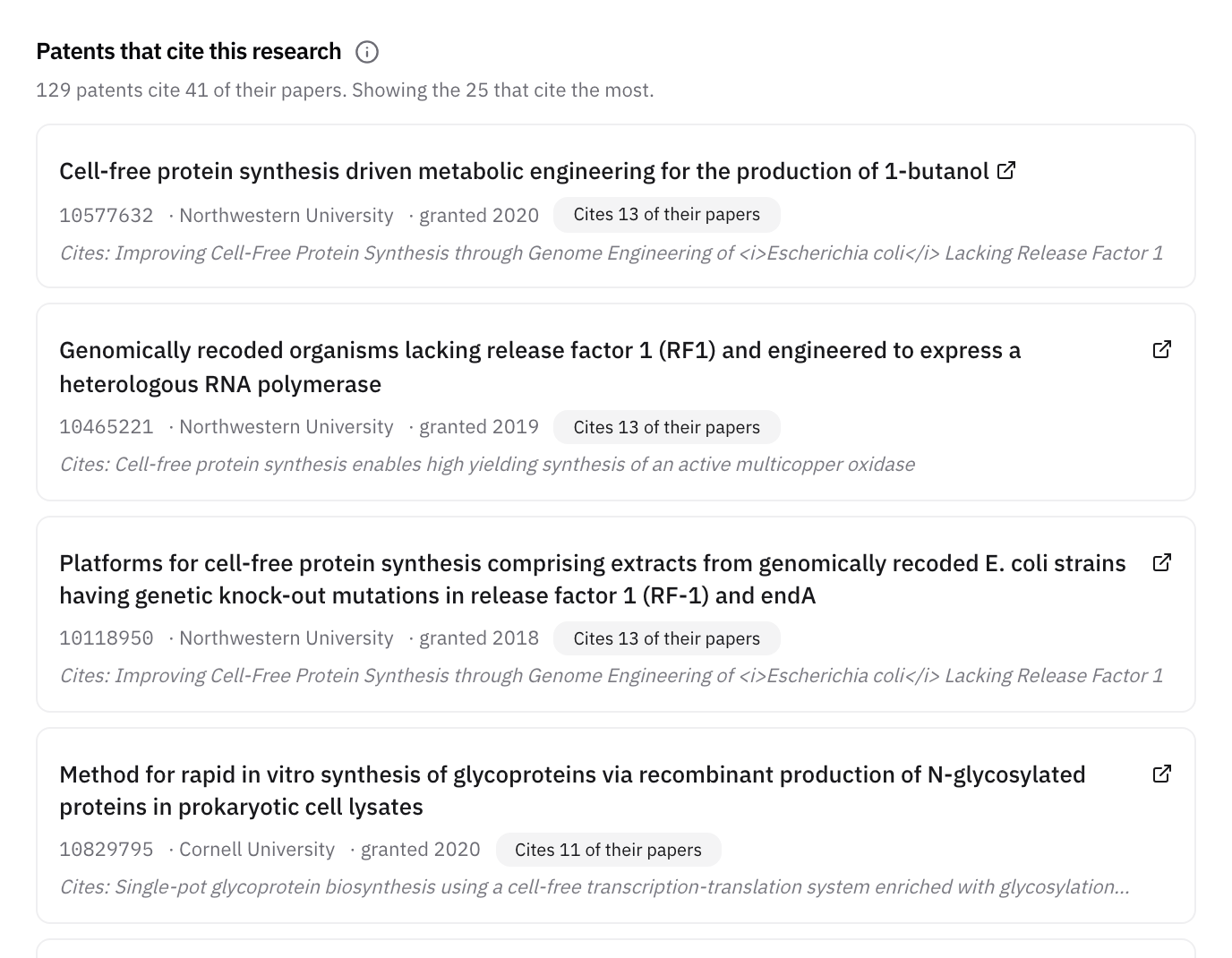
To find the patents that cite your papers, open the Patents tab of your Helikon profile: Patents that cite this research lists the U.S. patents that cite your published work, and each paper's window lists the patents that cite that paper, who owns each one, and whether the inventors or the patent examiner added the citation. You need a free account.
Before you start: the citation count on each paper counts other papers, from OpenAlex. To see which papers cite yours, OpenAlex and Google Scholar list them. The patents are different: they show which companies and universities are building inventions on your work.
Step 1See every patent that cites your work
Go to your profile and open the Patents tab. Below your own patents, Patents that cite this research lists the patents that cite any of your papers, the ones that cite the most first. Each shows its title, number, owner, and grant year, how many of your papers it cites, and which ones. The line at the top says how many patents there are in all and how many of your papers they cite.
Step 2Open your research outputs
Go to your profile and open the Research outputs tab. Set Sort to Most cited. Highly cited papers are the likeliest to be cited by patents as well, though not always.
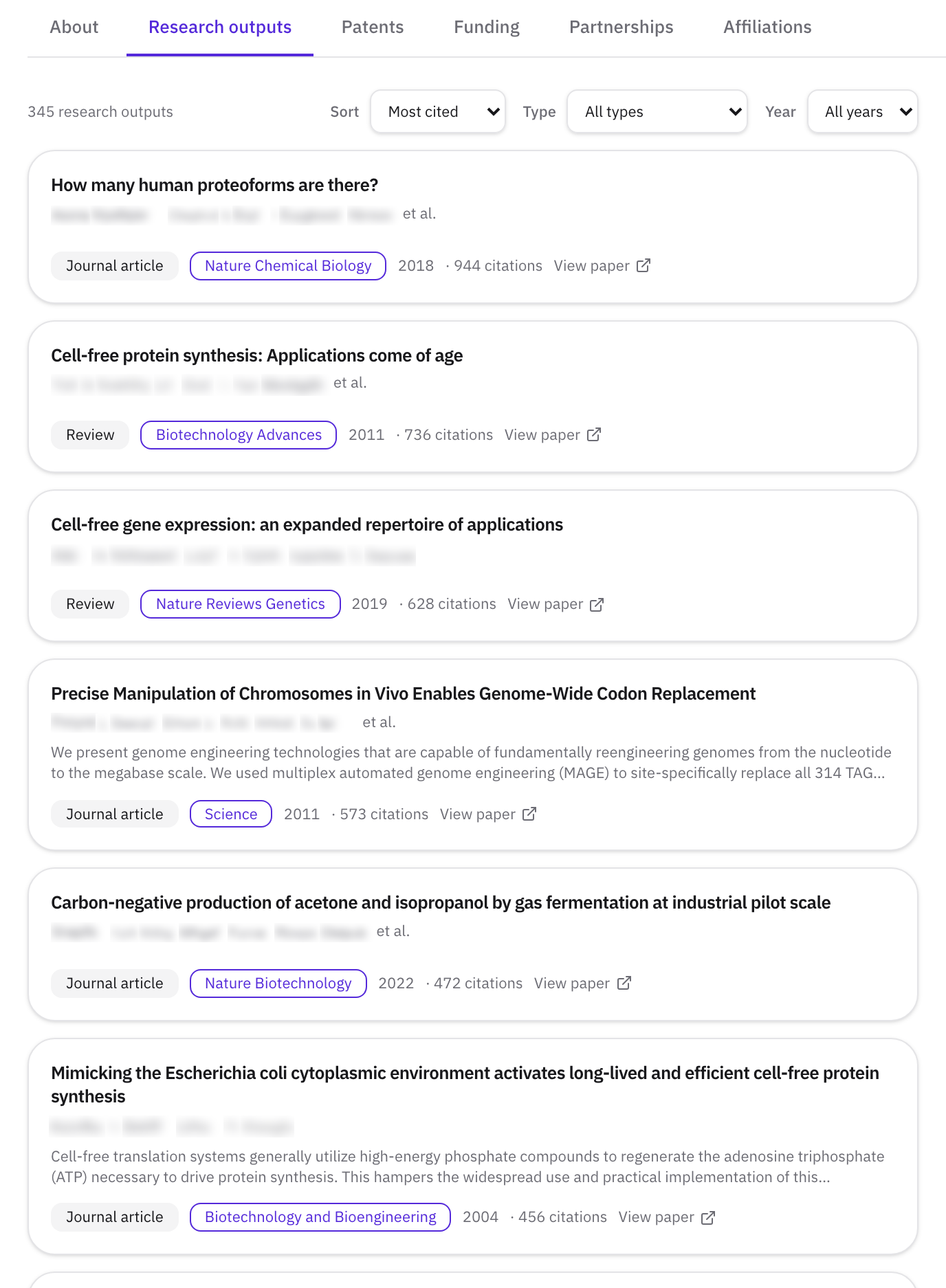
The same works for anyone else's profile, and for any paper you find on the Literature tab of Discover.
Step 3Open a paper
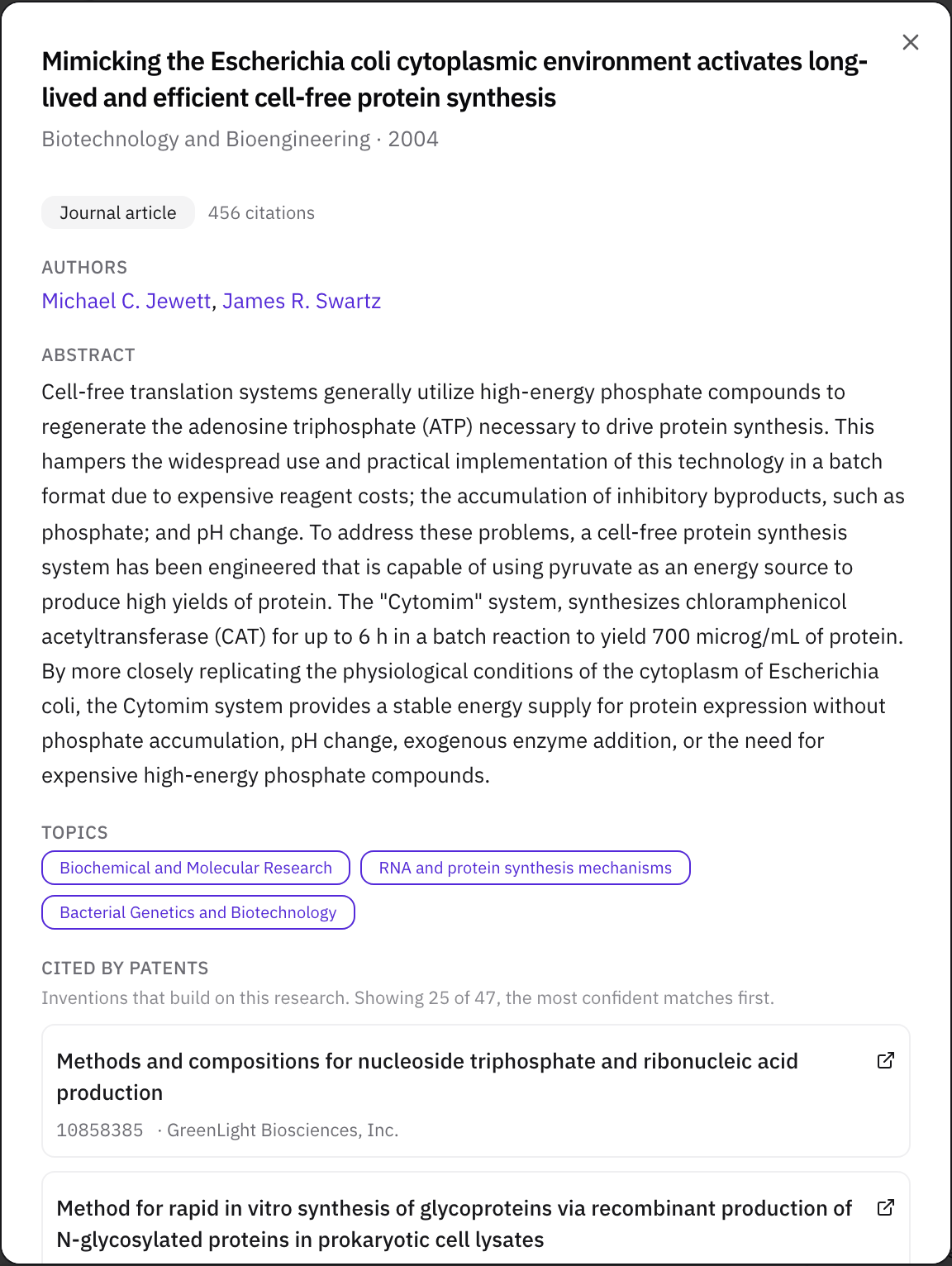
Click a paper's title. The window shows the journal and year, the type, how many times other papers cite it, the authors, the abstract, and its topics.
Step 4Scroll to Cited by patents
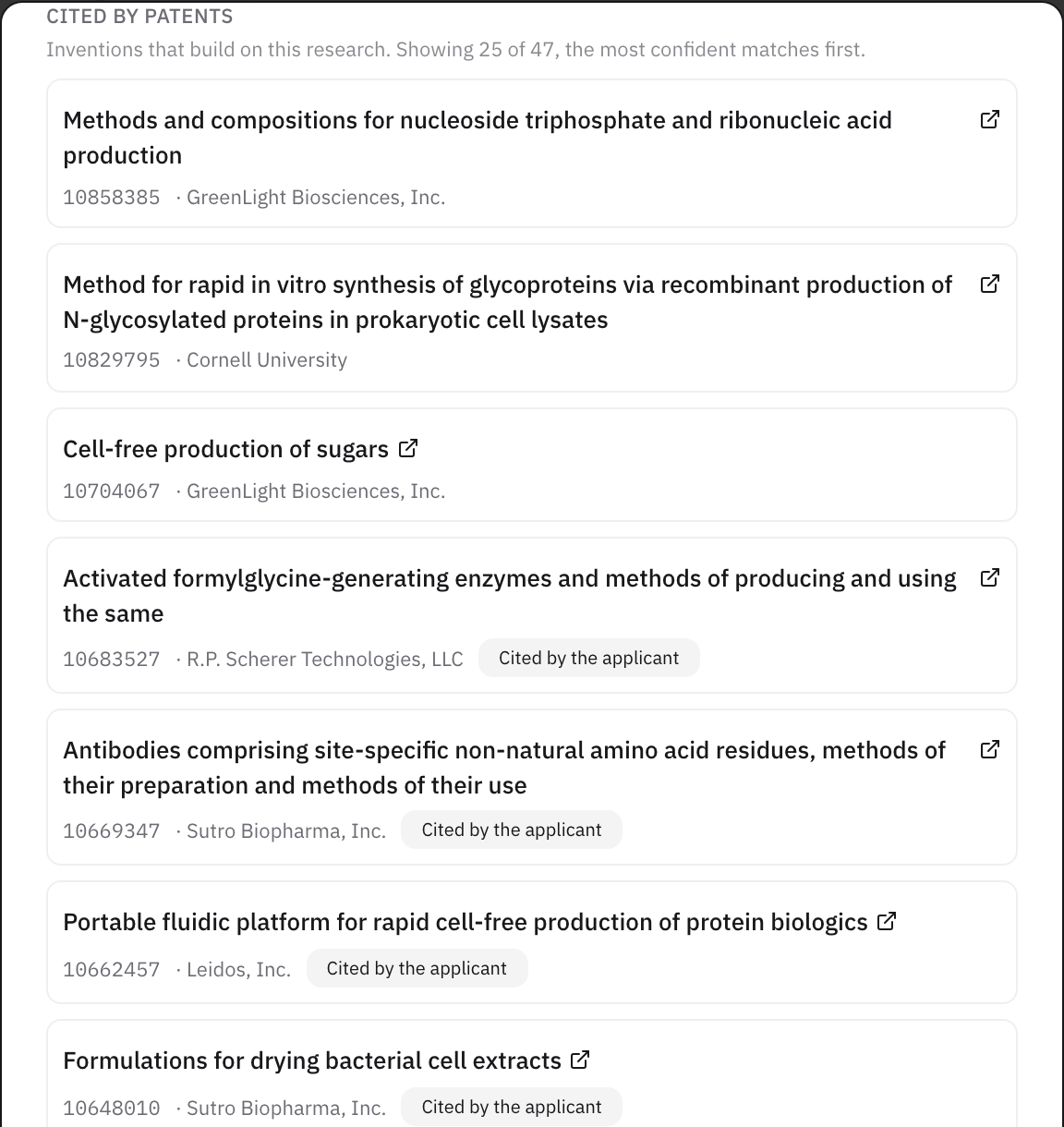
Below the topics, Cited by patents lists the patents that cite the paper, the most confident matches first, with a count such as "Showing 25 of 47". Each one shows:
- The patent's title, which opens it on Espacenet, the European Patent Office's free patent search.
- The patent number.
- The owner, usually the company or university the patent is assigned to.
- Who added the citation, Cited by the applicant or Cited by the examiner, when the patent record says.
If a paper has no patents citing it, the section doesn't appear.
Step 5Read what the list tells you
- The owners. These are the organizations putting your work into products. In the example, two companies own several patents each that cite the same paper, and that kind of repeat is worth a closer look, for a sponsored research conversation or a license.
- Who added the citation. A citation added by the applicant means the inventors themselves pointed to your paper. One added by the examiner means the patent office found it relevant during review.
- The dates. A run of recent patents means the field is moving now.
For the full picture of a company, open its organization page from Discover, Organizations.
What the list covers
The list comes from matching the scientific references printed in U.S. patents to published papers, and it includes the patents in Helikon's patent record. The Patents tab and each paper's window show up to 25, the most confident first, and say how many there are in all.
What to read next
If some of your papers aren't on your profile, read How to create your researcher profile and import your publications and patents. To make it easy for those companies to find you, read How to write a researcher bio that gets you found.
Related
- WalkthroughBe found: your expertise, publications, patents, funding, and the patents that cite your work
- HelpHow to write a researcher bio that gets you found
- HelpCheck a researcher's grants and funding history
- HelpCreate a researcher profile and import publications
- ComparisonResearchGate vs Google Scholar vs ORCID vs Helikon: which researcher profile should you keep up?