Help center · Tutorial · 7 steps
How to track research contracts and grant proposals: NDAs, IRB approvals, agreements, and deadlines in one place
- About 15 minutes
- Free plan and up (the pipeline in step 7 is on Pro)
- Checked in the app on
You can track research contracts and grant proposals on Helikon in the project they belong to: whether an NDA, IRB approval, or agreement is needed, when each was signed and when it expires, the signed copies and proposal files, and the deadlines that keep them moving. You need a free account and a project. The pipeline in step 7 is on Pro.
Before you start: this tutorial picks up after the project exists. For creating it, inviting the sponsor's lead, and the basics of milestones, start with Set up an industry-sponsored project. The example here is a twelve-month industry-sponsored study that needs an NDA, IRB approval, and an executed research agreement.
Step 1Say what the agreement needs before work can start
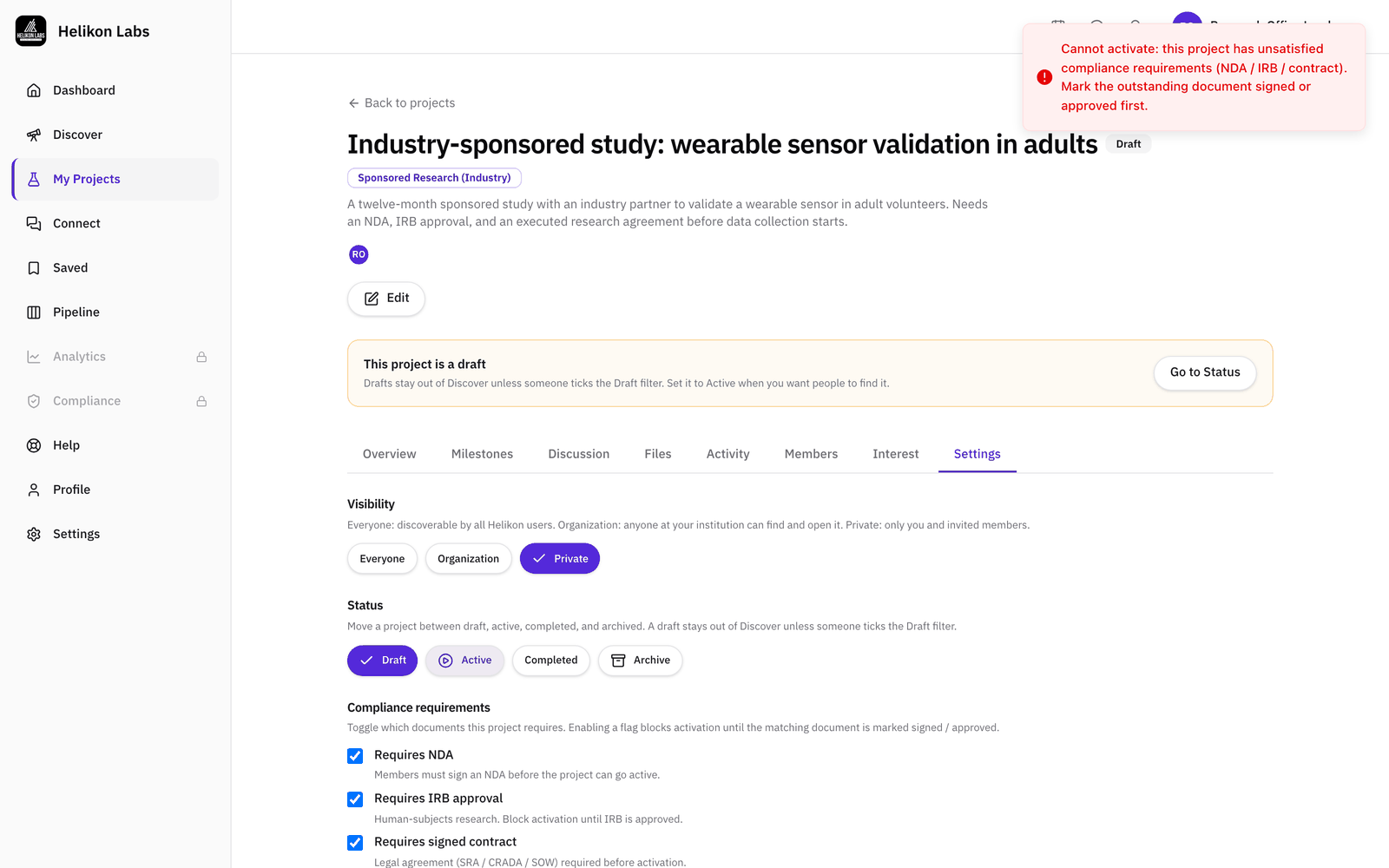
On the project's Settings tab, under Compliance requirements, tick each item this project needs: Requires NDA, Requires IRB approval for human-subjects research, and Requires signed contract for the sponsored research agreement, CRADA, or statement of work.

A ticked requirement holds the project back. While any of them is outstanding, it can't move from Draft to Active, and the platform says which documents are missing. That's a useful gate for a research office: nothing goes live before the paperwork does.
Step 2File the paperwork where it belongs
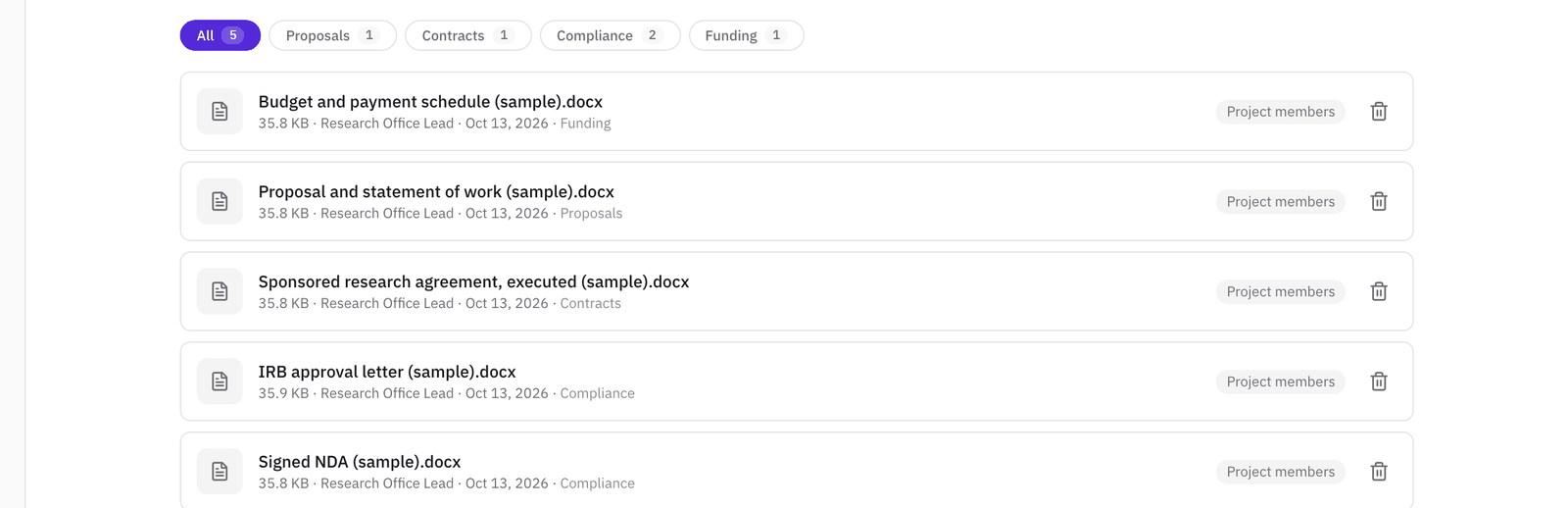
Open the Files tab and choose the folder before each upload. The folders follow the life of a partnership, and four of them matter most here:
- Compliance for the signed NDA and the IRB approval letter
- Contracts for the executed agreement and its amendments
- Proposals for the proposal and the statement of work
- Funding for the budget and the payment schedule
The folder chips at the top filter the list, so the signed copies are one click away when someone asks for them. Leave the audience at Project members unless a file is only for you.
Step 3Record each signature and approval, with its expiry and the signed copy
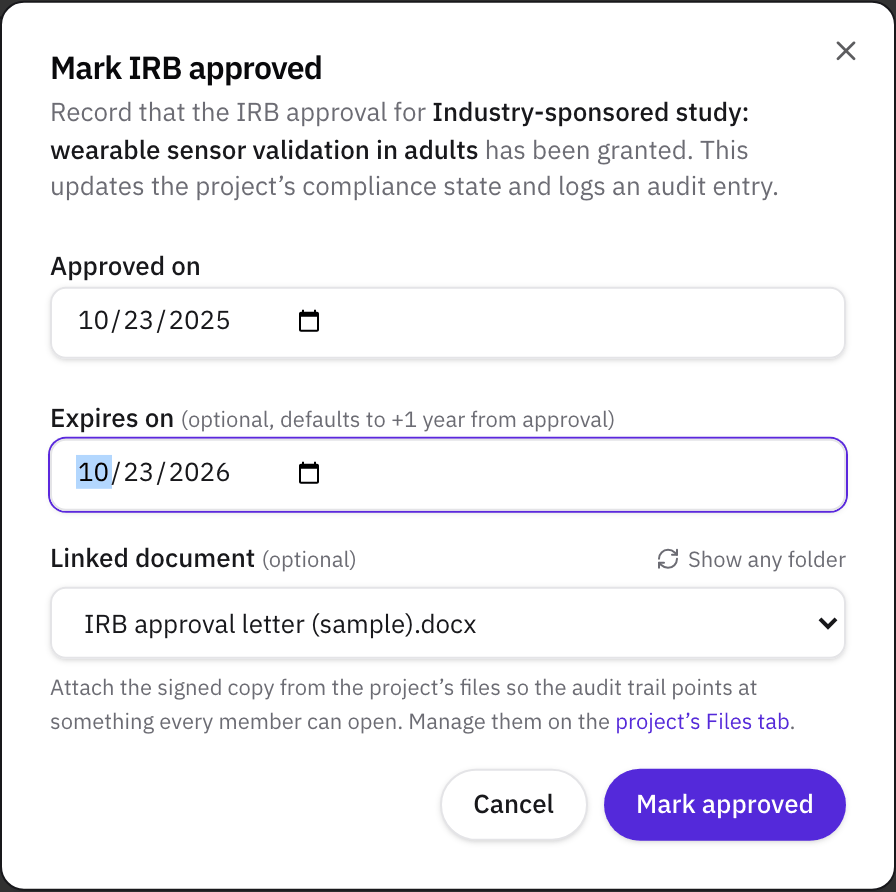
On the Overview tab, the Compliance card has a button for each requirement: Mark signed for the NDA and the contract, Mark approved for the IRB. Each one asks for:
- The date it was signed or approved, which defaults to today.
- Expires on, which is optional. Left blank, it's two years after signing for an NDA, and one year for an IRB approval or a contract. Enter the real date when the document has one.
- Linked document, the signed copy from the project's files. The list shows the Compliance folder first. Use Show any folder for a file filed elsewhere.
Step 4Watch the status, and renew before anything lapses
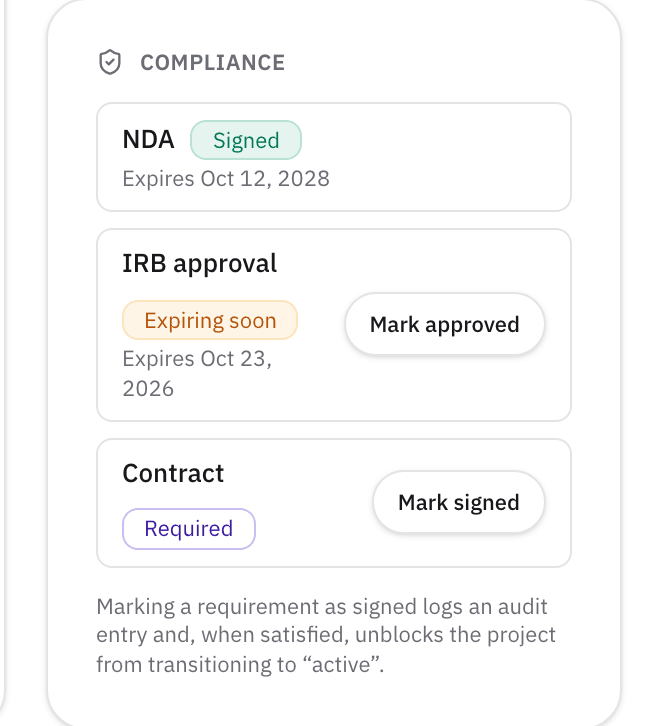
The Compliance card shows where each item stands: Required until it's recorded, then Signed with its expiry date, Expiring soon in the last two weeks, and Expired after the date passes.
You don't have to keep checking. The project owner gets an email 14, 7, and 3 days before an NDA, IRB approval, or contract expires. When it's renewed, click Mark signed or Mark approved again with the new dates, and the warnings start over for the new expiry.
Step 5Use the activity log as the audit trail
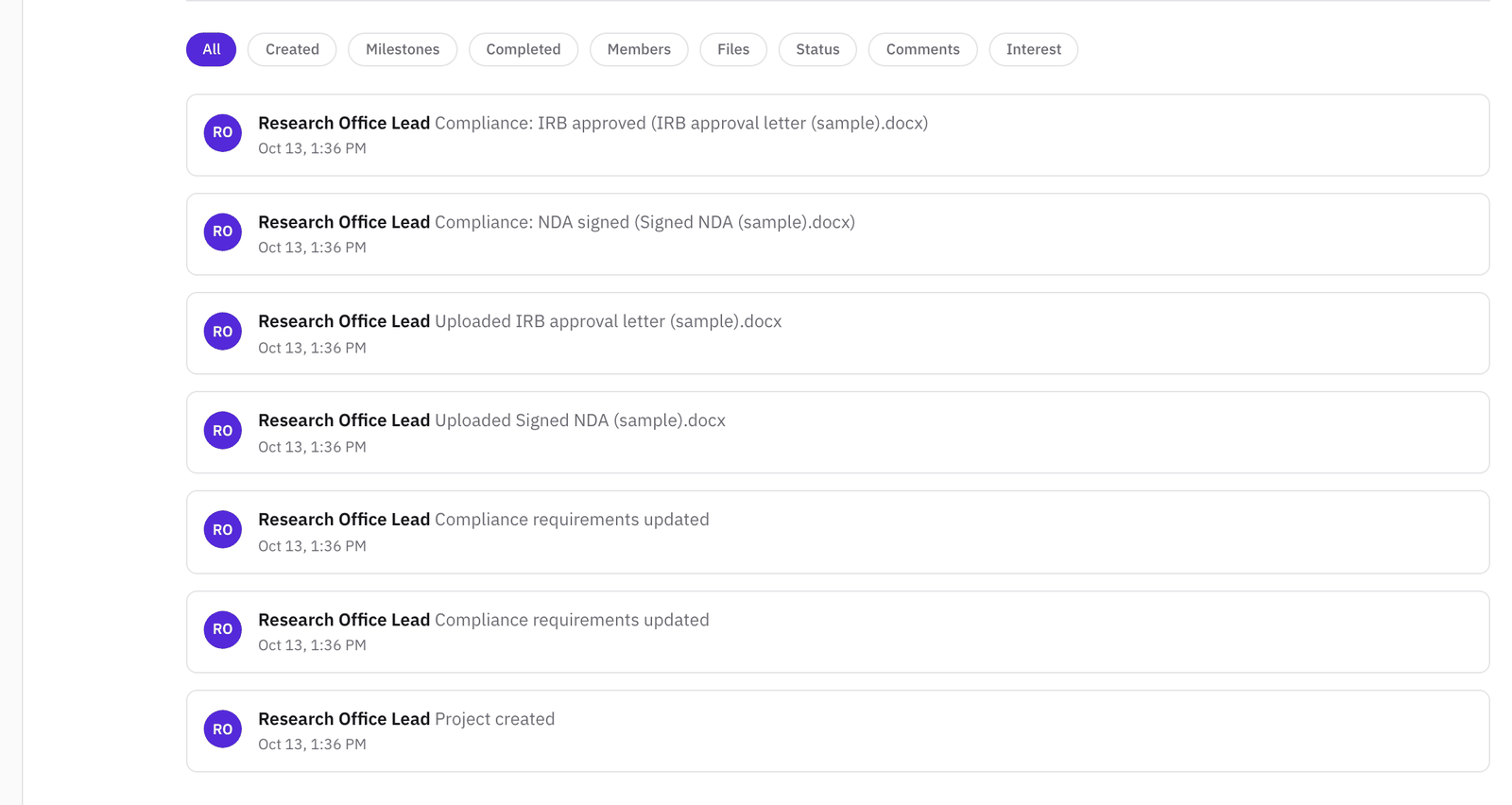
Every requirement change and every signature or approval is written to the project's Activity tab, with who did it, when, and the document linked to it. File uploads are logged too, so the tab shows when each signed copy was added. The Status filter narrows the list to the compliance entries.
The compliance entries are kept even if the project is later deleted, together with the project's title, so the record of what was signed and approved survives the project itself.
Step 6Keep the deadlines moving
Add a milestone on the Milestones tab for each date the agreement depends on: the kickoff, the contract signature, the IRB continuing review, the first report to the sponsor. Give each an owner and a due date, and set its status from the menu on its row as things change: Not started, In progress, At risk, Delayed, Blocked, On hold, Completed, or Canceled. A milestone past its date shows how many days it's overdue.
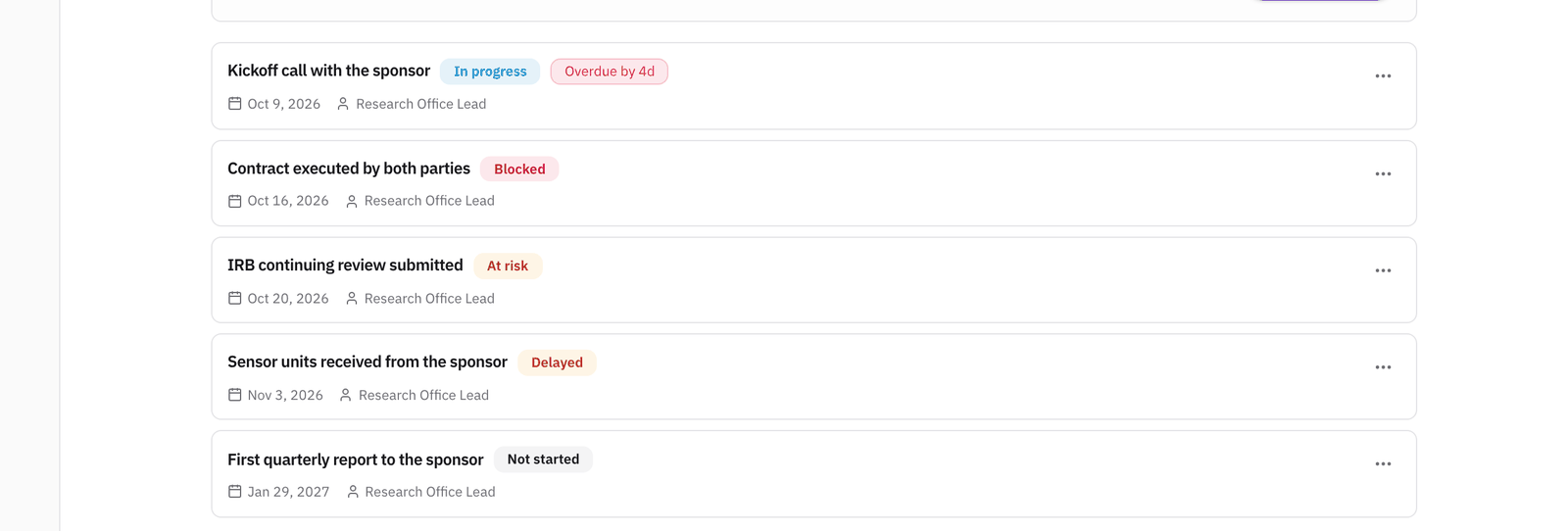
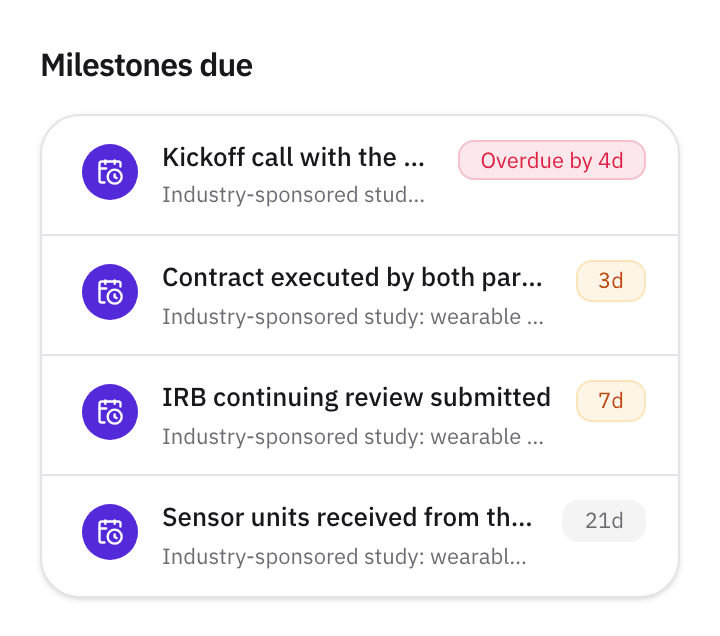
The assignee and the project owner get reminder emails three days and one day before a milestone is due, and again the day after if it's missed. The Milestones due panel on your dashboard lists what's coming up across all your projects, with anything overdue at the top.
Step 7On Pro, follow proposals still in negotiation in the pipeline
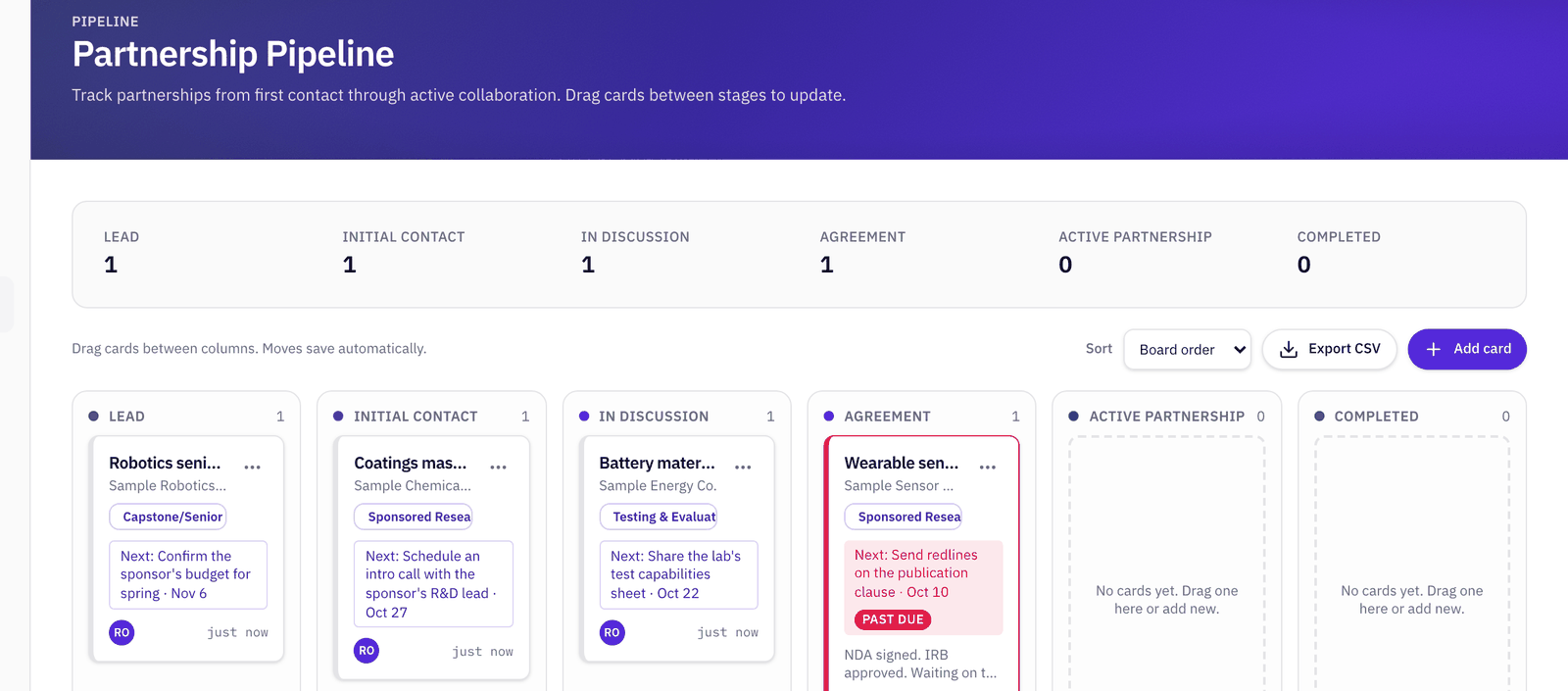
Before an agreement is signed, it's a deal, not a project. The Pipeline in the left sidebar tracks those deals on a board with six stages: Lead, Initial Contact, In Discussion, Agreement, Active Partnership, and Completed. Drag a card to move it on.
Click Add card and fill in the partner, the stage, the agreement type, the Next action and its due date, and, if one exists, the project it belongs to. Notes hold anything the next person needs to know.
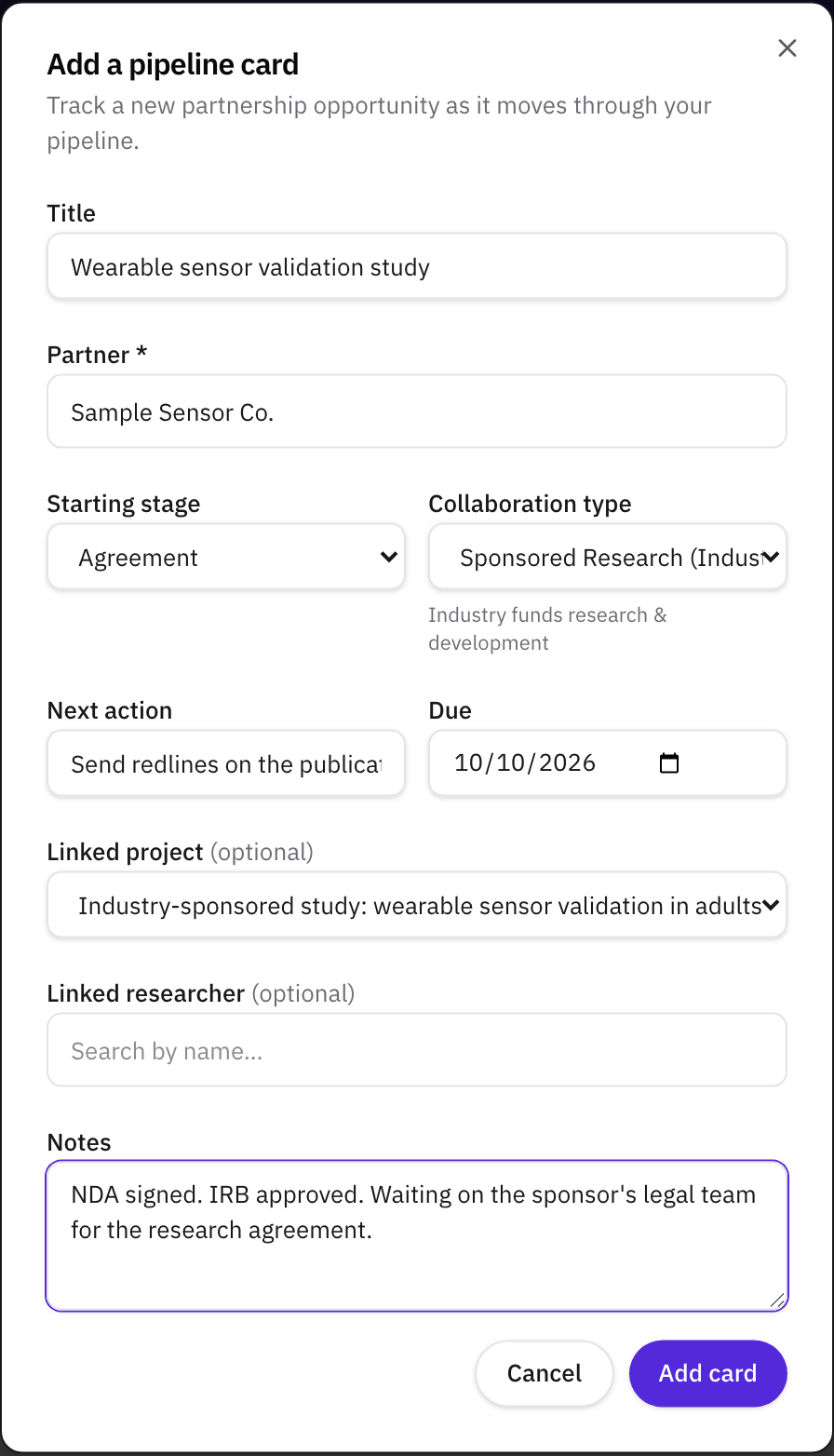
A card whose next action is late is marked Past due, and the card's owner gets an email on the due day and again at three and seven days late. Export CSV downloads the cards on the board for a report.
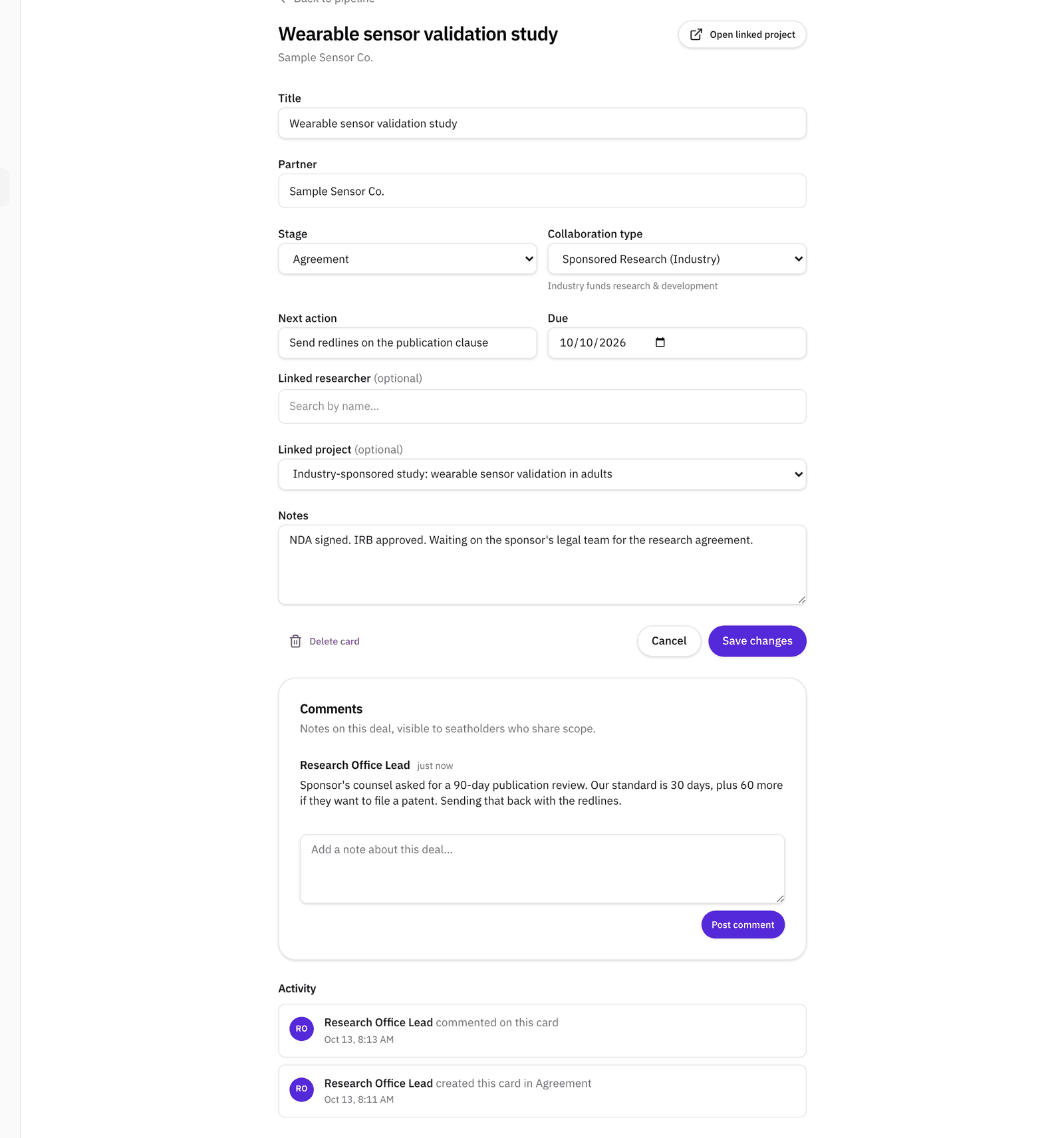
Open a card to edit it, comment on it, and see its history. To bring a colleague in, type @ followed by their email address in a comment, and they're notified. When the agreement is signed, Convert to project creates a private draft project with the card's title, agreement type, and notes, links the card to it, and moves the card to the next stage.
What to read next
For the agreements themselves, our free Contract Red Flags Kit lists the clauses that slow research agreements down. For running the project once it's signed, read How to manage a university-industry research collaboration. Helikon Labs is not a law firm, and nothing here is legal advice.
Related
- GuideHow to manage a university-industry research collaboration: the plain guide
- GlossaryMilestone
- GlossaryDecision rights
- WalkthroughManage an R&D collaboration project with milestones, files, and a shared record
- HelpSet up an industry-sponsored project and its contracts
- WalkthroughManage your partnership pipeline
- TemplateContract Red Flags Kit for university-industry research agreements
- HelpHow to invite external collaborators to a project
- WorkshopStructuring the Partnership: Governance and Operating Model