Use case · Match
Map a technology area: who publishes, who patents, who's funded, and what innovation builds on
For anyone who needs to know a field before choosing a partner in it.
Free plan · No credit card required
Other patent databases tell you who filed, and a literature database tells you who published. Neither tells you that the patent a competitor was granted last spring cites in its own references a paper from a group you could call this afternoon. That link is the interesting part of any technology map, and it has usually lived behind an expensive patent-analytics subscription.
Our platform holds 15 million of those links across 3.3 million granted US patents and 34 million publications, in both directions, on every plan.
How it works
A worked example. A scout at a specialty chemicals company is mapping conductive carbon additives for lithium-ion electrodes and wants the granted patents from the last four years, the academic groups they build on, and the companies behind the assignee names.
Step 1: Start from the patents
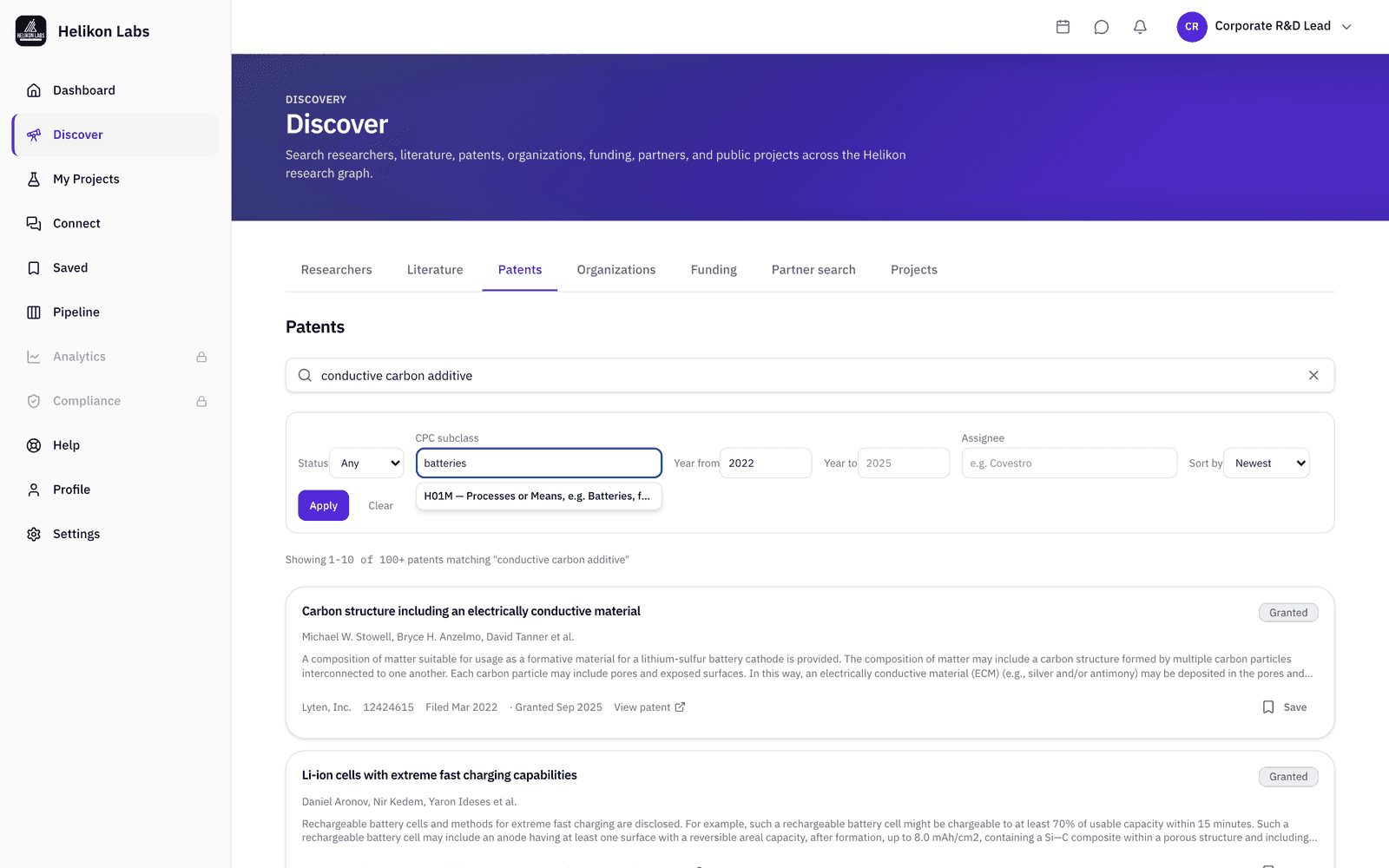
Open Discover → Patents. Type a Cooperative Patent Classification (CPC) code or a plain word into the CPC subclass field (typing “batteries” offers H01M), set Year from, and sort by newest. Add an Assignee to focus on one company, the typeahead covers the most active assignees.
For the example: H01M, 2022 onward, and “conductive carbon additive” in the search box. The result is a list of granted patents short enough to read in one sitting.
Step 2: Open a patent and explore what it builds on
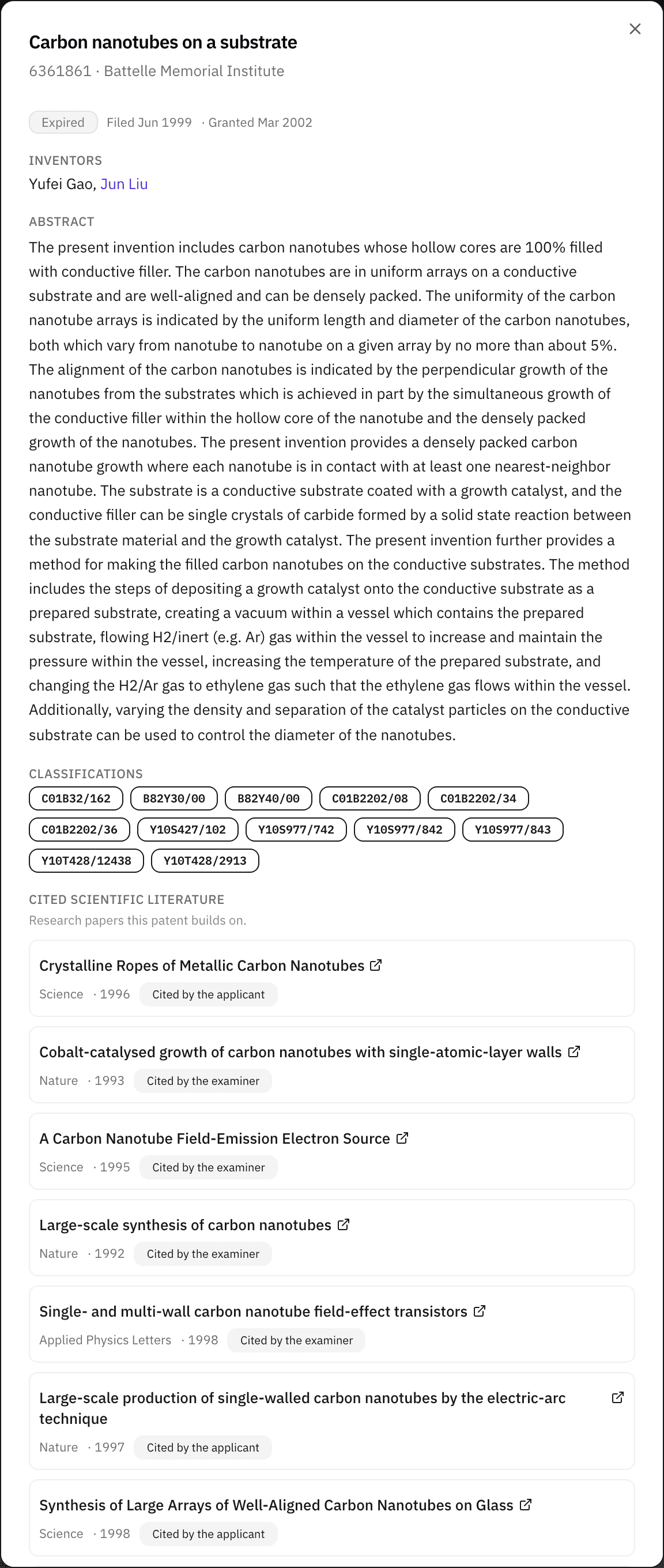
The panel shows the assignee, status and dates, inventors, abstract, and CPC classifications, then Cited scientific literature: the papers the patent's own references point to. Inventor names link to researcher profiles where the platform can match them. View on Espacenet opens the full record.
When two patents from different assignees both cite the same university group's papers on electrode conductivity, that group is the one to explore next.
Step 3: Flip to the papers and see who has patented on them
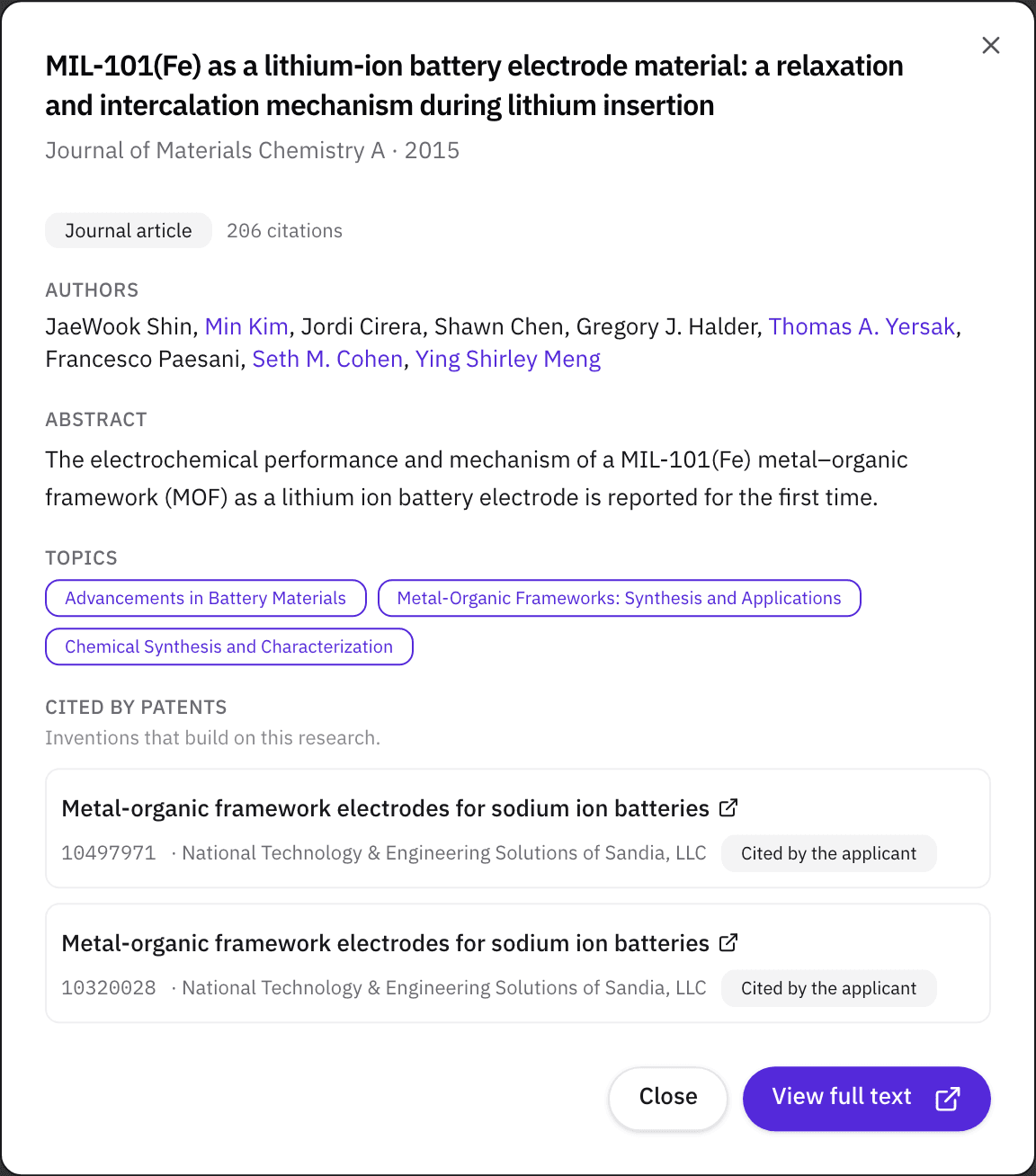
Open Discover → Literature, filter by Subject area, Year, and Min citations, and open a paper. Cited by patents lists the granted patents that cite it, with their assignees. That shows which companies are already building on a group's work, including the ones nobody on your side was tracking.
Step 4: Resolve the companies and save the map
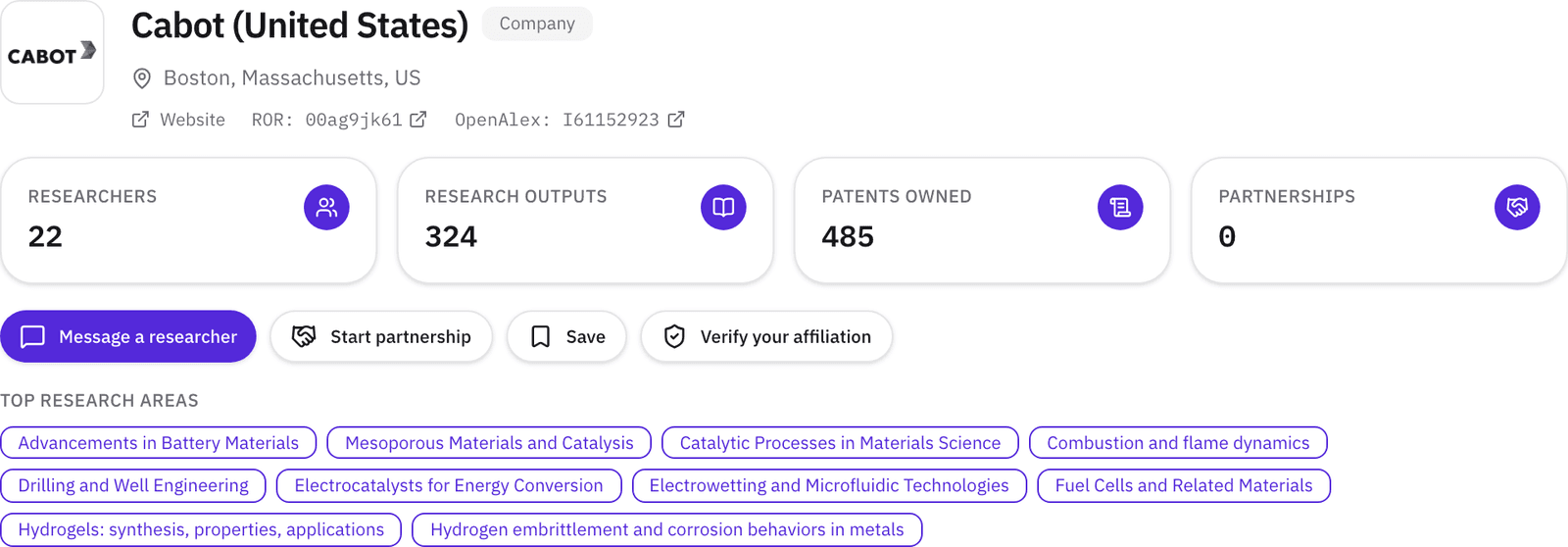
Open Discover → Organizations and search the assignee names. Each organization carries a type badge (University, Company, Government, and so on). A company's assignee-name variants roll up to one page, and a subsidiary with its own listing shows which parent it's part of, with owned patents, top research areas, and the researchers the record links to it. For an assignee that files under a dozen subsidiary names, that is one page for the whole family. Save patents, papers, people, and organizations with private notes and tags, and on Pro, export the saved list to CSV.
A tag like “conductive additives” across a dozen saved items is the map, the CSV can export for your further review.
What you’ll see
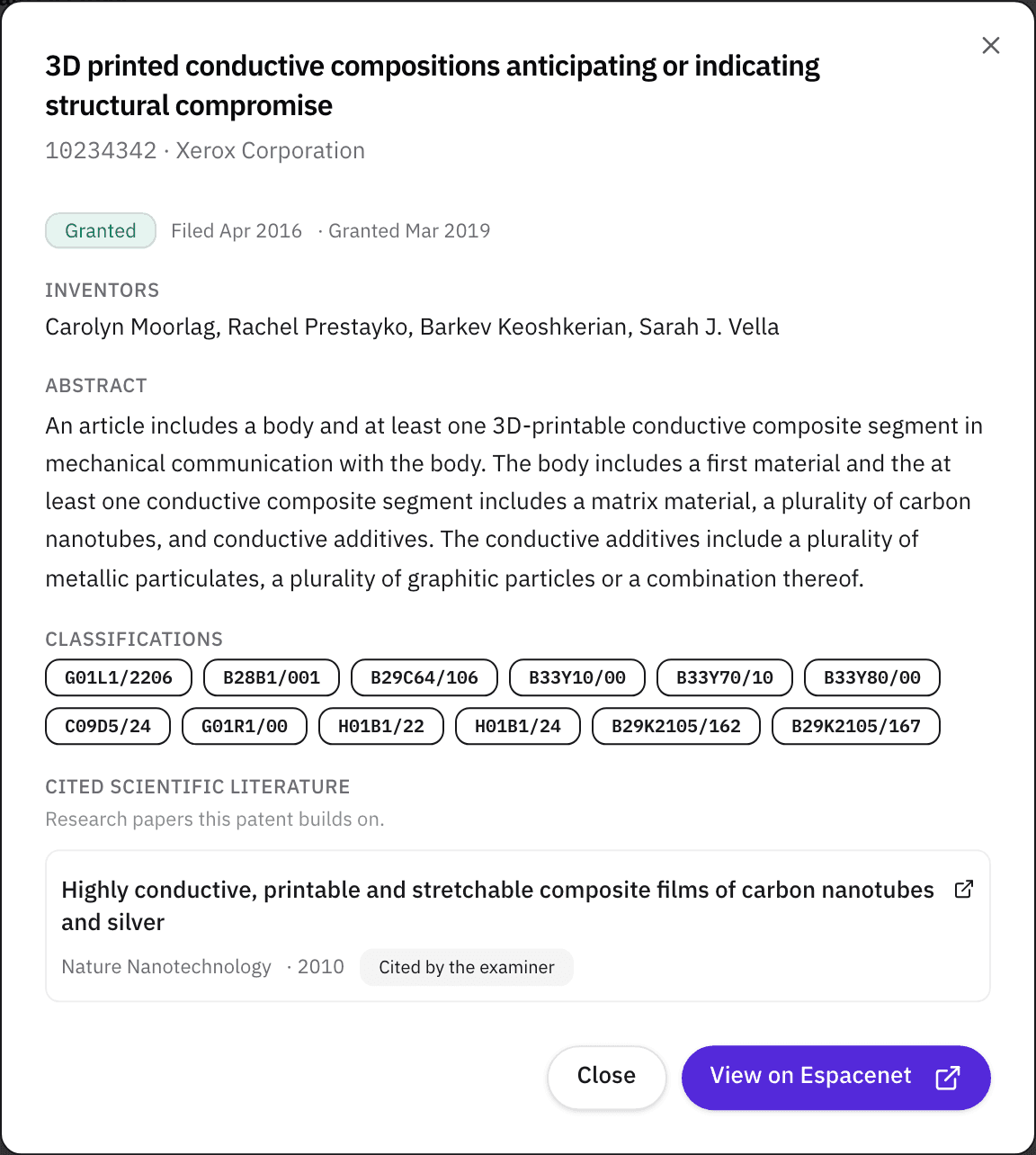
- 1. Assignee and dates. As granted, the parent company shows on the organization page.
- 2. Inventors. Linked to a researcher profile when matched, plain text when not.
- 3. CPC classifications. Up to 12 codes from the patent.
- 4. Cited scientific literature. Up to 25 papers the patent's references point to.
- 5. View on Espacenet. The full record, outside the platform.
What’s on Free, and what Pro adds
| Free | Pro | |
|---|---|---|
| Patents, Literature, and Organizations filters | All | All |
| Cited scientific literature and Cited by patents | Yes | Yes |
| Saved items with notes and tags | 50 | Unlimited |
| Saved-items CSV export | No | Yes |
No Discover filter is tier-gated.
Match
Technology scouting is the Match phase's homework: knowing the field before you choose a partner in it. Read about the phase →
Browse technology areas
Each page counts the researchers, publications, and U.S. patents the Helikon Research Graph holds on one technology, shows who's working on it, and gives you a problem statement to run in Partner Search.
- Additive manufacturing
- Energy storage
- Drug delivery
- Biomanufacturing
- PFAS detection and replacement
- Antimicrobial resistance
- Clean hydrogen
- Chemically recyclable plastics
- Separation membranes
- Semiconductor fab and packaging
- Carbon capture and conversion
- Solar cells
- Robotics
- Autonomous vehicles
- Coatings and adhesives
- Fuel cells
- Bio-based materials and renewable feedstocks
- Cell and gene therapy manufacturing
- Power electronics and wide-bandgap devices
- Biomaterials and tissue engineering
- Industrial AI and digital twins
- AI and computational drug discovery
- What if I don't know the CPC code for my area?
- Type a word instead. The CPC subclass field matches subclass titles as well as codes, so “batteries” offers H01M and “catalysis” offers B01J. Paste a code if a disclosure or a competitor's patent already gave you one, then narrow with the keyword box and Year from.
- Why isn't my phrase finding papers I know exist?
- Literature keywords match titles, author names, and topic names, so a long phrase lifted from an abstract returns less than a short one. Keep the keywords short and do the narrowing with Subject area, Year, and Min citations. Patent search reads more: title, inventors, assignee, CPC codes, and the abstract.
- Which patents are included?
- US patents from the USPTO, 3.3 million of them granted. The Status filter is derived from the dates on the record rather than a legal-status feed, so use it as a first cut and confirm on Espacenet.